Exercise: Hierarchy

Using about 500 words of Lorum Ipsum (or other dummy text) you are going to design three different pages:
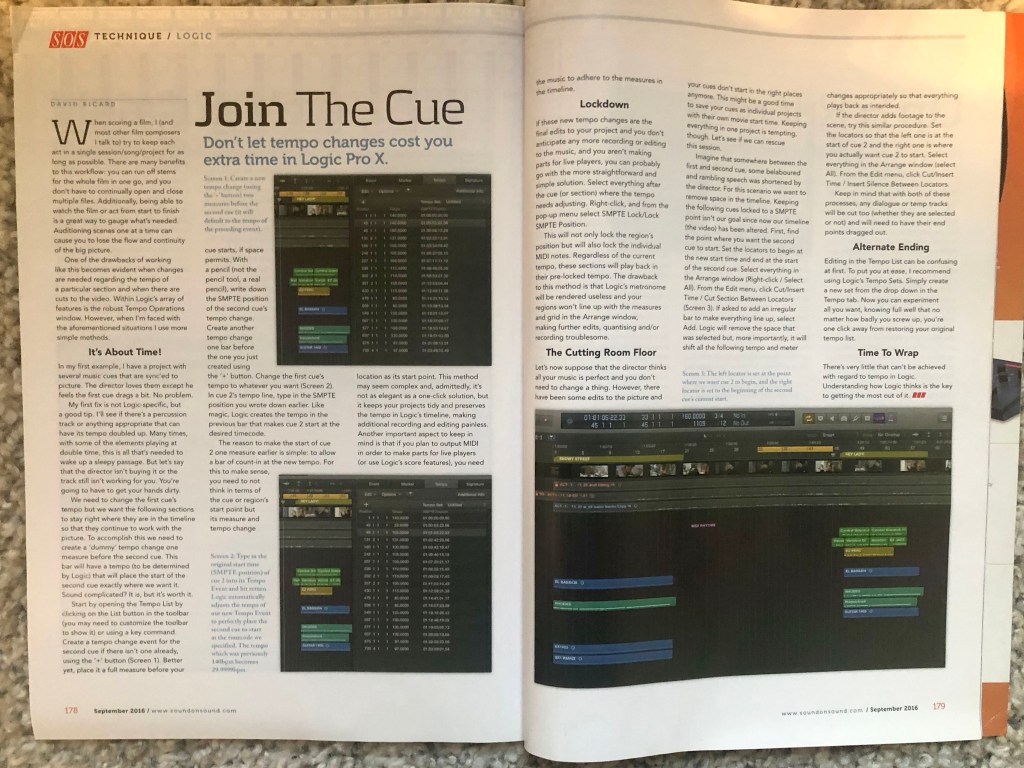
• an interview with a TV actor in a listings magazine entitled: Will Sheila tell the naked truth?
• a review of a new piece of hardware or software in a specialist computer magazine
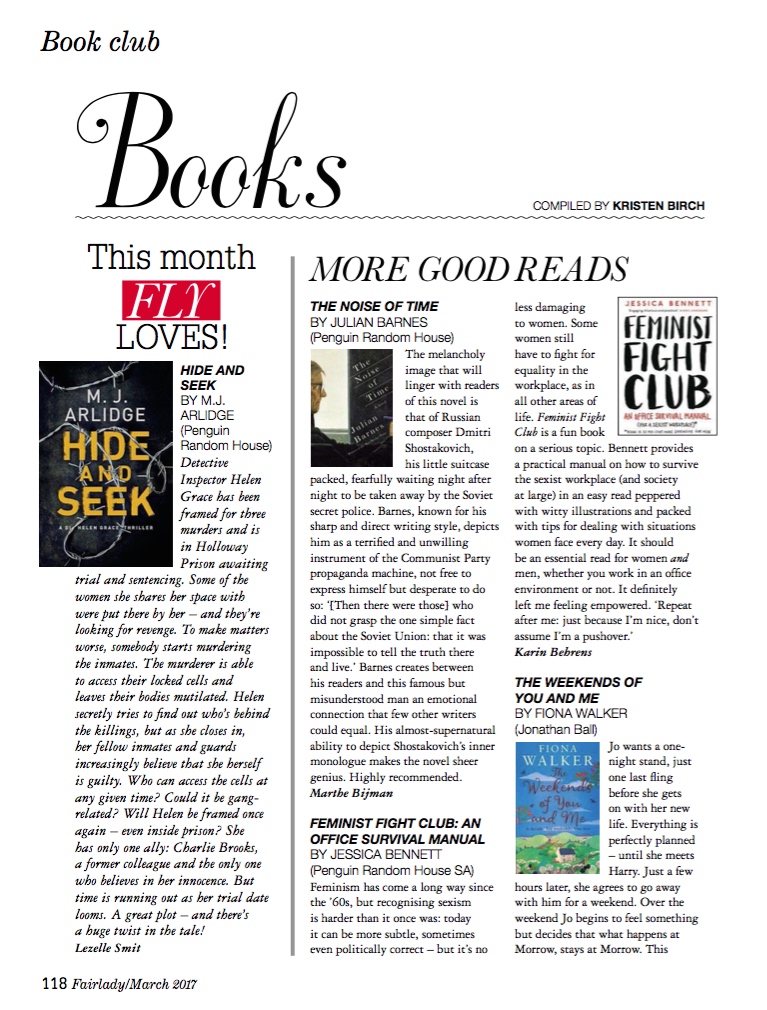
• a book review in a newspaper’s weekend edition.
Research these types of publications and identify three different combinations of typefaces appropriate for each publication. Now you need to invent headings and subheadings for your articles. Set these combinations so that your header is above 12pt in size, your body text is 12pt or below and subheadings sit in between in your hierarchy. You will need to create some text to allow you to show your combinations in action. Use your text to describe your decision-making process, why you think the combination works and what your intentions were.

OCA. Core Concepts

Research

So, the final task in the 4th part – study and analysis of fonts and their use in magazine and newspaper typesetting.

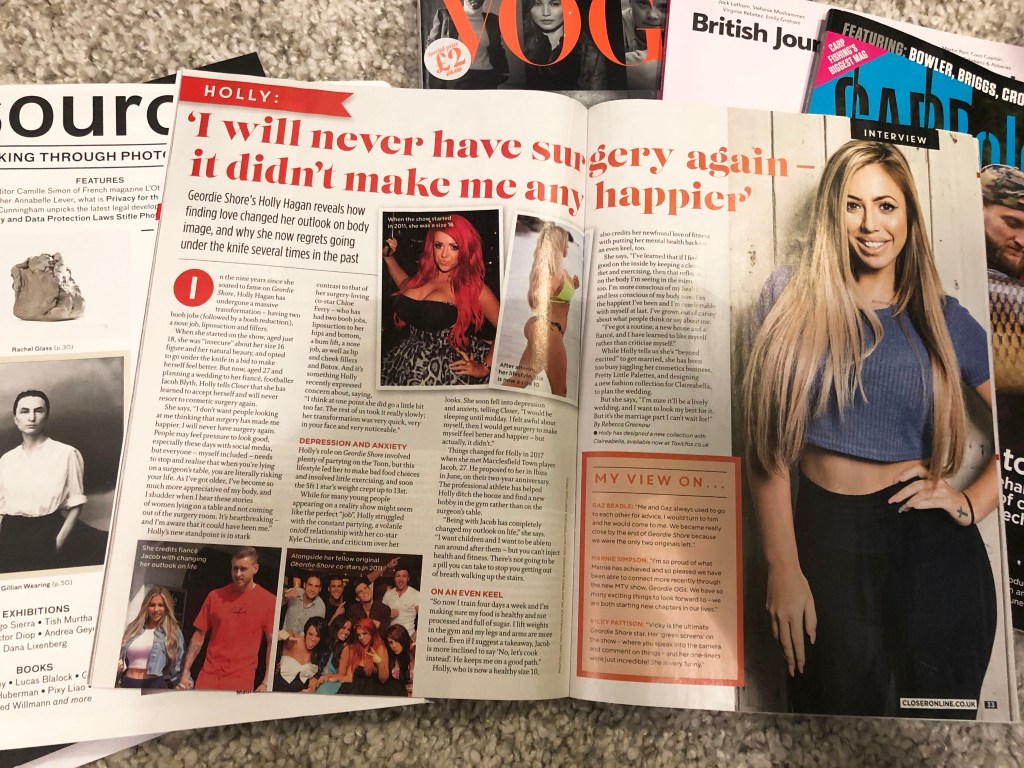
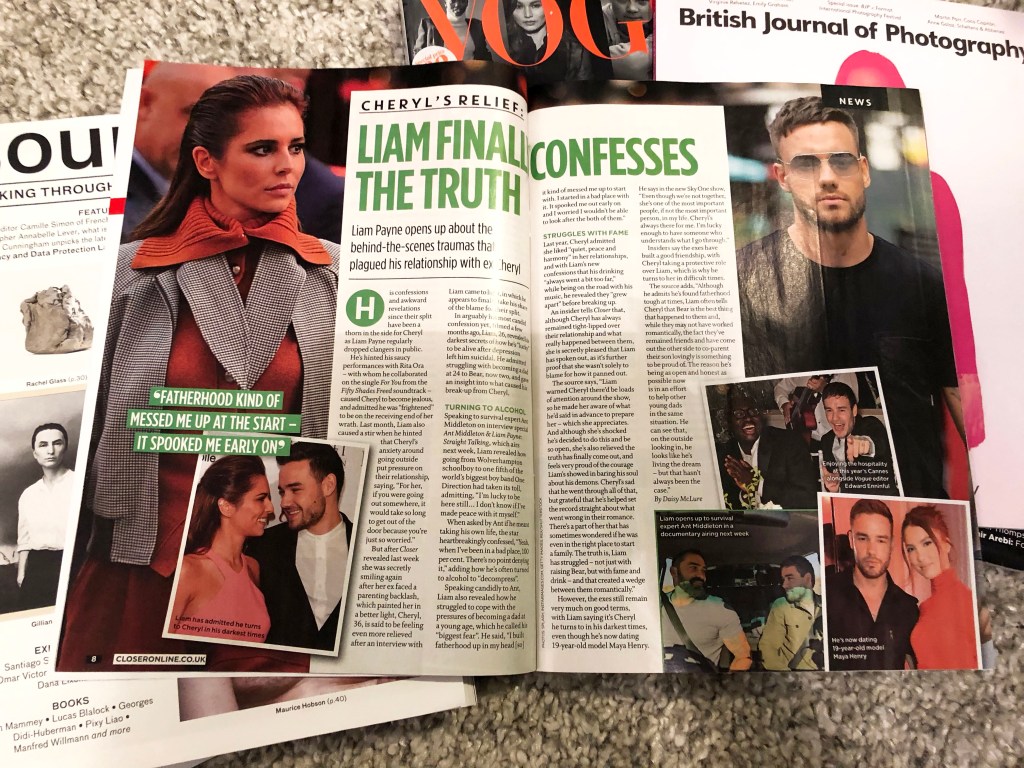
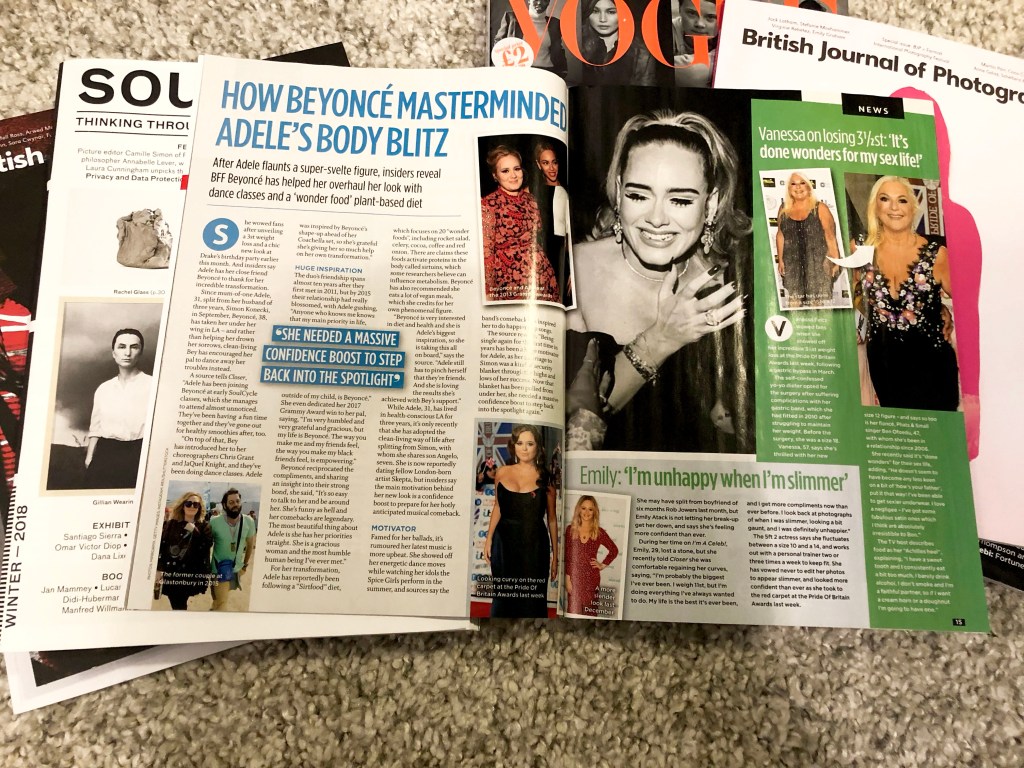
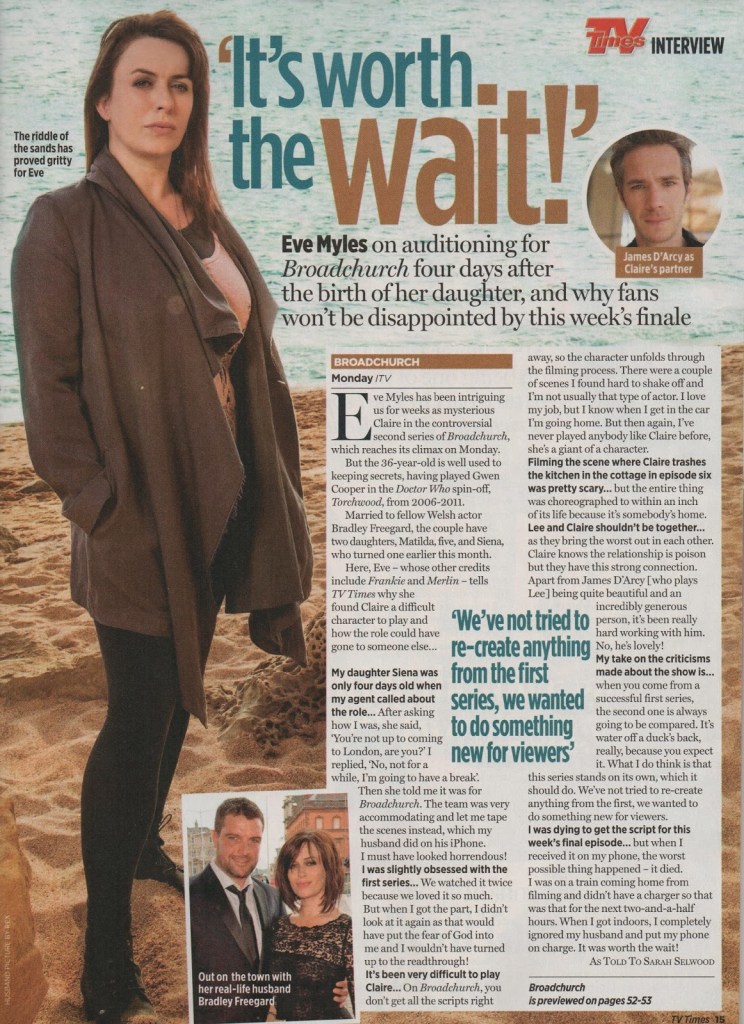
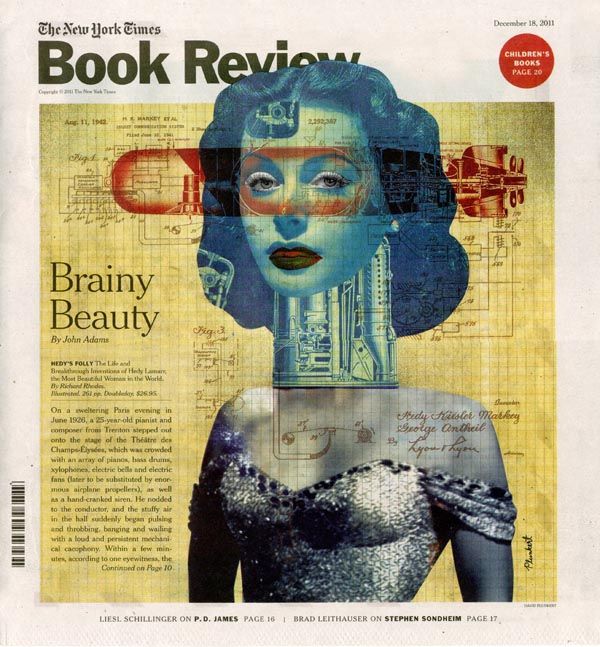
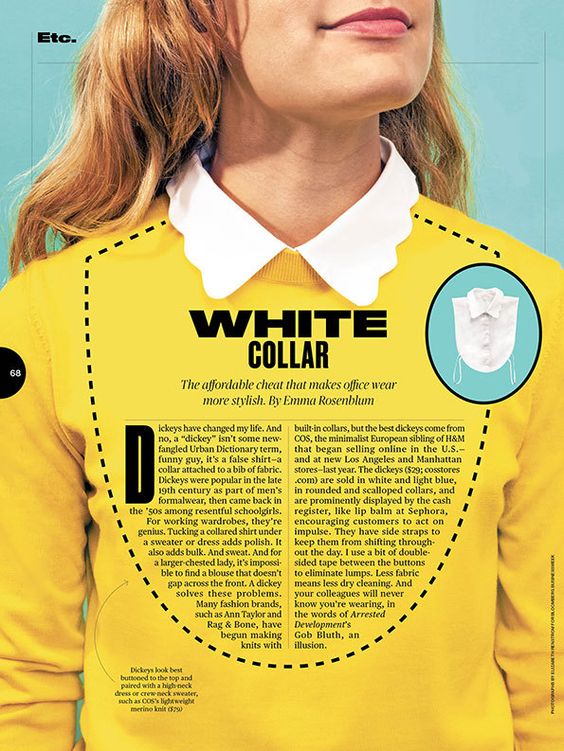
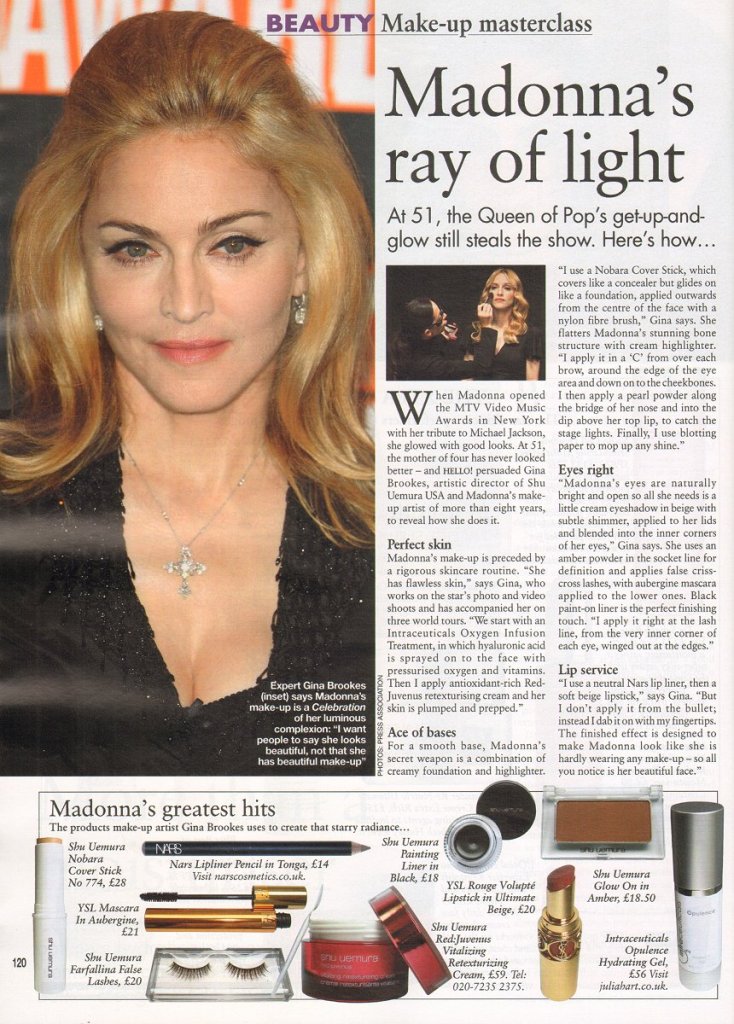
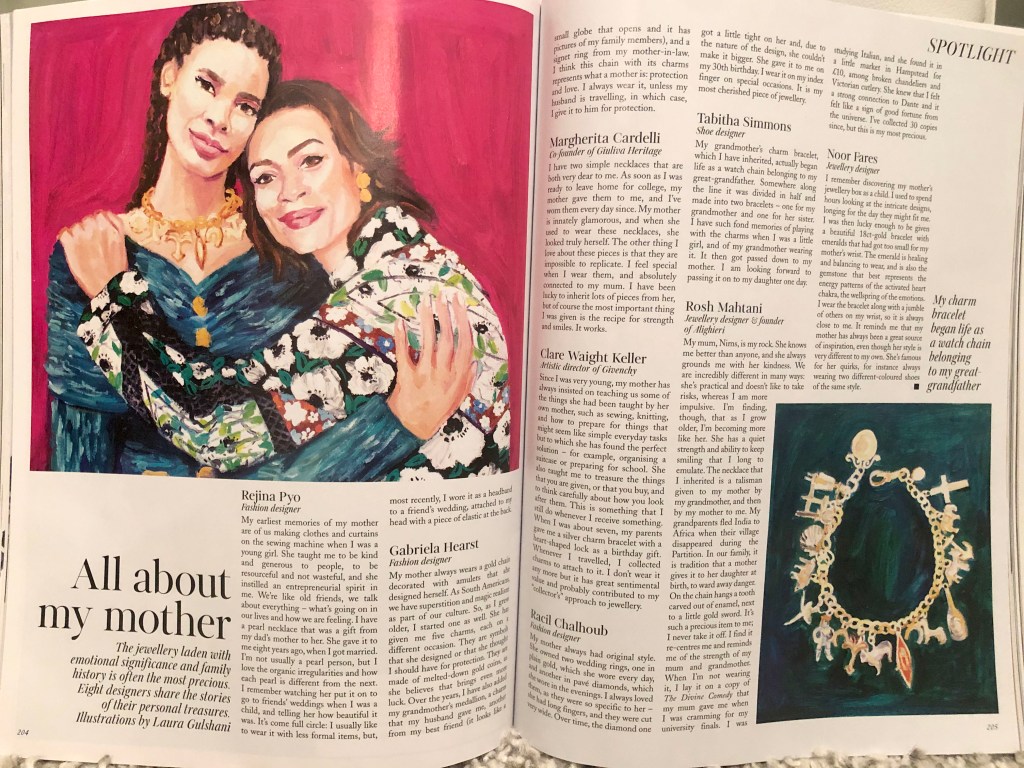
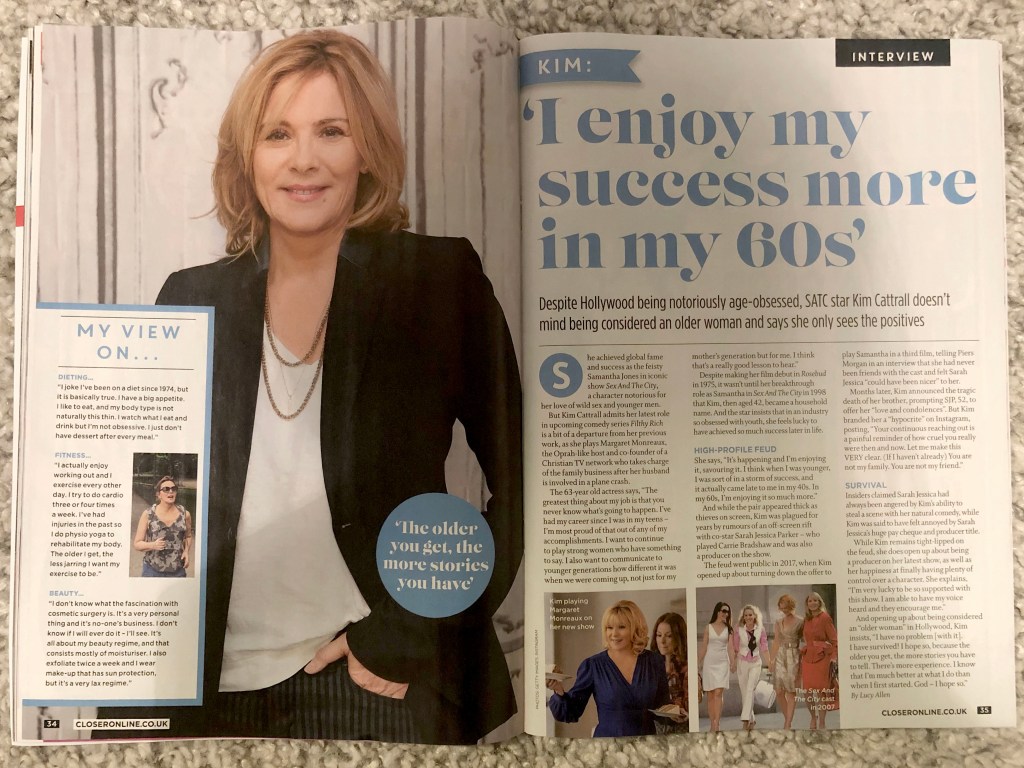
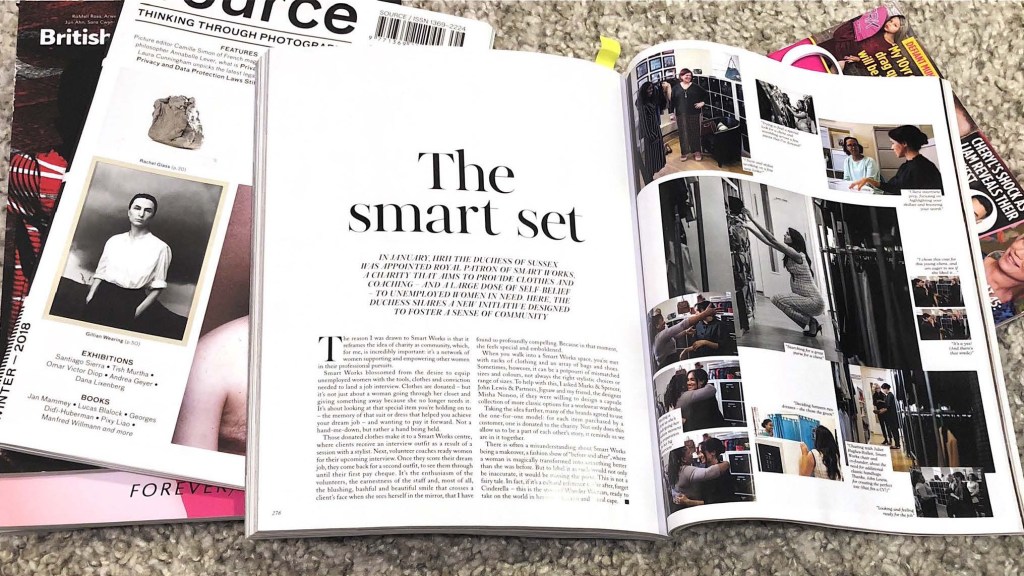
To begin with, I collected layouts by topic, in order to trace the key differences or general similarities. I noticed that depending on the magazine and type of interview, the design and set of fonts changes. For example, version №1 and №2 of an interview with Michelle Obama, and an interview with Meghan Markle in the September edition of Vogue, discreet fonts can be traced here, only black for text and headings, but at the same time a lot of small photos that convey the mood of the interview. At the same time, the version of layout №3, 4, 5 of Closer magazine is more catchy and bright, which is typical example of TV Listening Magazine. This kind of deigns have a kind of challenge, exposure of facts, and frank confessions, the headers used bright colours, blue, green, blue, everything to get attention.

Some designs used large headlines with serif fonts, some without sans serifs, but all headers were bright and contrasting. Fonts for text are mainly serifs, in several columns, aligned on the left side. With the exception of the layout in Vogue magazine, adjusted text columns, and the headings are black in a restrained colour, the font only with serifs.

I noticed that in my last exercise Lorem Ipsum, I performed a similar design, a bright layout with large contrasting headlines and dynamic photographs. Therefore, for me, similar style of design was a re-work in which I should pay more attention to details.

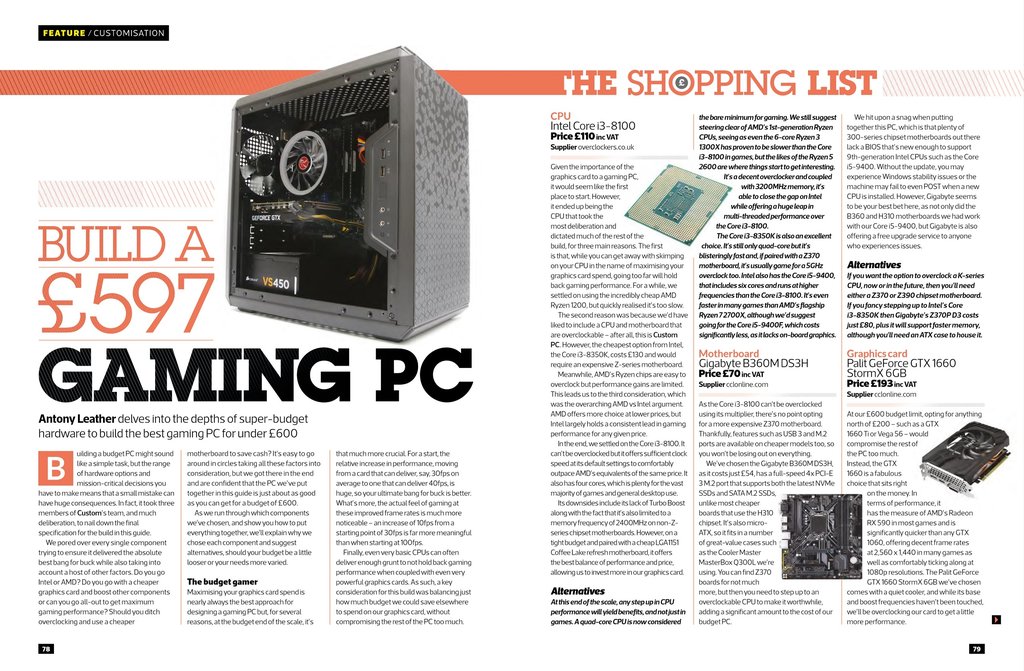
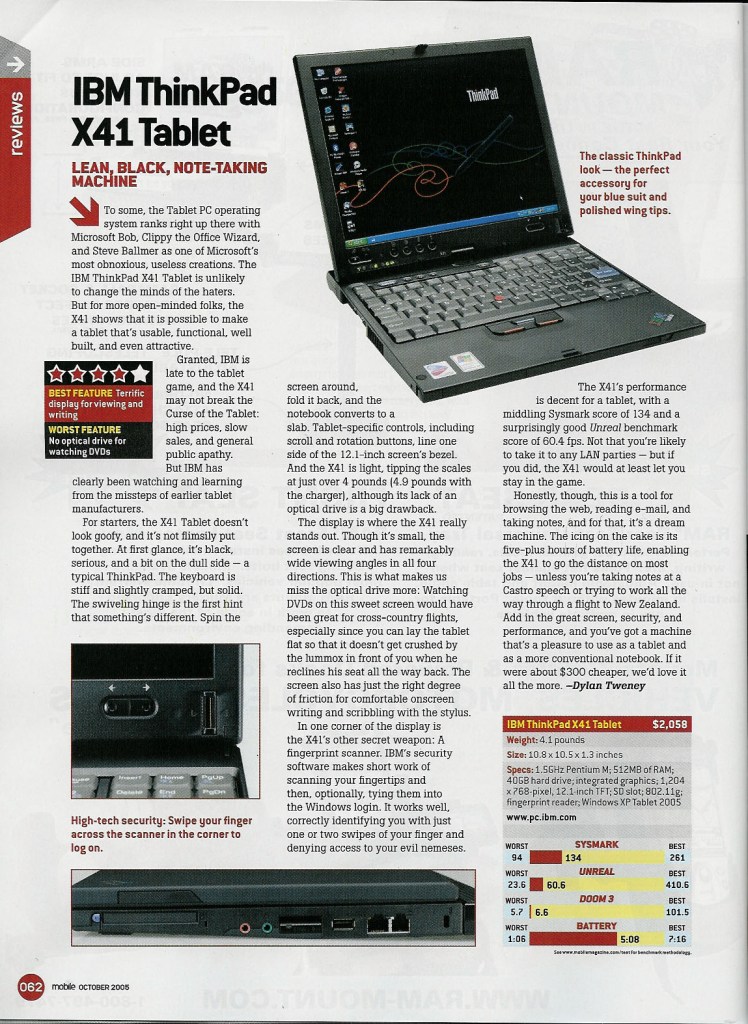
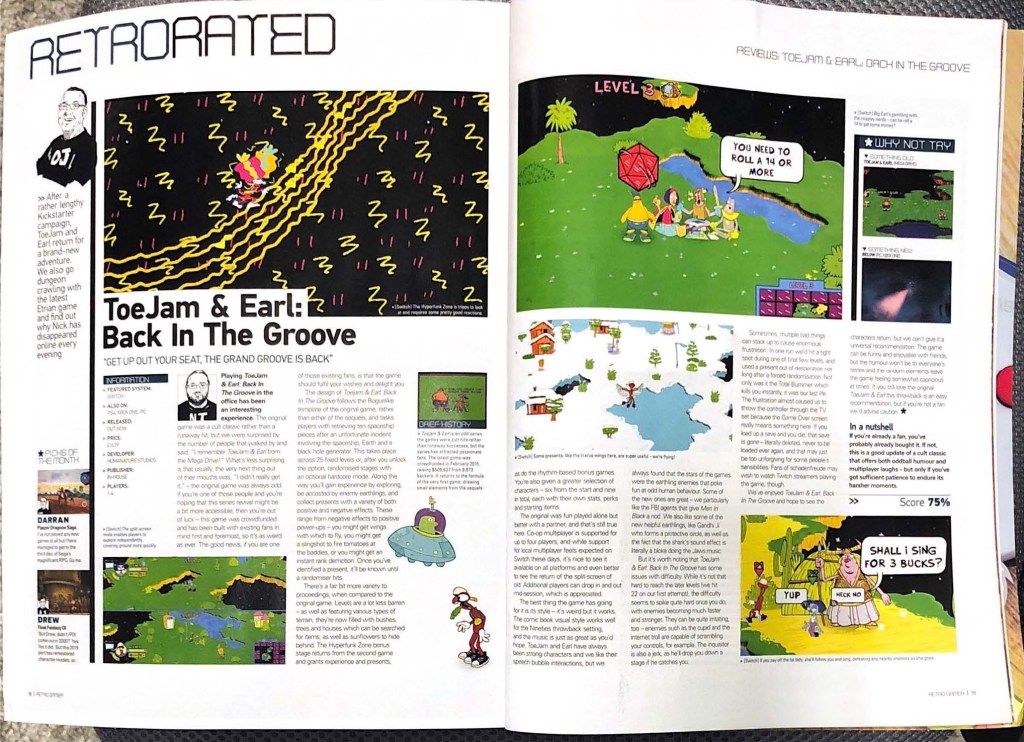
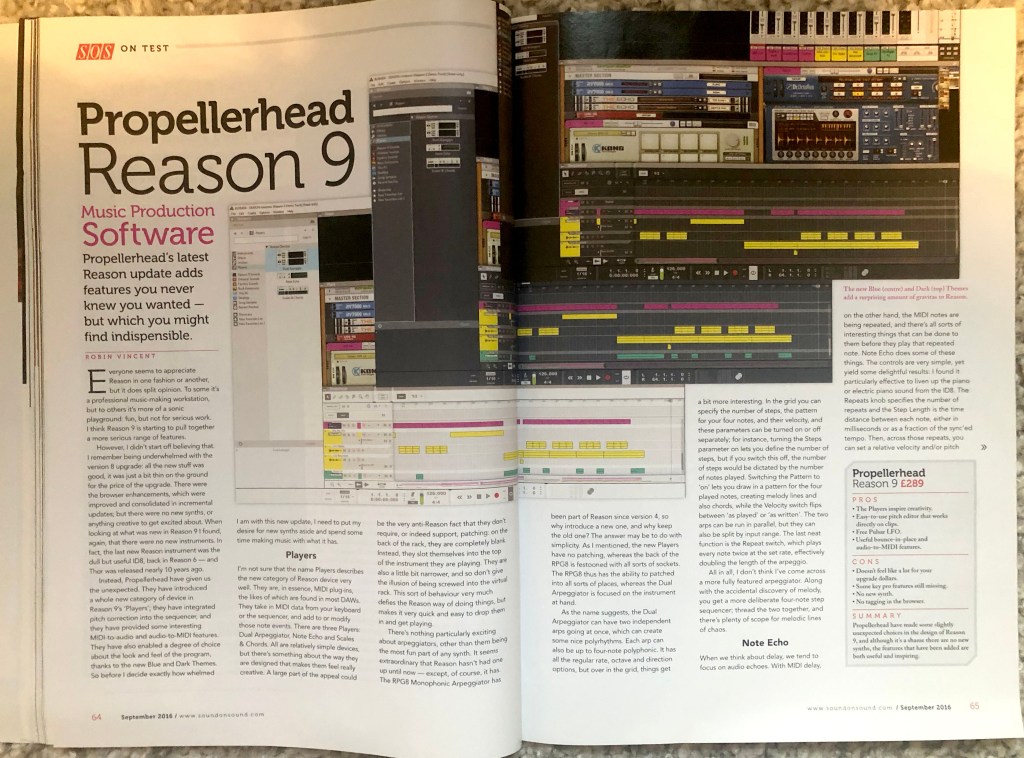
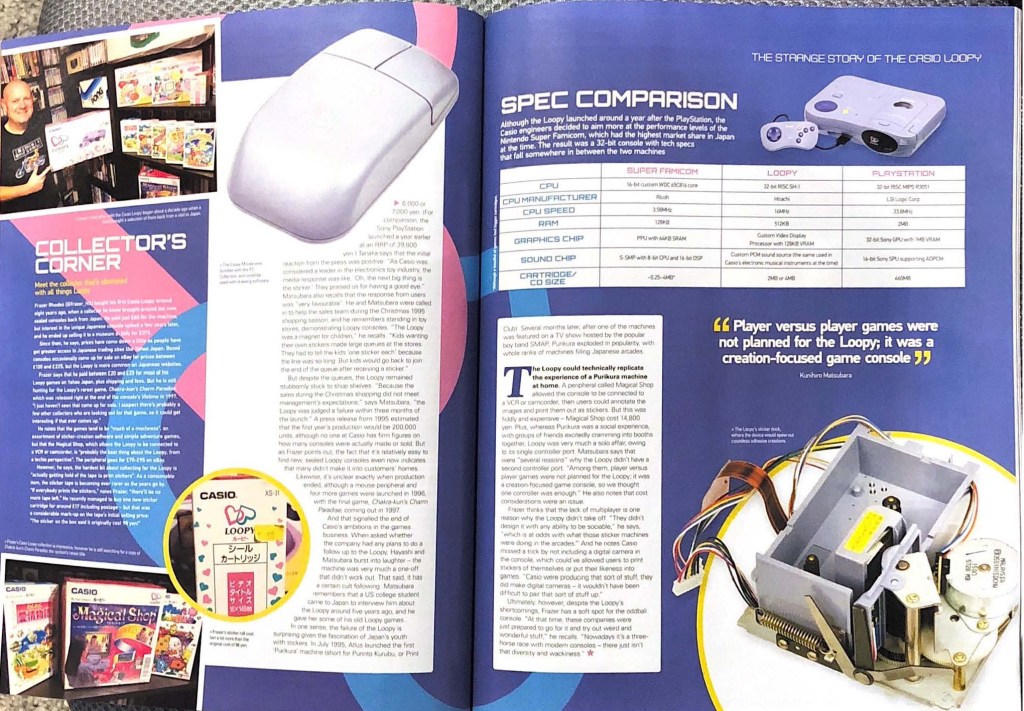
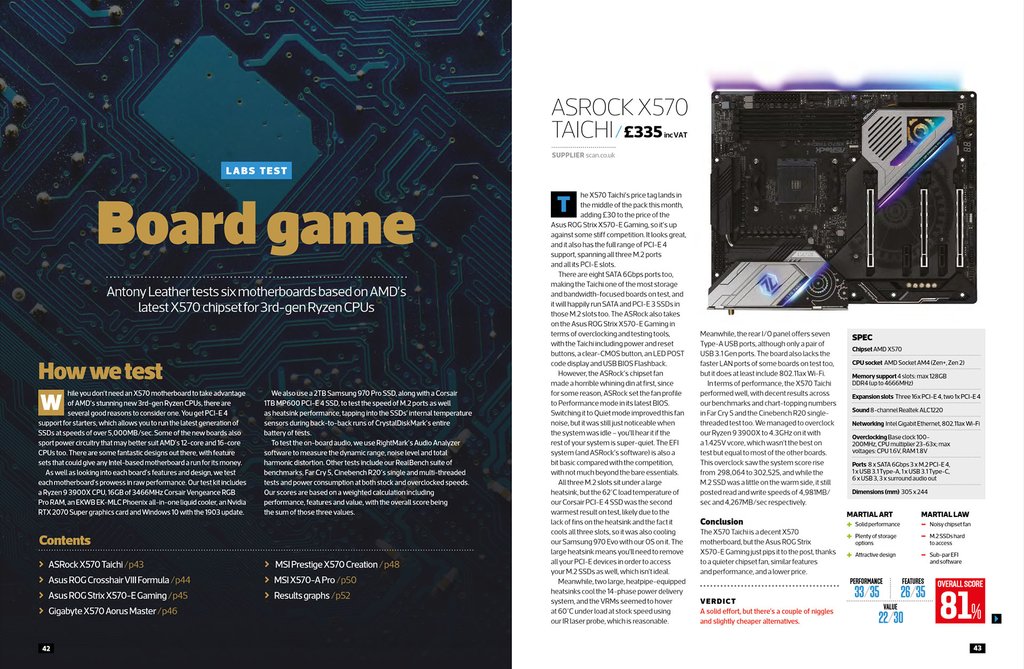
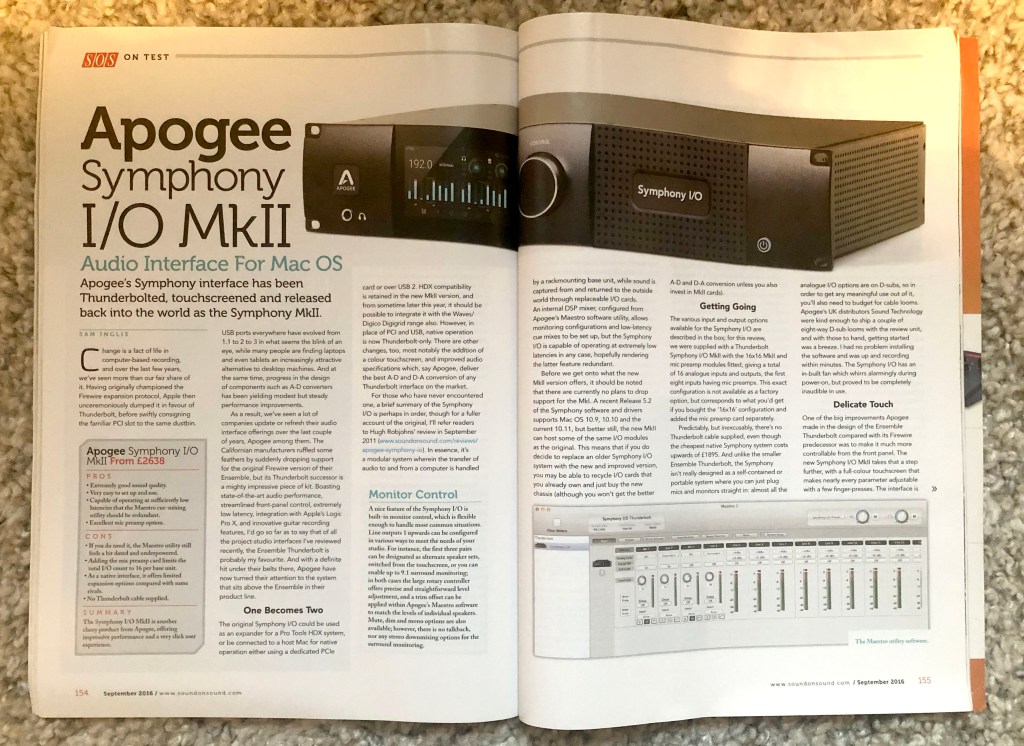
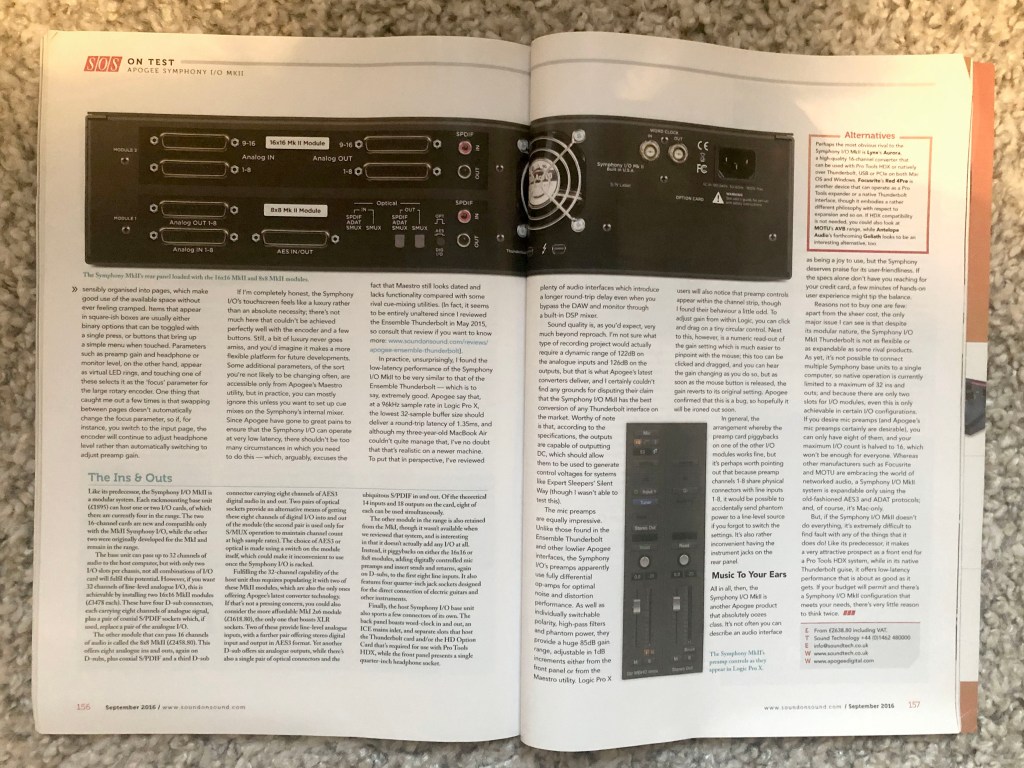
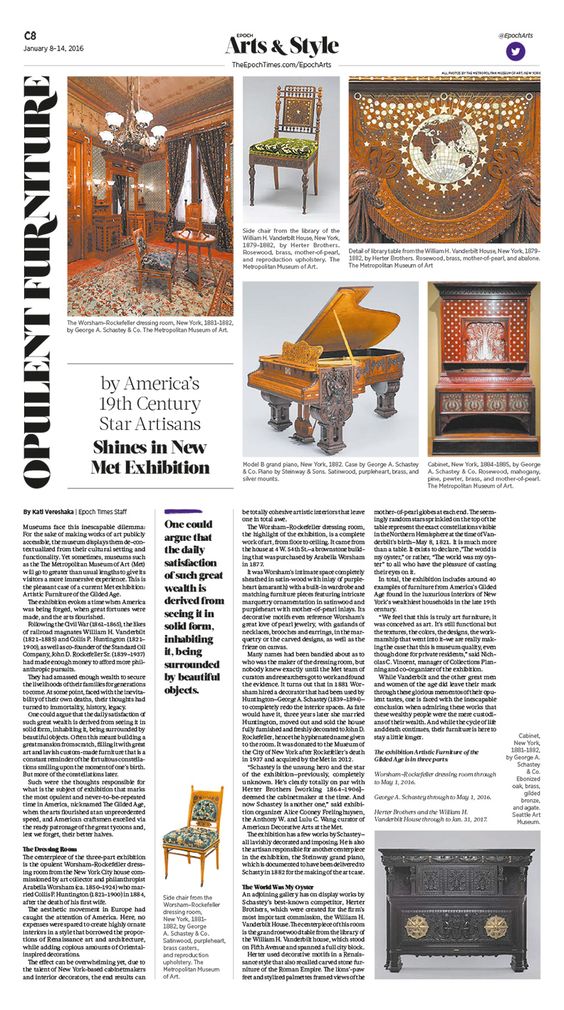
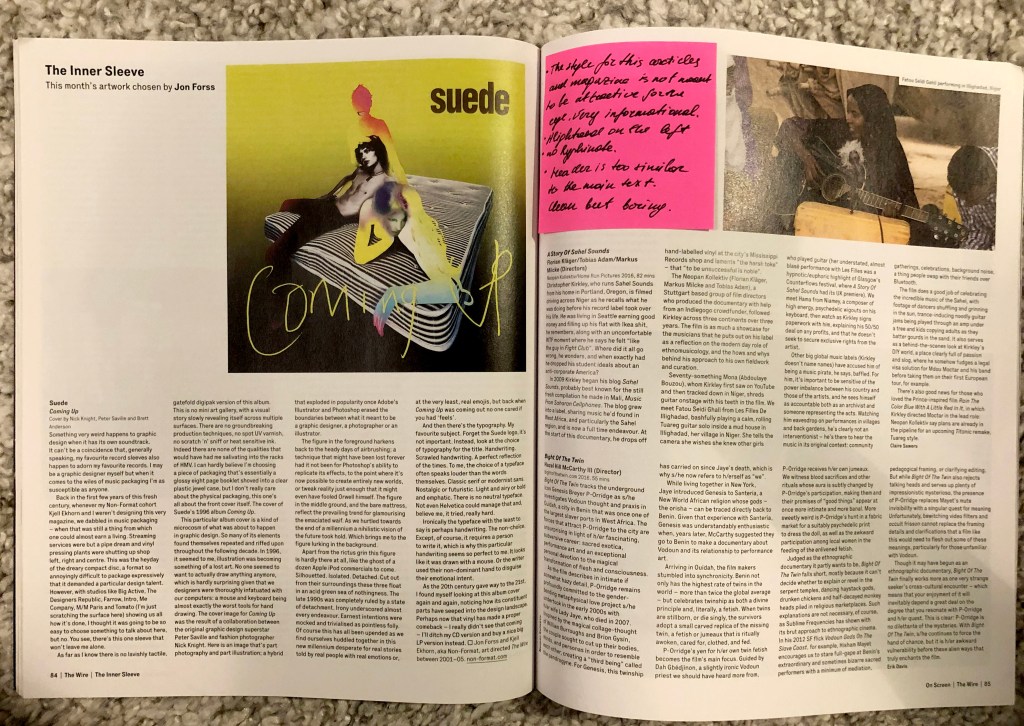
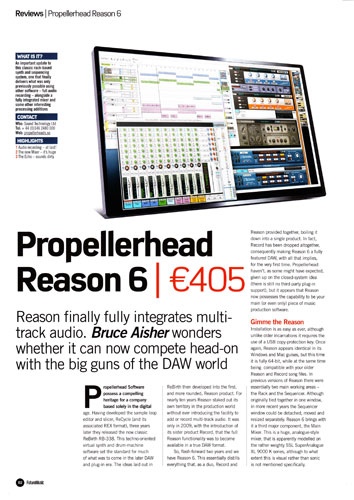
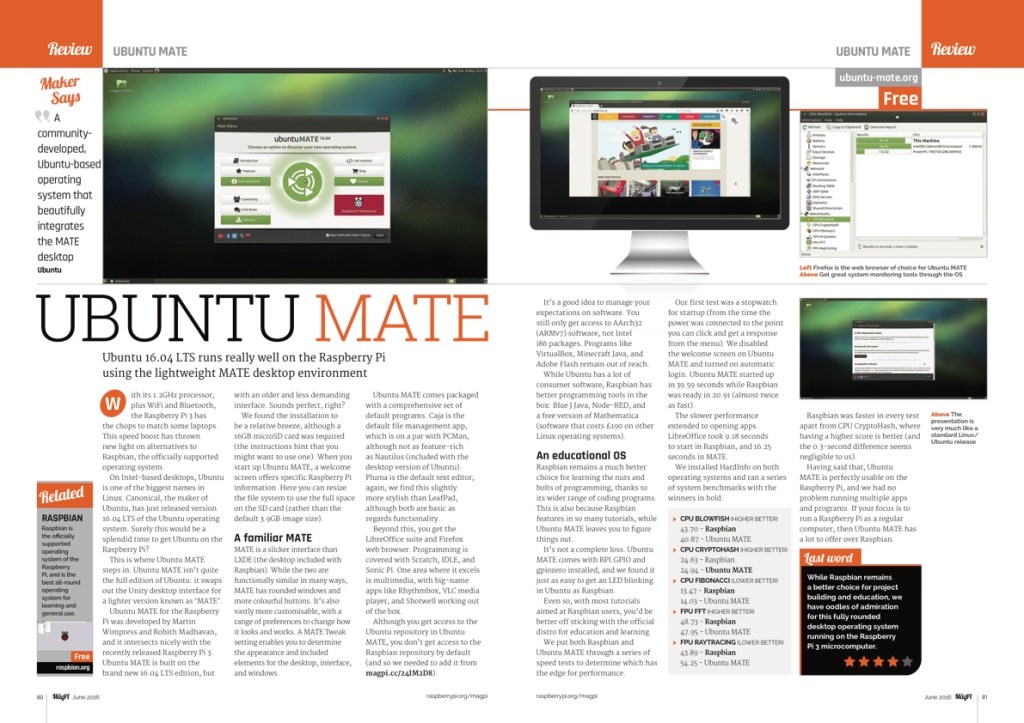
For the second design, I took some pictures of layouts from various magazines, those that were at hand, some of them music creation editions, some of them about retro games. In my collection, there are such designs as typesetting of computer equipment, well-designed software, and for comparison, I have attached examples of typesetting of the computer games magazine Retro Games, which in my opinion is distinguished by its creative approach, an interesting combination of colours and font solution. At the same time, the design options for the software are quite restrained, with a maximum of several colours for the headers and screenshots.

Font for headings without sans serifs or fixed width, aligning the columns to the left, which creates more air and space in the layout, fonts with serifs and sans serifs. The designs are fairly standard, with a maximum of two colours in fonts, red and black, the main thing here is to display a photo of the software and equipment.
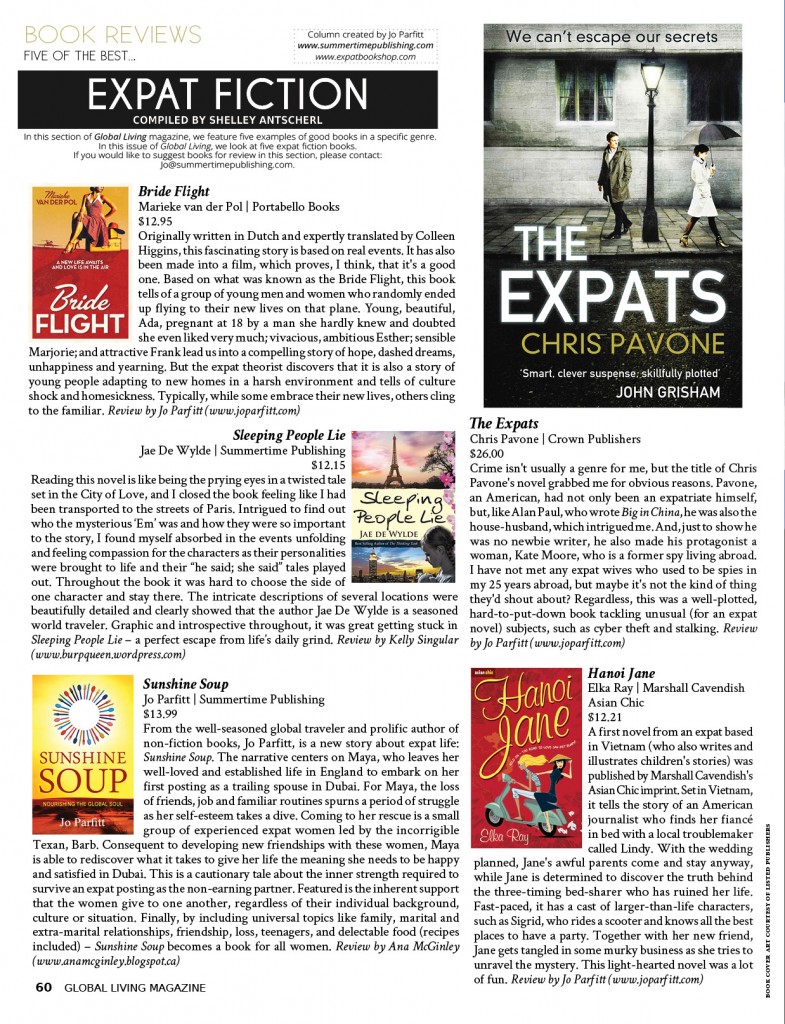
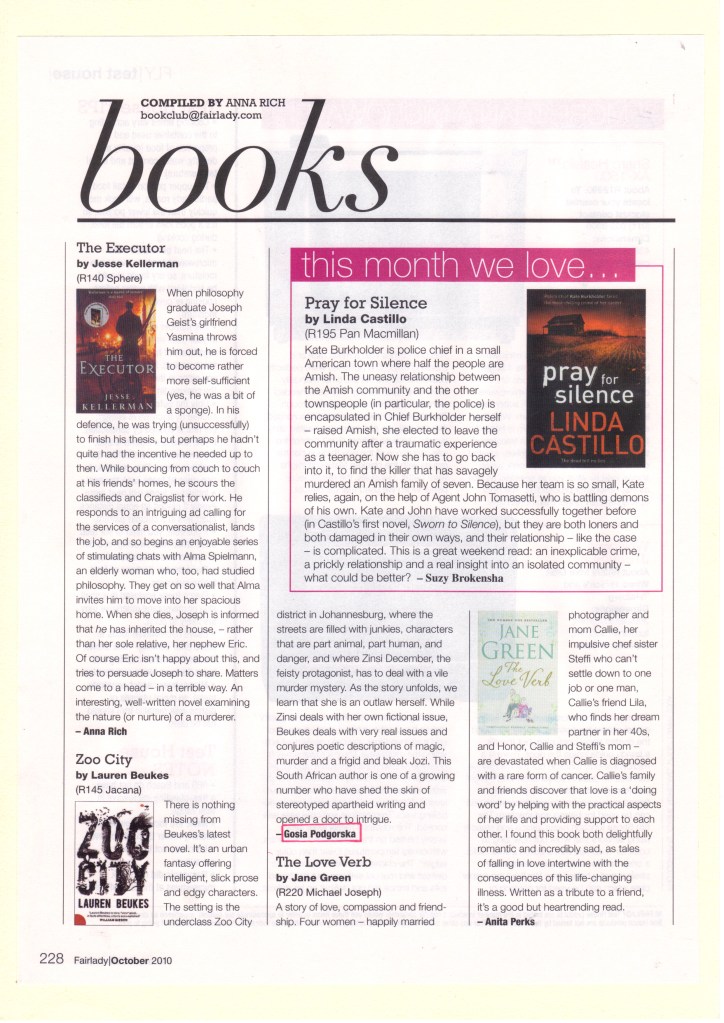
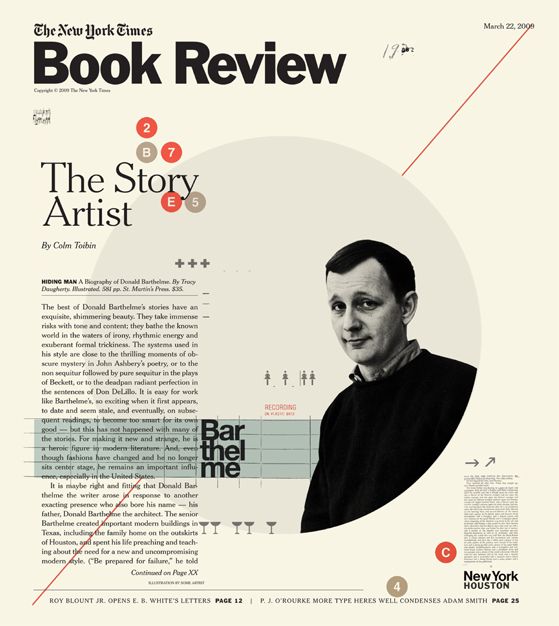
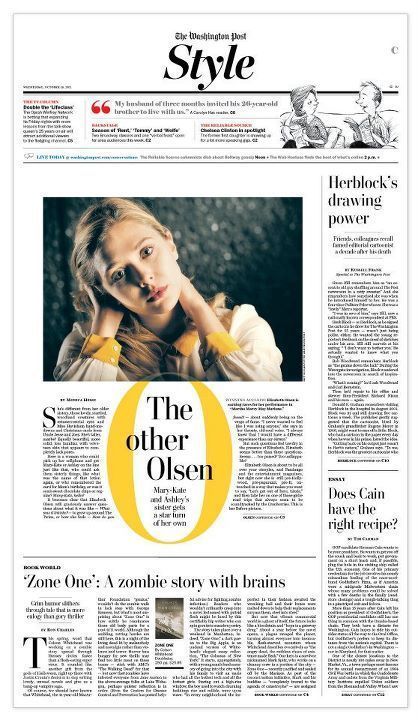
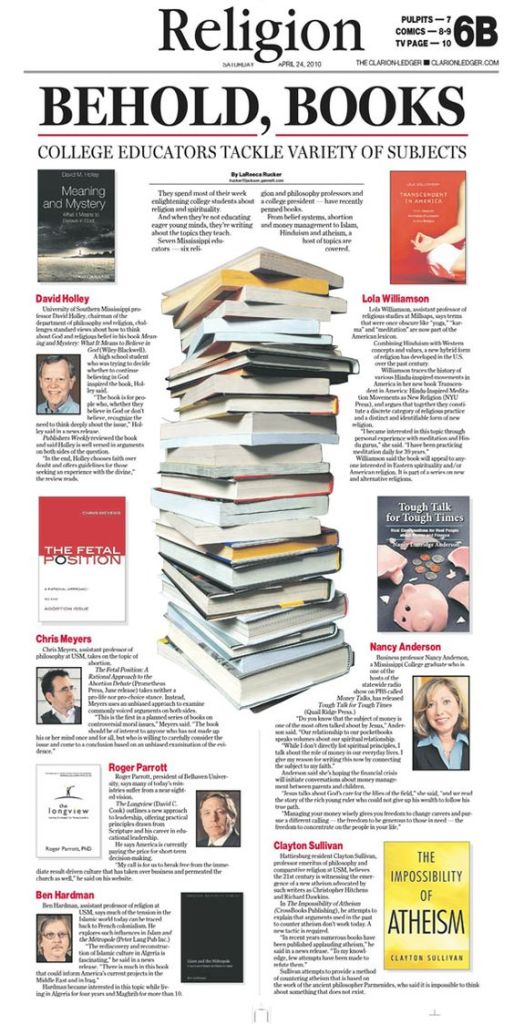
The design for book review turned out to be pretty standard. The main font with serifs 12pt, a large heading Books, book covers were used as graphics. But still, after a long search for Google open spaces, I managed to find several creative layouts, with unusual graphics, which occupies about 80% of the sheet, compared to about 20% of the review itself.

Some columns are left-aligned, some are aligned on both sides, fonts with serifs and sans serifs. The flow around the text around the book is also carried out in several ways, it can go along the left side of the book, along the right, and also go under the book itself. I walked around the size of the newspaper because I had never done a design for a newspaper before, I found several sizes, the size of the newspaper tabloid 289x380mm https://www.newspaperclub.com/choose/tabloid/digital
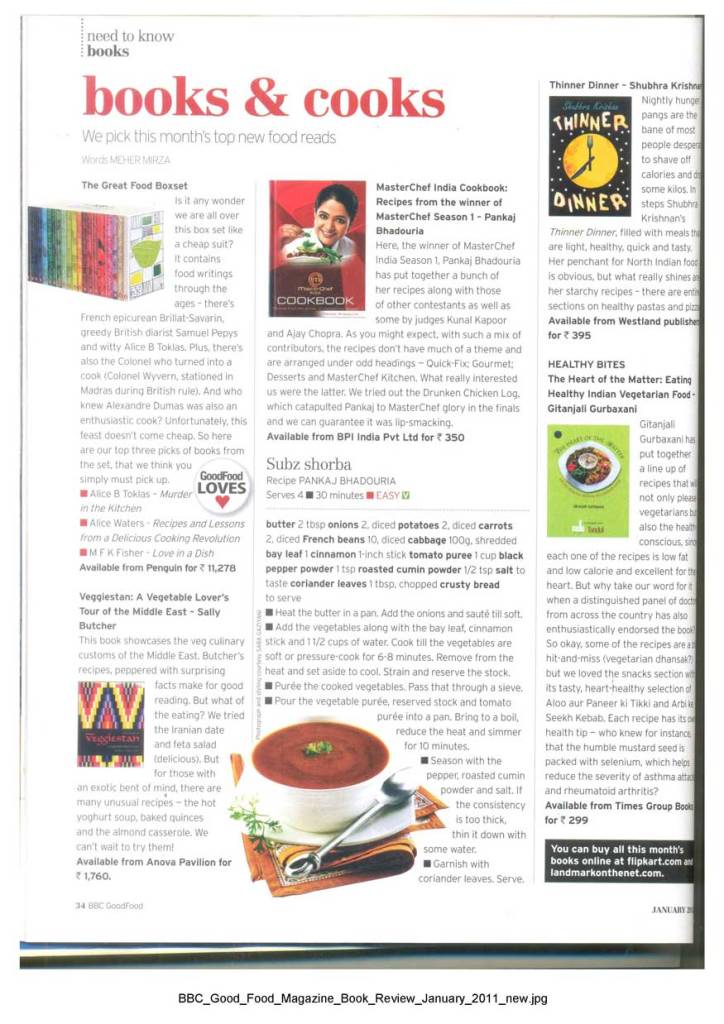
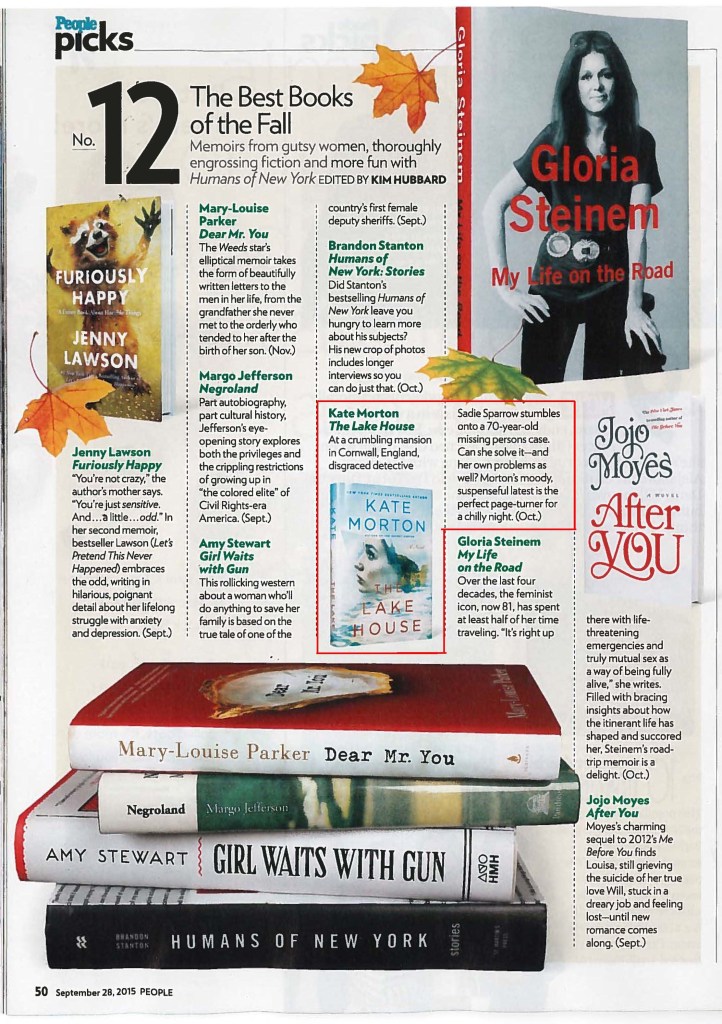
Overall this designs gave me some ideas how I would like to represent my designs. Now is the time for the next part. Sketches and the structure of each design.

Sketches

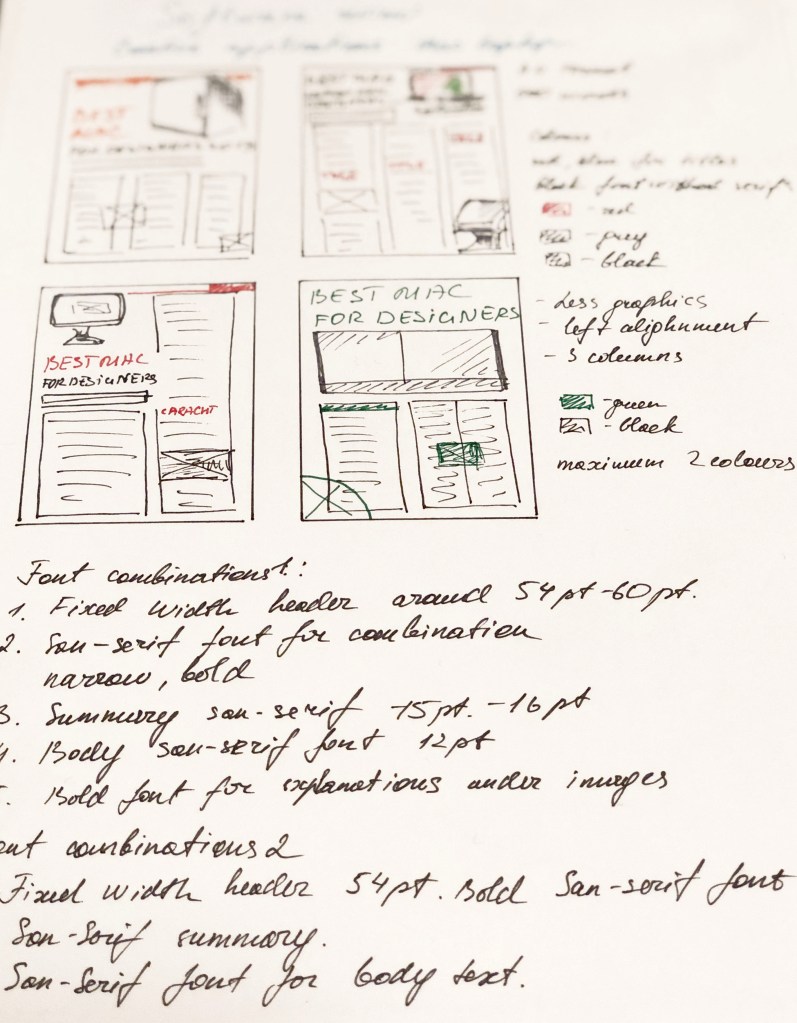
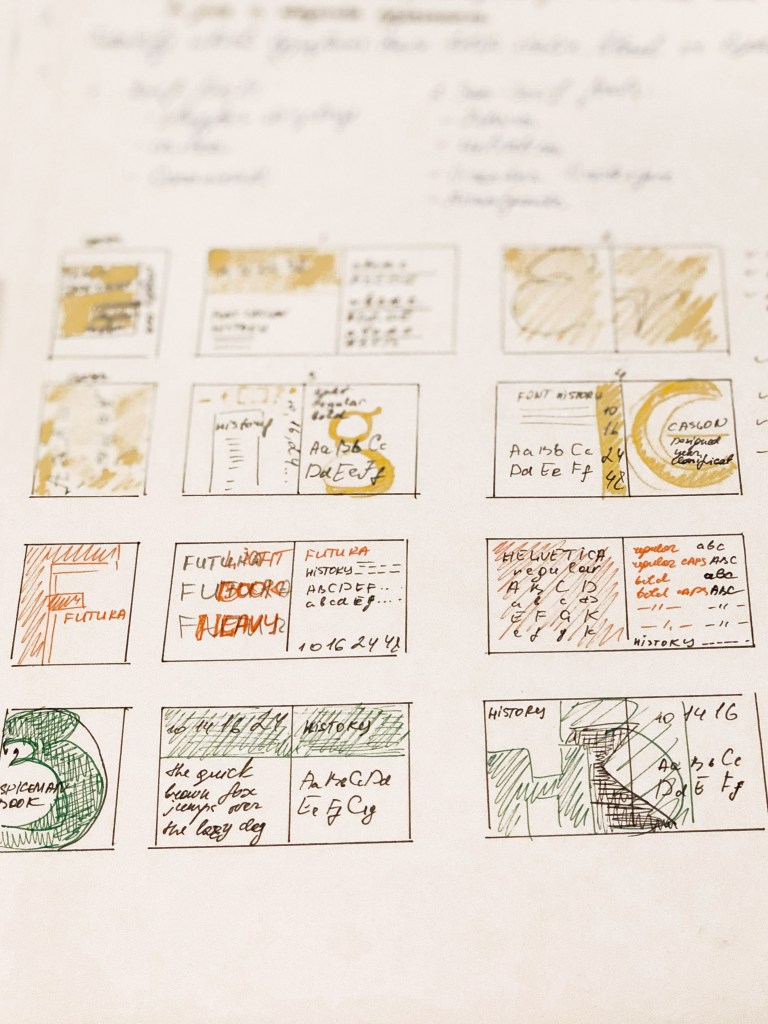
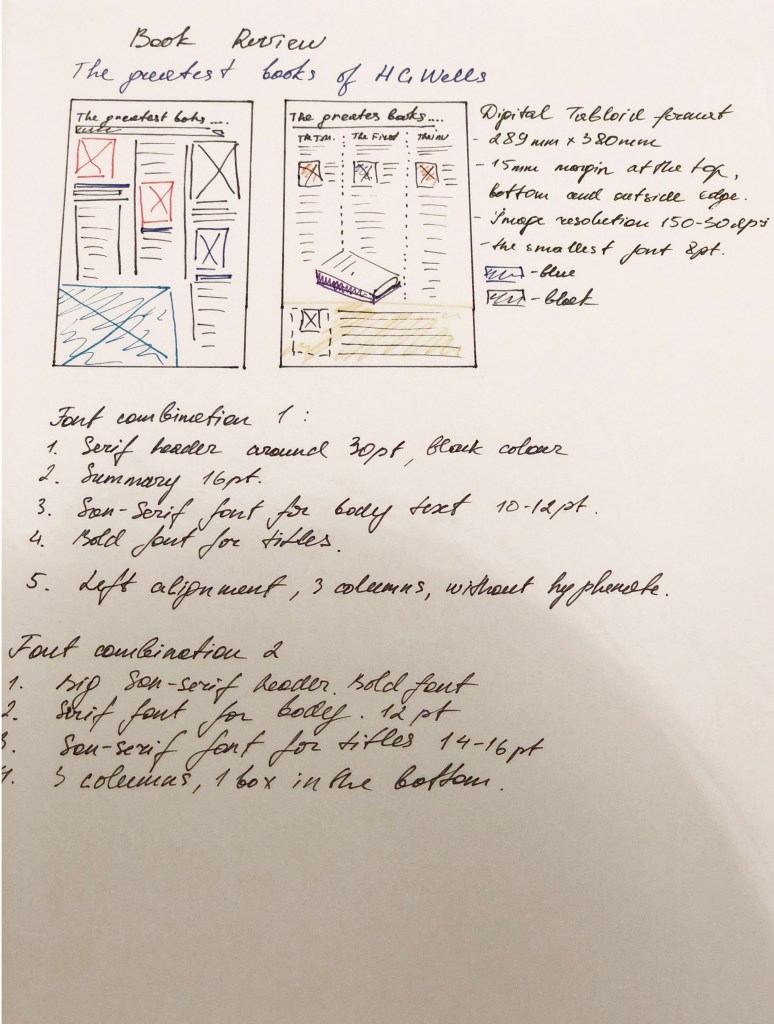
So, the introductory part of the analysis was carried out, now it’s time to start sketching. I decided that before developing designs in the programs, I needed to make drawings according to my future layouts and identify the main points.

  1. Layout Composition
  2. Font size for the title, type: serif or sans serif.
  3. Font for the main text, size 10-12 points
  4. Font for summary
  5. Colours in designs.

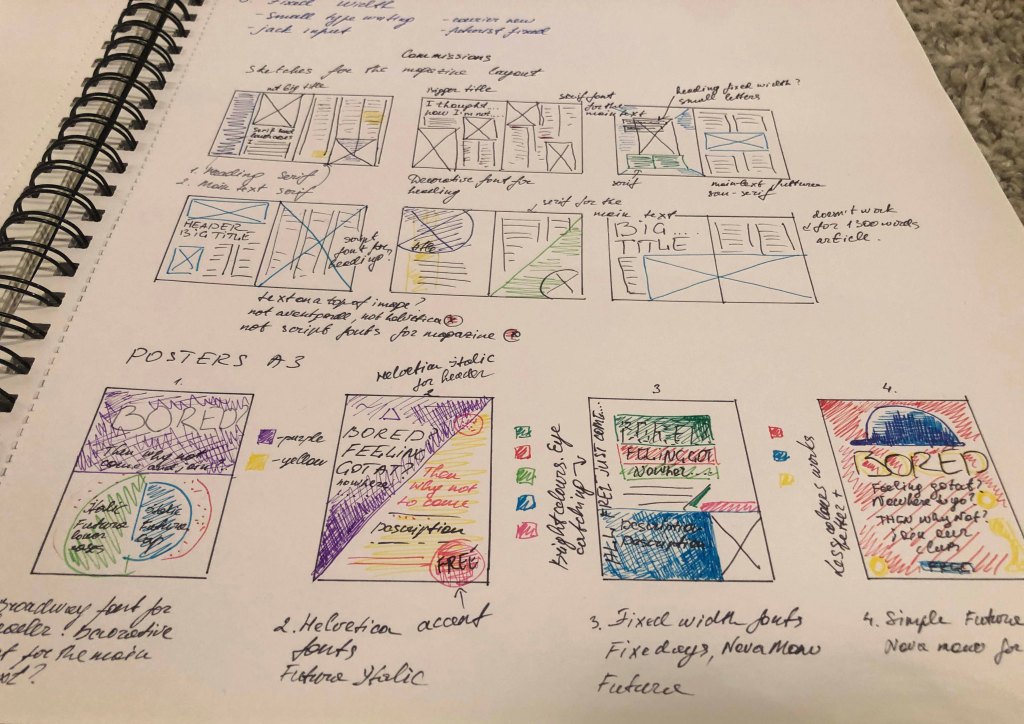
Bellow all my sketches and notes for designs from my learning log. Small sketches for each design helped me shape the overall vision of the finished works which will be reviewed further down.
Designs
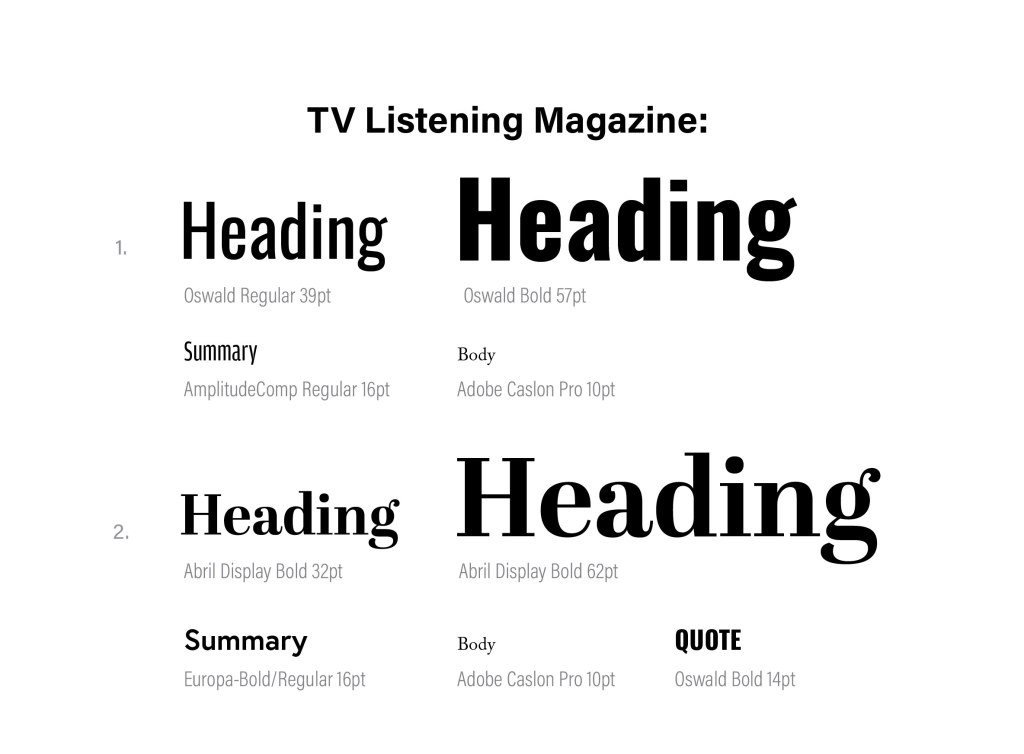
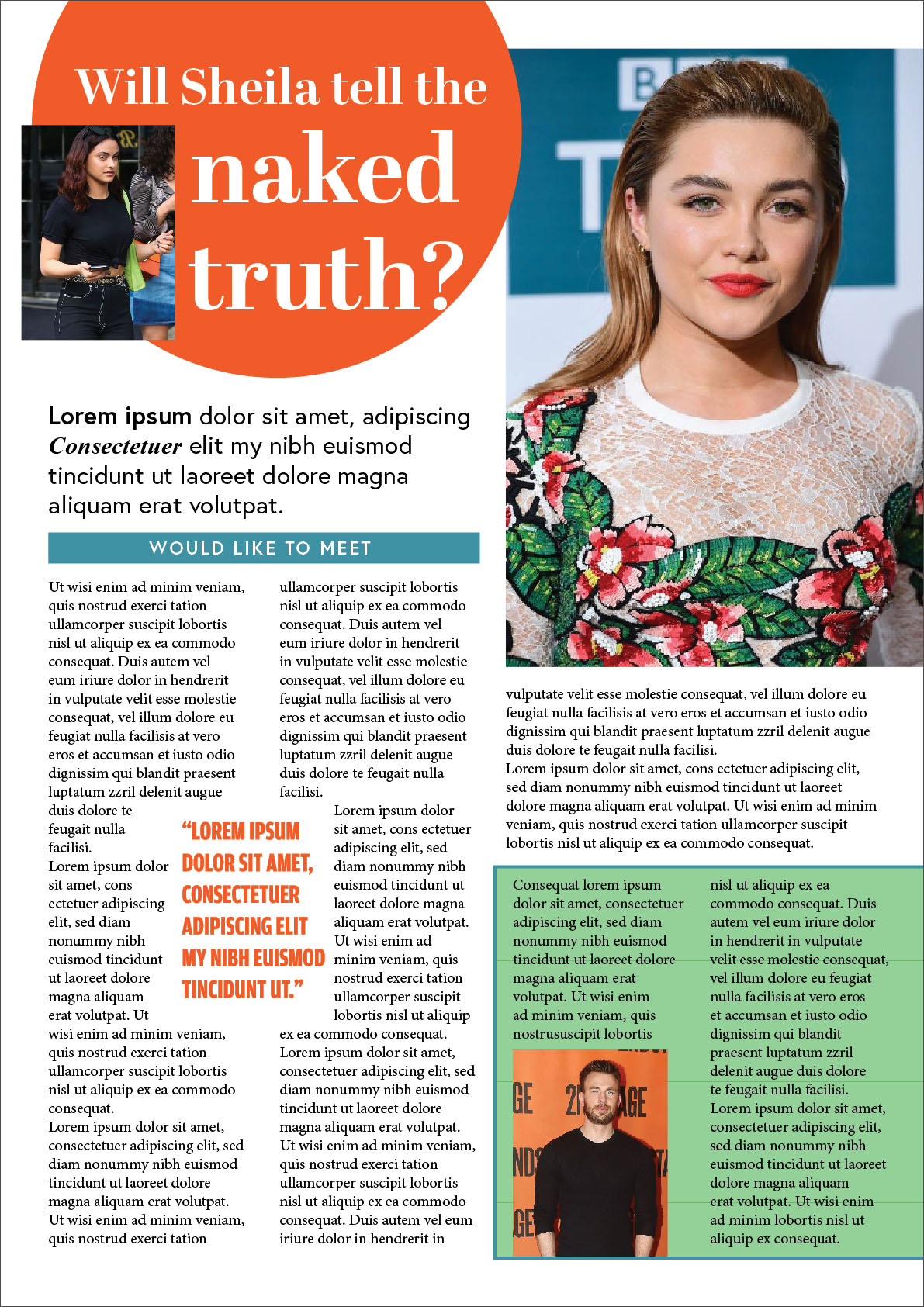
By designing an interview with a celebrity, I outlined several approximate templates, with sufficient number of photos and bright dice. I wanted to experiment with font execution, so I went the same way as I used in the last exercise, where I selected new fonts from Adobe Fonts through Adobe Indesign. The first pin combination consists of a large font of approximately 72 points, sans serif bold narrow font, for summary san-serif font narrow and tall, body text serif font 10-12 pt. I divided space into a few columns, downloaded some celebrities images from https://www.pinterest.co.uk/edavydovska/ to fill the space with some visual emotions. Regarding colours, here I was expected to have a fairly wide colour gamut, where it was possible to combine contrasting colours. The second pin combination is the opposite of the first, here is the font for the serif title, for the summary I just used san-serif font, but I used a narrow bold font for a quote, to create another contrast font, which popping out well on that kind of design. Bellow are presented two ready designs, based on my previous sketches.
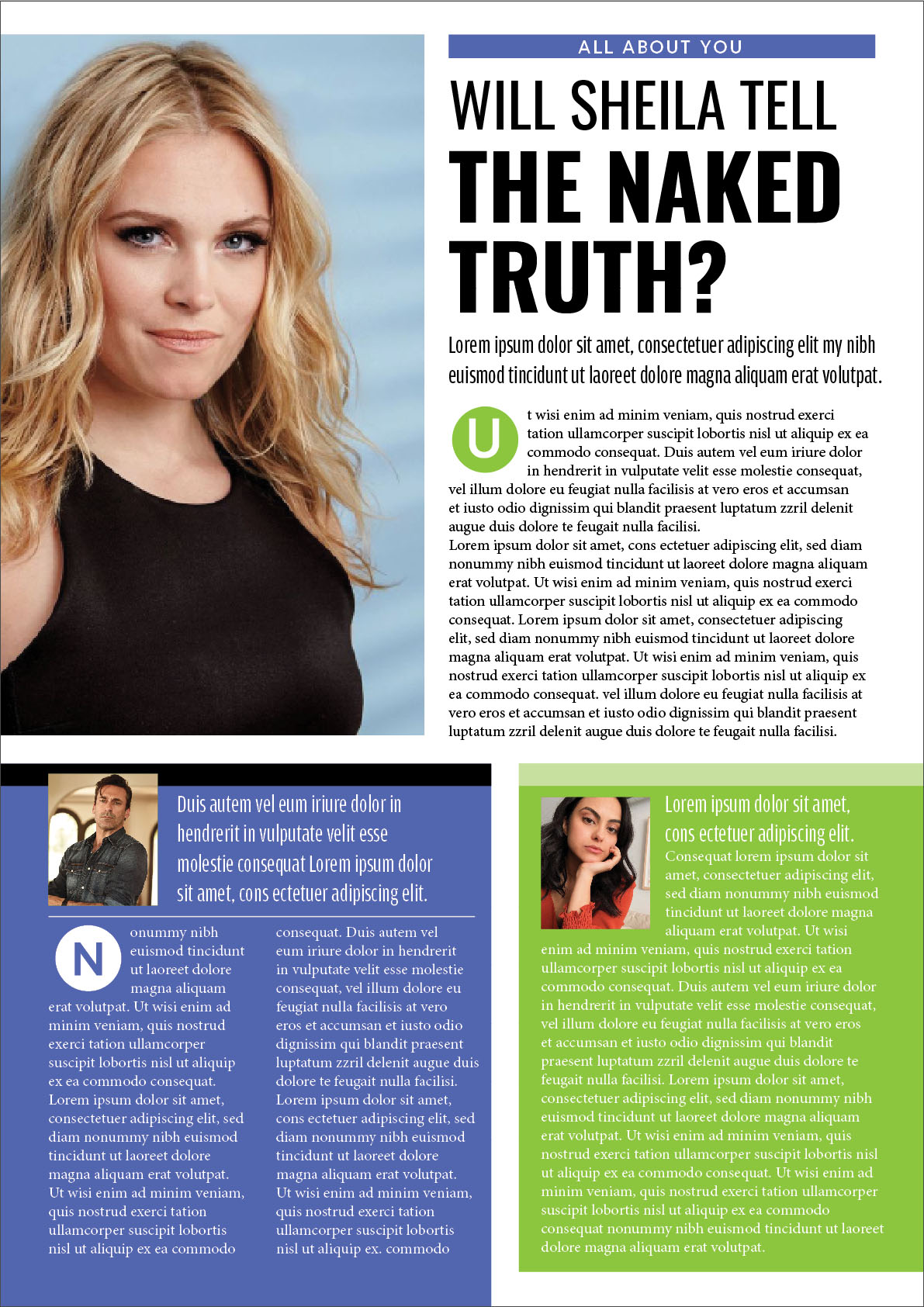
I’ve noticed I used static images, I could probably turn them more around, or apply the image on the whole A4 format, as far as I could see from my sketches they all would work well, but I decided to stop on two options, there are so many options for this kind of designs, I think they both work quite interesting and eye-catching. On the first design, I used a bit of green and blue squares to pop out the text, looked a bit busy, but it helps in dividing text information, the hierarchy for reading is like standing out header, then second paragraph, then one of the blocks like blue first, and then green.

In the second design, I used several fonts for summary, bold and uppercase, several dice, a circle for the title, serif font for the header. In general, I am quite pleased with the result, however I still can see that my designs look a bit too neat and organised, they lack some kind of bold decision and challenge, because this is a kind of recognition article, exposing the truth. Fonts and layout itself are pleasant enough for perception, I think that this is my formed taste, which I adhere to in my works.
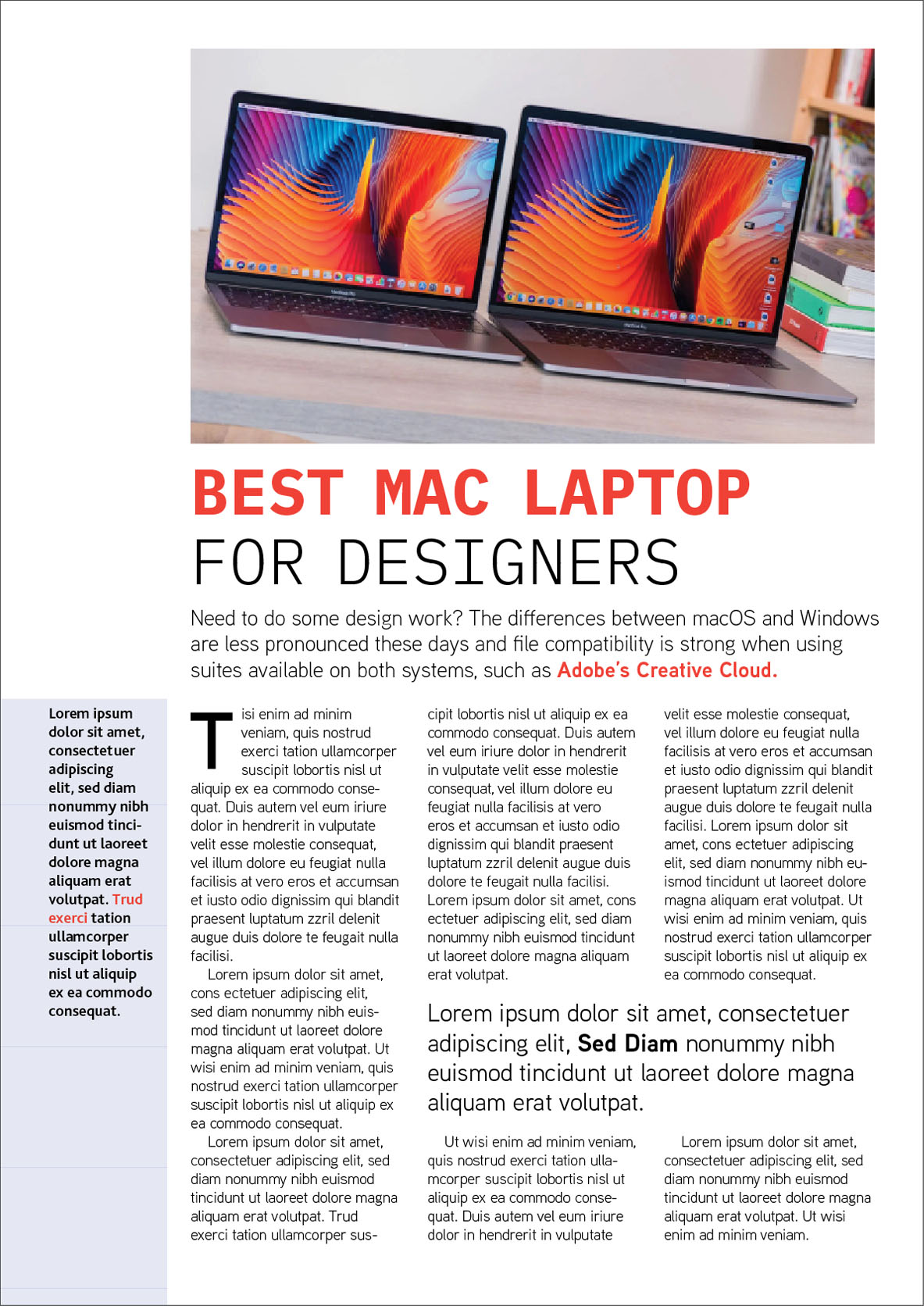
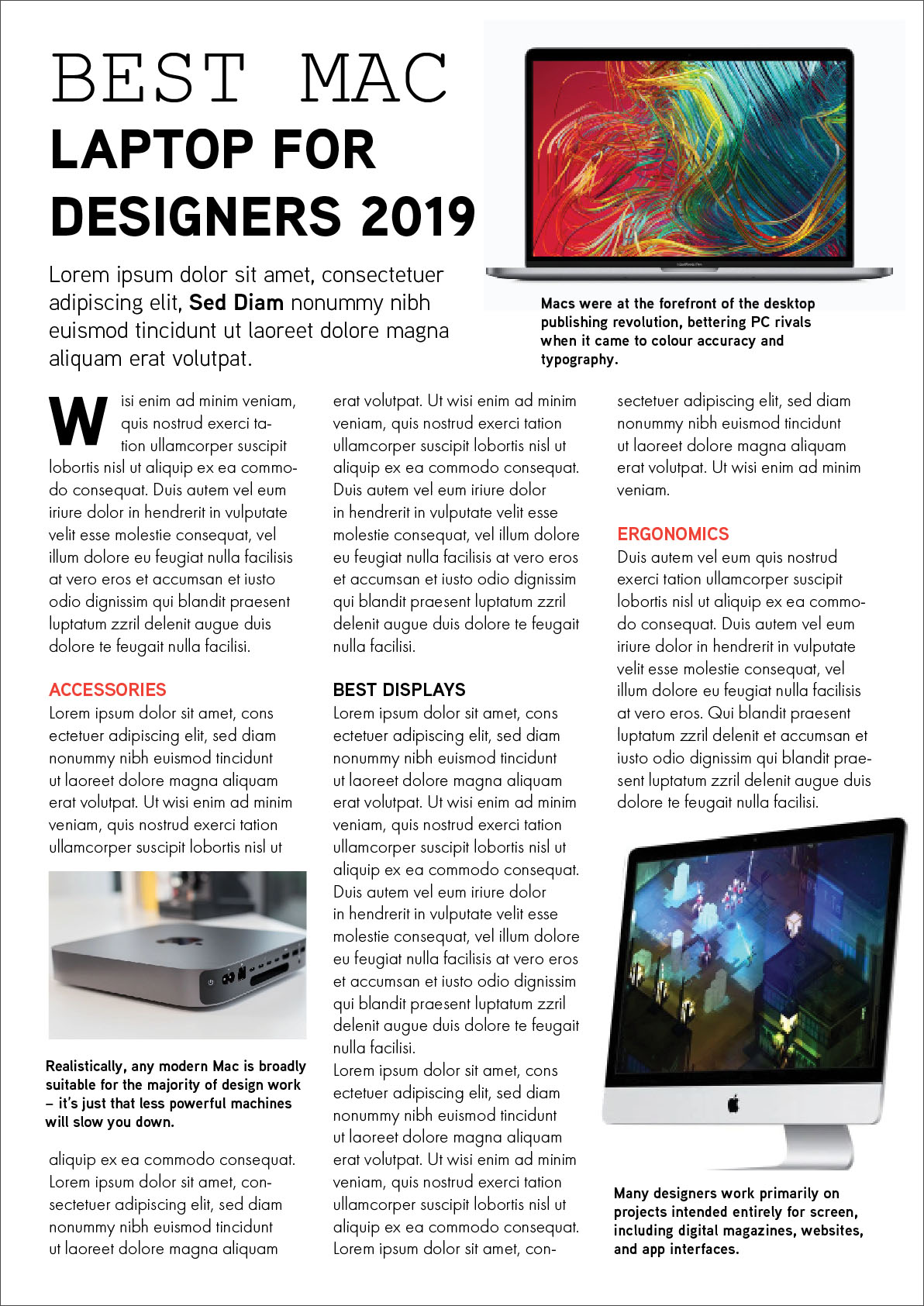
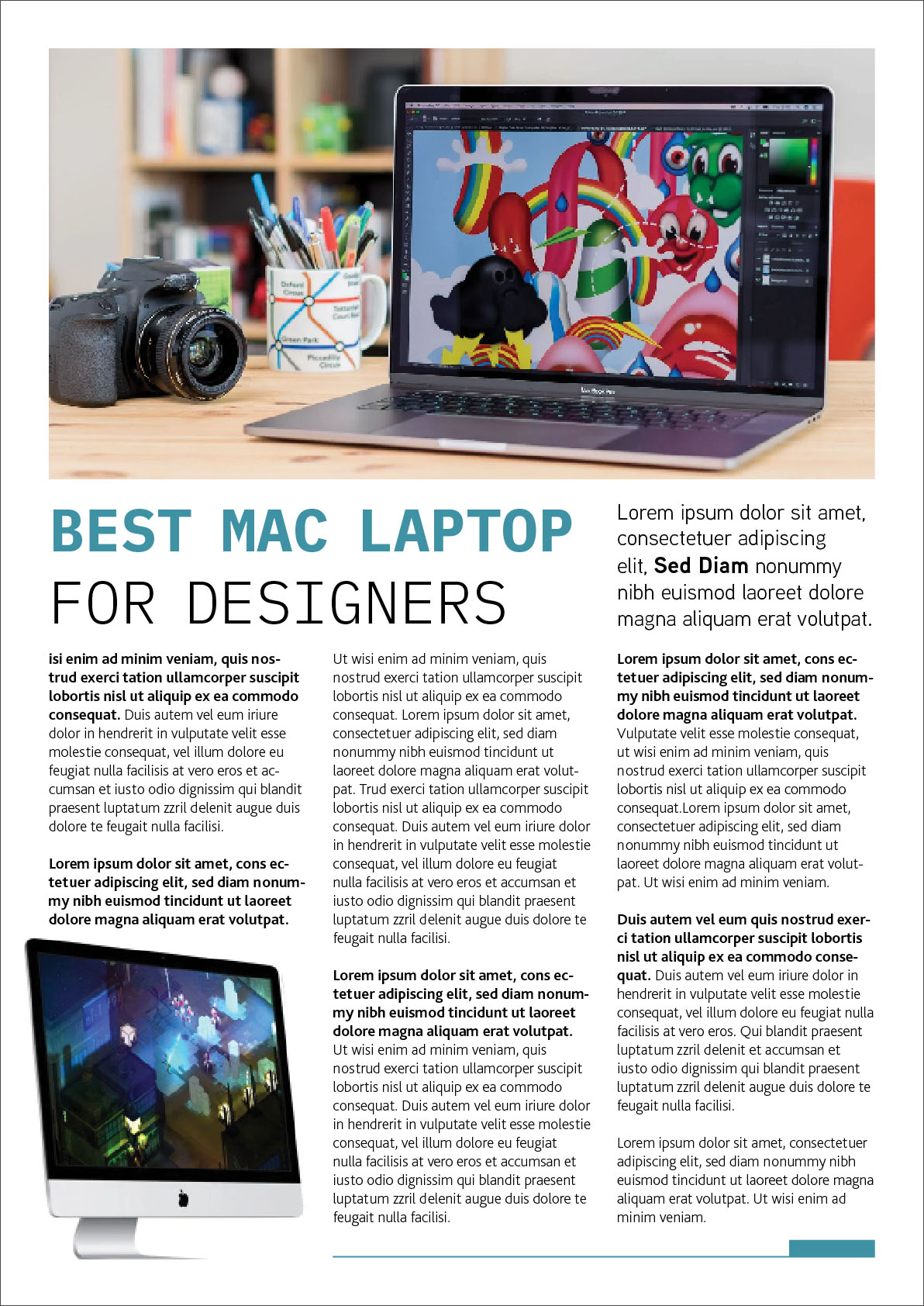
When it came to designing a software review, I chose a theme of Apple computers and laptops for designers, I took the article and photo from this site: https://www.macworld.co.uk/feature/mac/best-mac-designers-3450093/

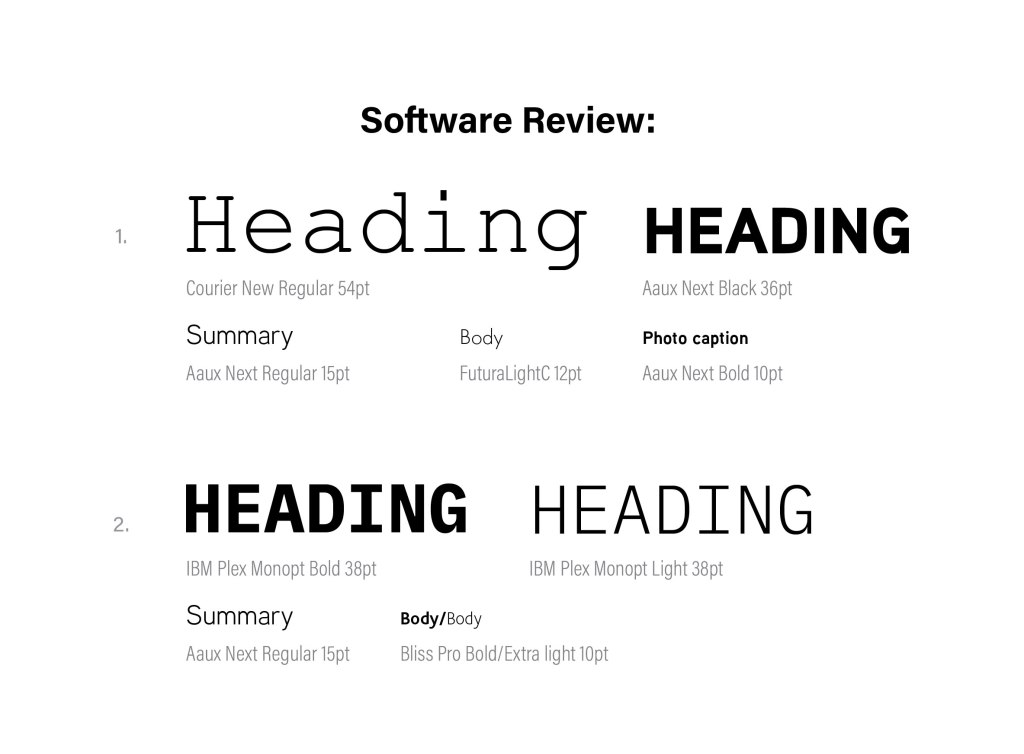
I noticed that the article should be informative, not overloaded with colour solutions. The combination of fonts in the first version and the second version is identical, with slight differences, these are fonts of the fixed-width category, and San-serif fonts around 50pt. For a summary, I used thin san-serif font, and for body san-serif as well. I divided the text into 3 columns, left alignment, also hyphens are present in the words. Below are 3 layout options, they are adjacent to each other, but while experimenting with the layout of the image and the width of the columns, you can compare how the perception of design changes. In my opinion, the most successful design No. 1, its advantage in a well-organised space, a simple composition, a discreet but eye-catching title, and an easy-to-read layout.
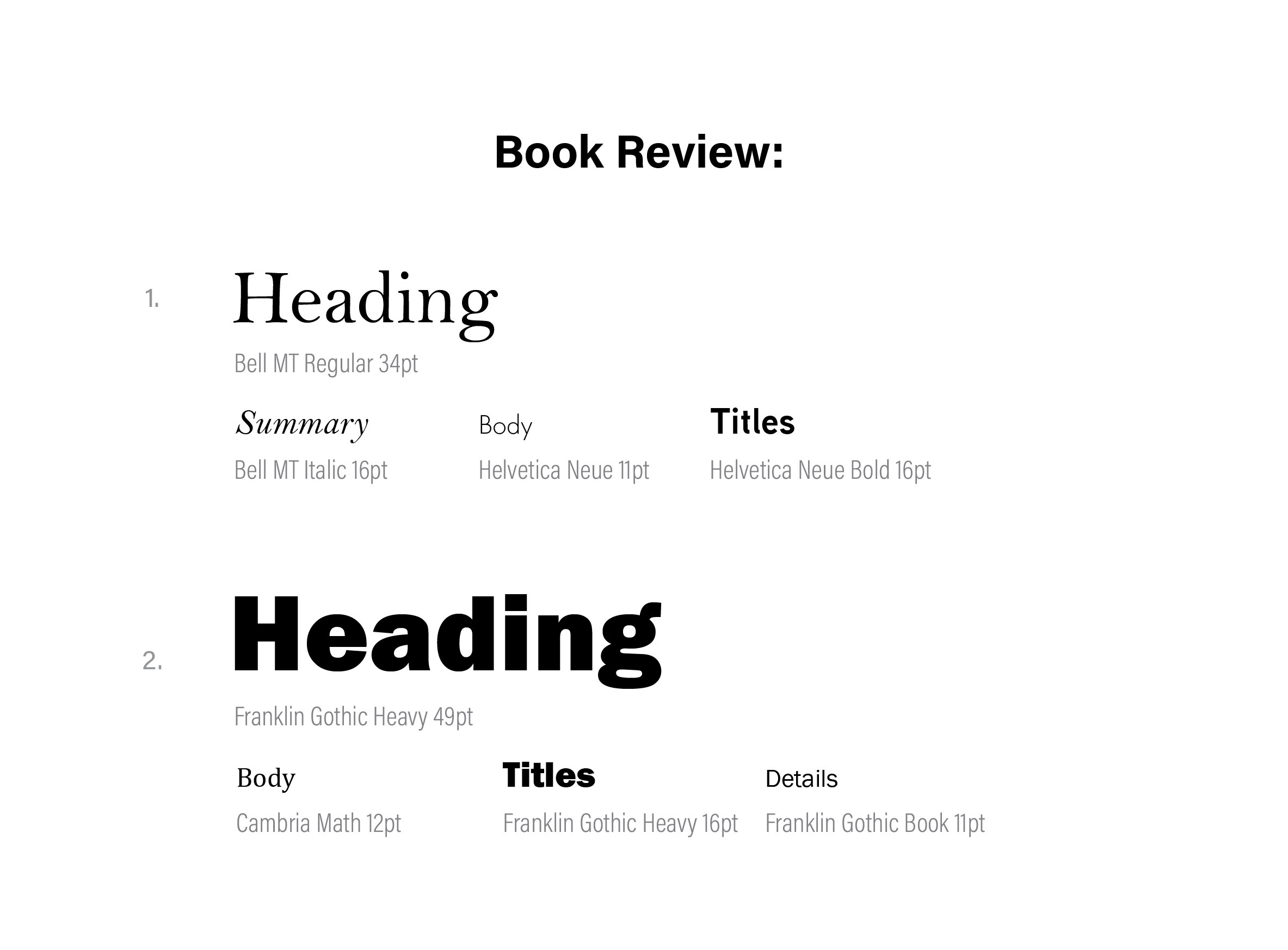
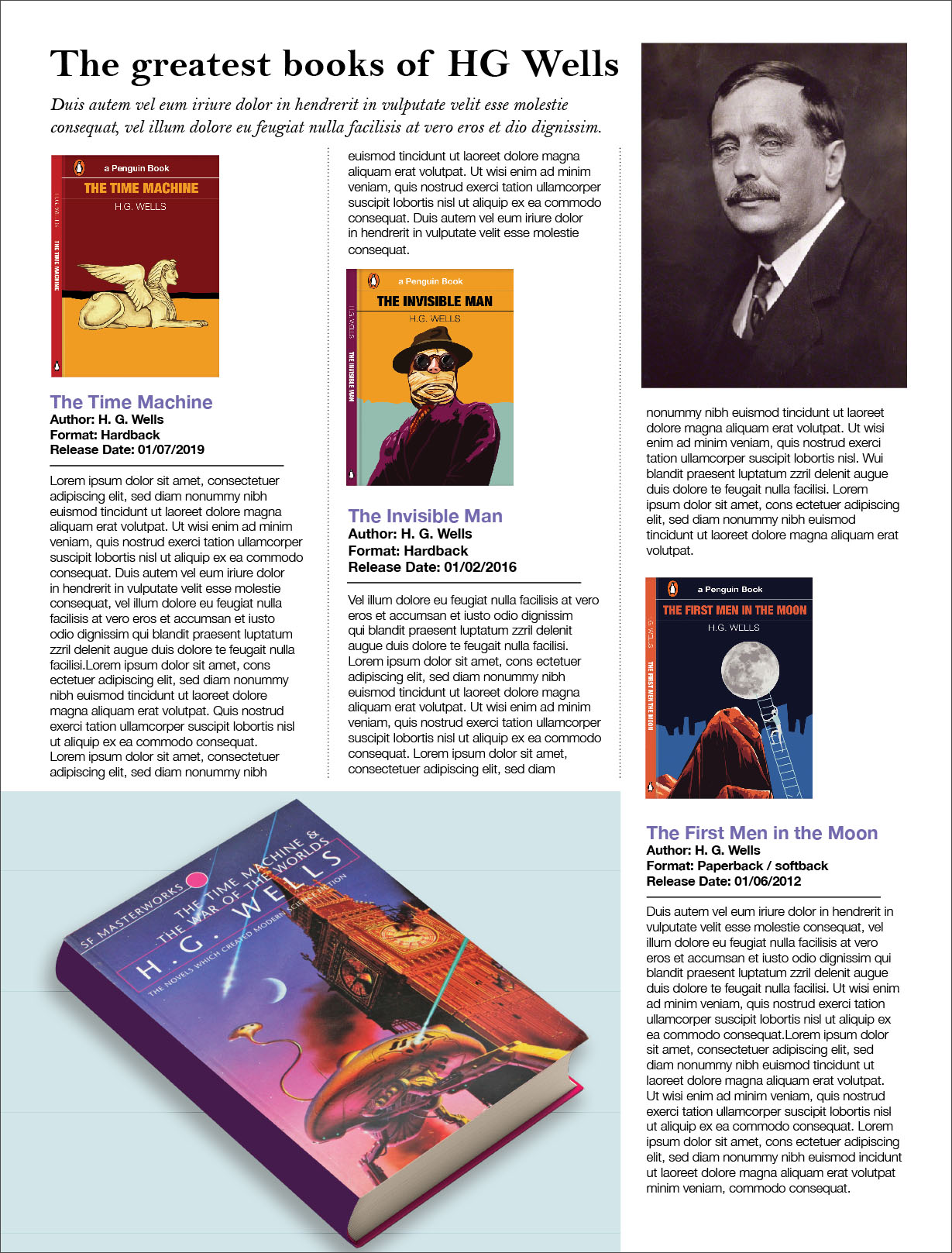
To design an article for the book review, I used cover designs of the writer HG Wells, which I produced in the previous part of the course. I found the size of newspapers on the Internet, I took the size of a Tabloid Newspaper format 289×380 mm, considering that fact that I still had 500 words by Lorum Ipsum, I realised that I would need to use the maximum free space by occupying them with books and a spacious layout. Overall, templates designs of the book review are also quite simple, it is difficult to say that it has some peculiarity, probably the simplicity of layout and a large title the only two noticeable special features of that kind of designs. Fonts are used both with serifs and without serifs, so I decided to use several options to see which one is most successful. I divided the space into three columns, but the text itself is also aligned on the left side, I tried justified text but it looked awful, there were a lot of extra gaps between words. In the first version, I used serif font for header around 40 pt, short summary with italic font, for the body text I used San-serif font Helvetica Light 11 pt. In the first version, I decided to try to align book covers to the left, and place the text and headings of the books from the bottom, thereby I got extra space on the right side, which I was not happy with. In addition, I placed the books in a chaotic manner, so if you look closely at the layout diagonally, you get a staircase of books. I took up free space with a large image of a book model, which look a bit out of the place as well.

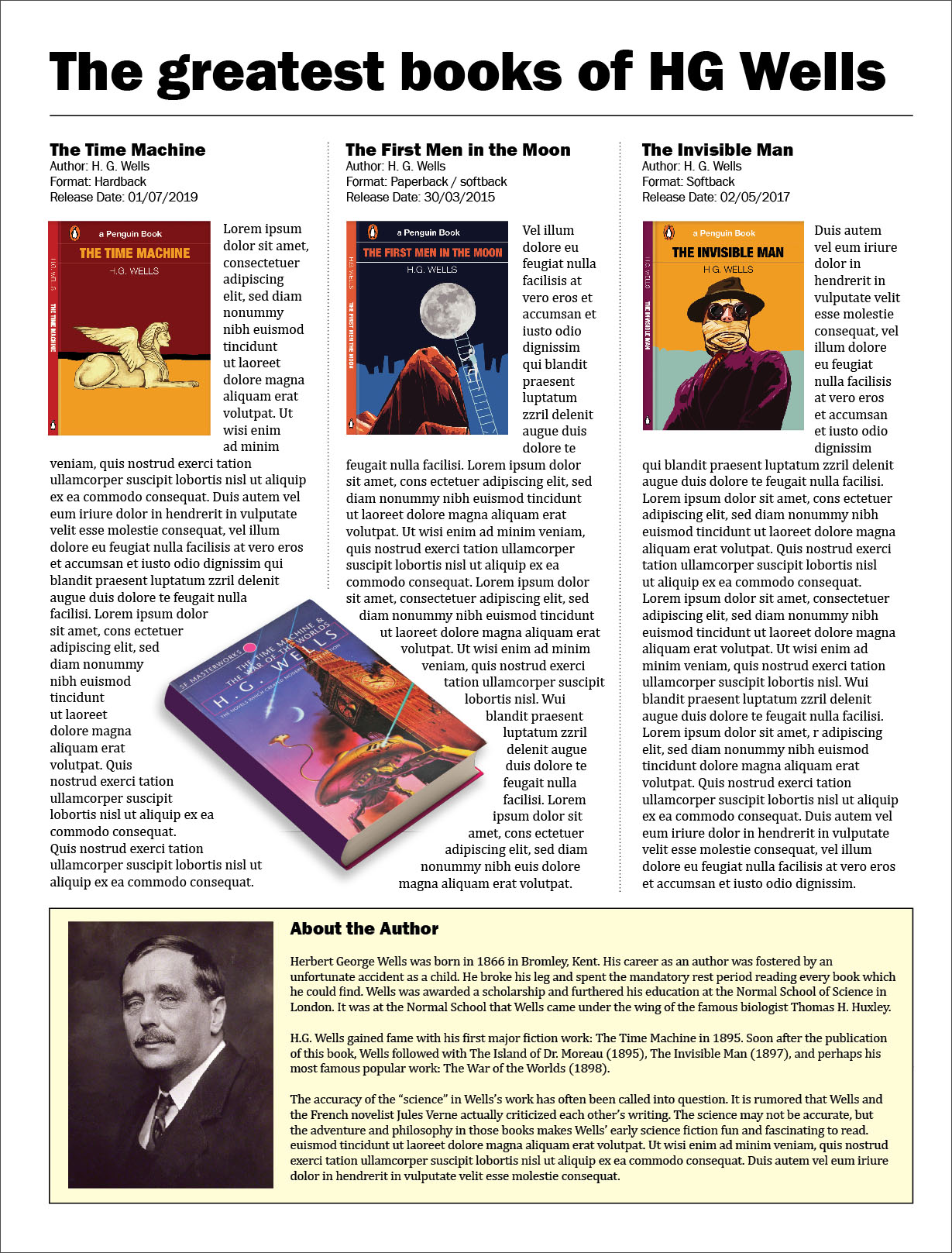
In the next layout, I worked on the errors and aligned all the books on the top of the layout. Book titles above the covers and besides, the text flows around the books on the right side. Thus, I was able to get rid of the negative space. For the heading, I chose a bold sans serif font, but for the body of the text, a serif font. Since I had a lot of space at the bottom of the layout, I occupied it with a short biography of the writer, highlighting it in a pale yellow tone. In this version, the layout is more successful in my opinion, space is relatively competently occupied, and some objects as a model of the book add originality to the layout.
Conclusion

In conclusion, I would like to say that this exercise turned out to be quite extensive, a kind of conclusion and summary of previous tasks. Thanks to this exercise, I learned to analyse different types of typesetting, organising them according to general characteristics, depending on the genre, and the target audience. I also learned to pay attention to details, while giving implications to such a concept as a hierarchy, which teaches us to look from the main messages, such as the headline, to the key ones, the text itself, and to secondary cuts, footnotes, descriptions, clarifications. At the same time, I expanded my font library, despite the fact that many fonts are identical, but it is important to replenish the collection of fonts more often, thanks to them you can create interesting headlines, and a special style in magazine and newspaper typesettings.
Exercise: Lorum Ipsum

Lorem Ipsum is dummy text with more-or-less normal distribution of letters that makes it look like readable English. It has been used for many years and some desktop publishing packages now use it as their default model text. If you don’t have it already, go to http://www.lipsum.com and generate as much as you need. Now select one of the designs from your research that you like and think works. Using the dummy text, try and copy the layout and design as closely as possible. You will need to measure the margins and column widths. If you don’t have the exact typeface get as near as you can. If you are copying a page that includes photographs just leave 10% tinted boxes to indicate their position. Is the type serif or sans serif? Is the text set ragged or justified? Are there spaces after paragraphs or are new paragraphs indented? How many columns are there to a page? What happens when you alter the fonts, change the alignment, adjust the leading or tracking? Now try another, a different publication from your collection.

OCA. Core Concepts

Start

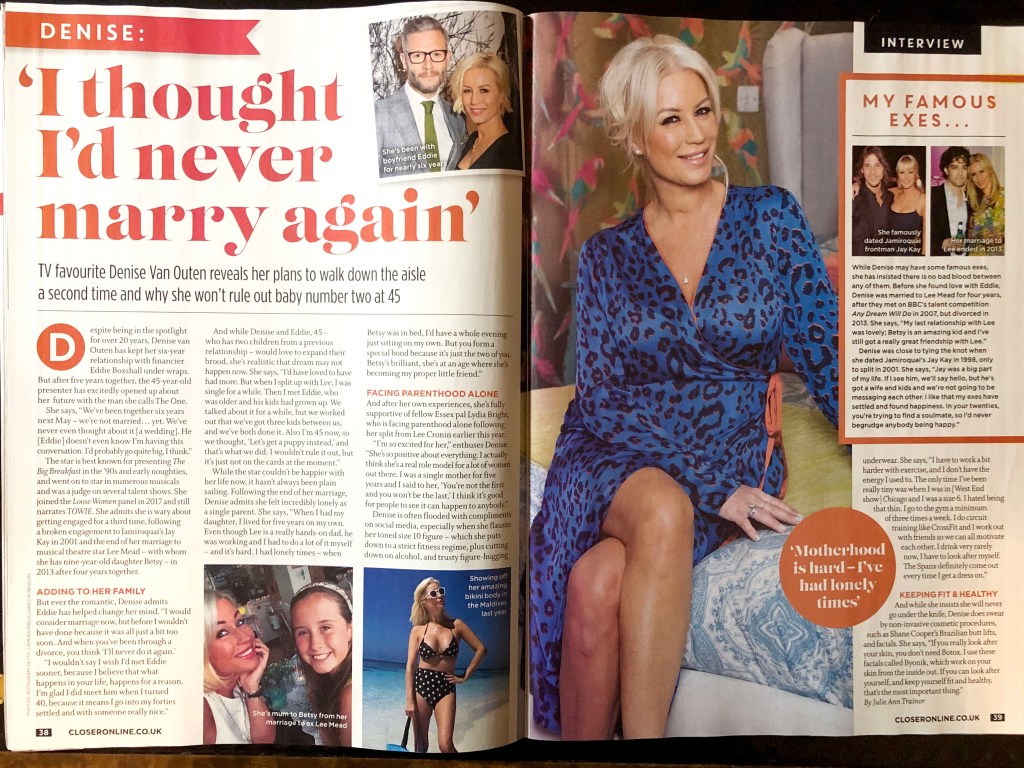
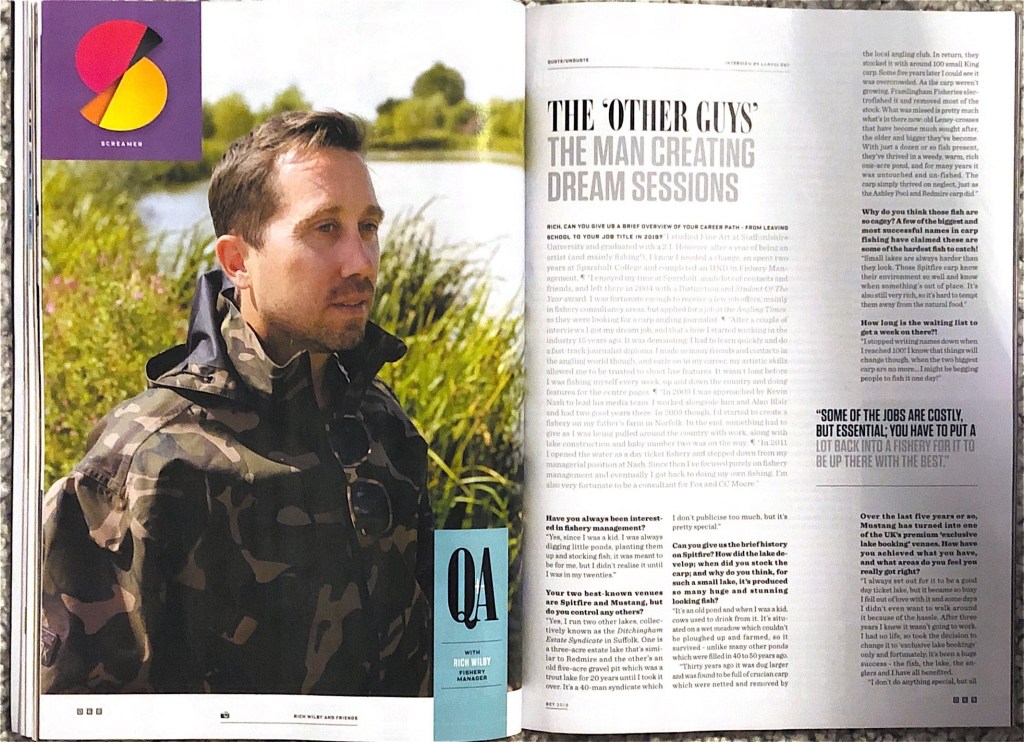
After analysing this exercise, I understood that it was a continuation of the previous task, where I tried to collect different examples and samples of layouts from newspapers and magazines. Once again I went through all the samples that would have brought my attention to a more detailed analysis. So, in my archive, there were two designs that I would like to display in this part. The first one from the magazine Closer, and the second, oddly enough, the magazine about fishing Carpology, which in my opinion turned out to be quite creative and interesting in the combination of fonts and composition.

Sketches
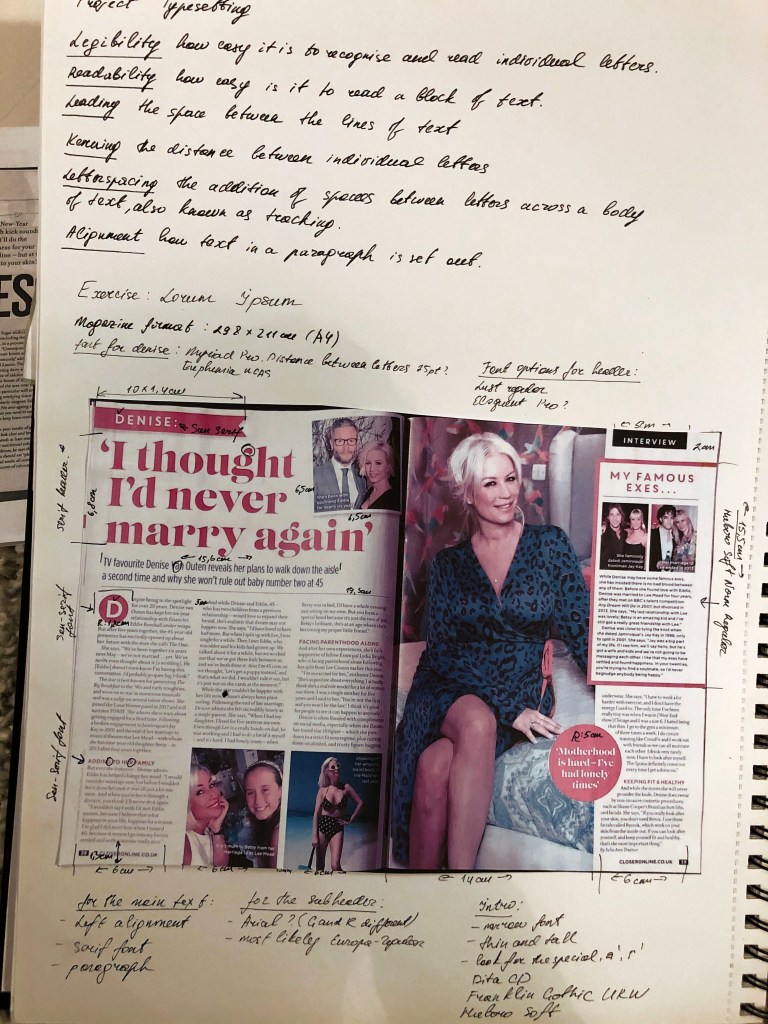
I liked the large unusual headline and the presence of photos and inserts of different colours in a women’s magazine. This design, in my understanding, was quite attractive and interesting. So, I transferred all measurements of text blocks, font sizes and options in a small sketch. Since I didn’t have a special ruler that would help me determine the font points, I found a simple way to measure the font size manually. The most interesting part was to determine the font itself. In my sketches, could be seen that I have identified the dominant features of each font, such as “g” “t” in the title, and the letters “R” and “G” in the subtitle. Explanations of font choices and measurements from my sketchbook are bellow.

In the case of defining fonts, the font selection function in Adobe Indesign turned out to be very useful, in which you can select fonts depending on their type, such as serifs, sans serifs, fixed-width, script, and so on. After several attempts I was able to find the desired font, uploaded it to my computer, and accordingly expanded my collection of fonts.

Design 1

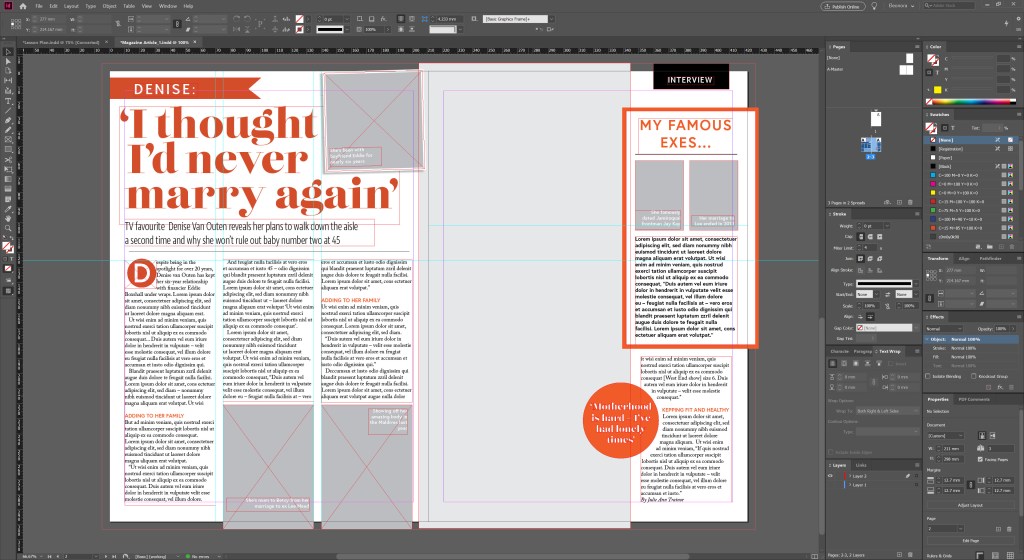
After measurements of all text blocks, paragraph spacing, and possible font options, I started designing in Adobe Indesign. So, in the main heading, the serif font is used, which I defined as the Lust Didone font, 75 pt. The introductory word uses the sans-serif font Dita Cd Light, which I had to transform, namely, squeeze up to 87%, and the letter space by -25%. The subtitle, photo caption, Initial letter uses the Europe-Bold sans-serif font. The sidebar also uses the font from the main header of Lust Didone. In the main text, I’ve noticed the peculiar letter “w” which helped me to define the font as Adobe Caslon Pro (10pt). The paragraphs were aligned to the left, in the left spread only three columns, but in the right because of the dominant photo, only one column was selected for the text. There are no indents between paragraphs, but there are spaces in front of a paragraph, which makes text readability easier. This layout is saturated with photos, 4 types of fonts, which makes it dynamic and easy to read.

Design 2

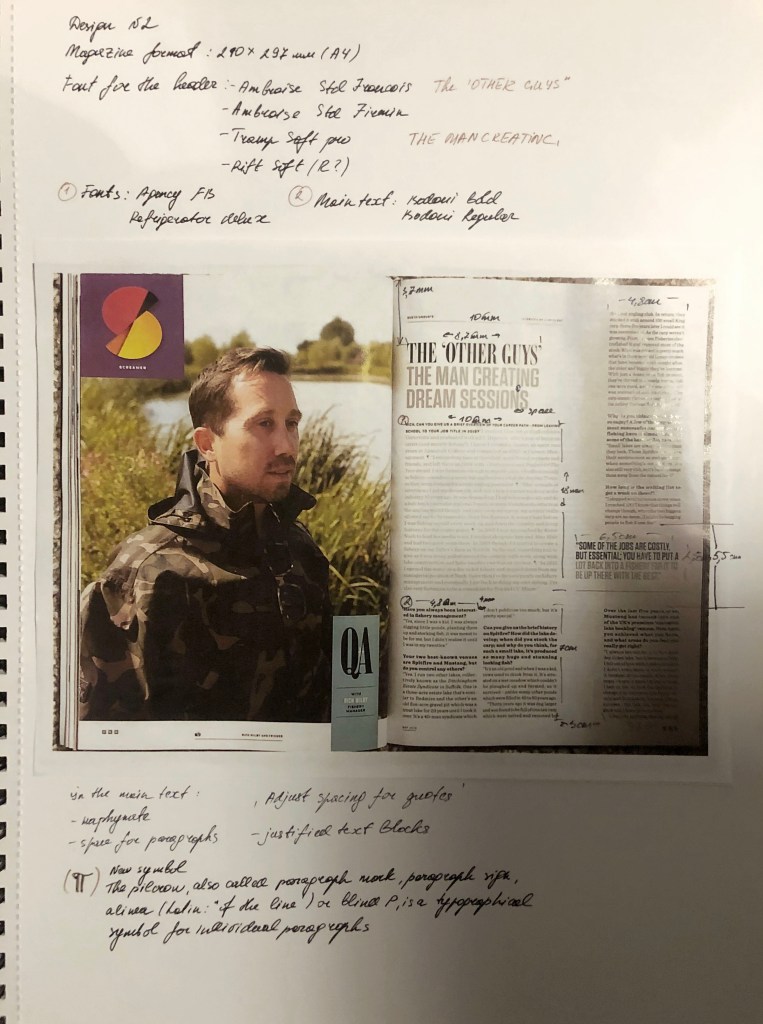
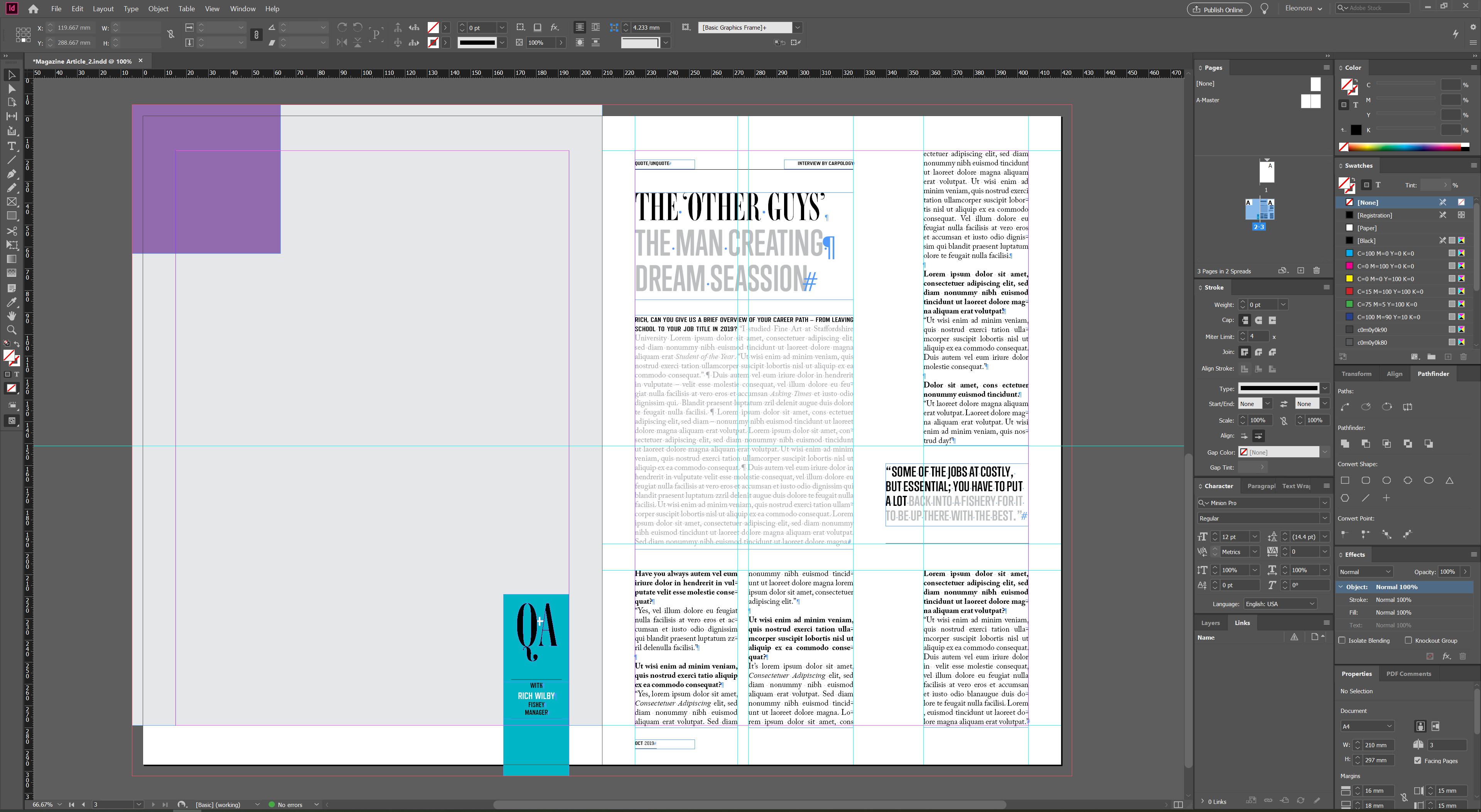
And finally, an analysis of the fishing magazine, which attracted me with its simplicity and originality. The use of a serif font combined with a modern sans serif font for the title is also noticeable in this magazine. In order to determine the font, I used the same method in Adobe InDesign, as in the previous layout. There are two interesting combinations in the title, font Ambroise Std Francois (50pt) and Trump Soft Pro Bold (44pt). Columns of paragraphs are divided into one wide, as the main, and three columns for the main text. Here the text is aligned on both edges, hyphenation is present. The design is neat and discreet, pleasant to read.
In the main text there is also a combination of sans-serif and serif fonts Refrigerator Deluxe (10pt), Adobe Caslon Pro Regular/Bold (10pt). There is some extra spacing between each paragraph, and lots of air around the text blocks, which makes wording easy to read and follow.

Conclusion

In conclusion, I would like to say that I truly enjoyed this exercise. I was able to find the necessary font among thousands of fonts. Once again, I realised for myself how important attention to detail is, and that small differences in layout, such as hyphenation, text alignment to the left or adjusted, visually change the perception of information. I have discovered the importance of kerning and leading. I am sure that I will be able to supplement my knowledge with new skills which will be useful for future designs.

Research Point: Collecting Examples

In this research point I need to anilise different layouts of magazines, publications and newspapers, to see which one is easy to follow, and which don’t. Bellow is collection of newspaper layouts and magazines that were appealing to my eye.

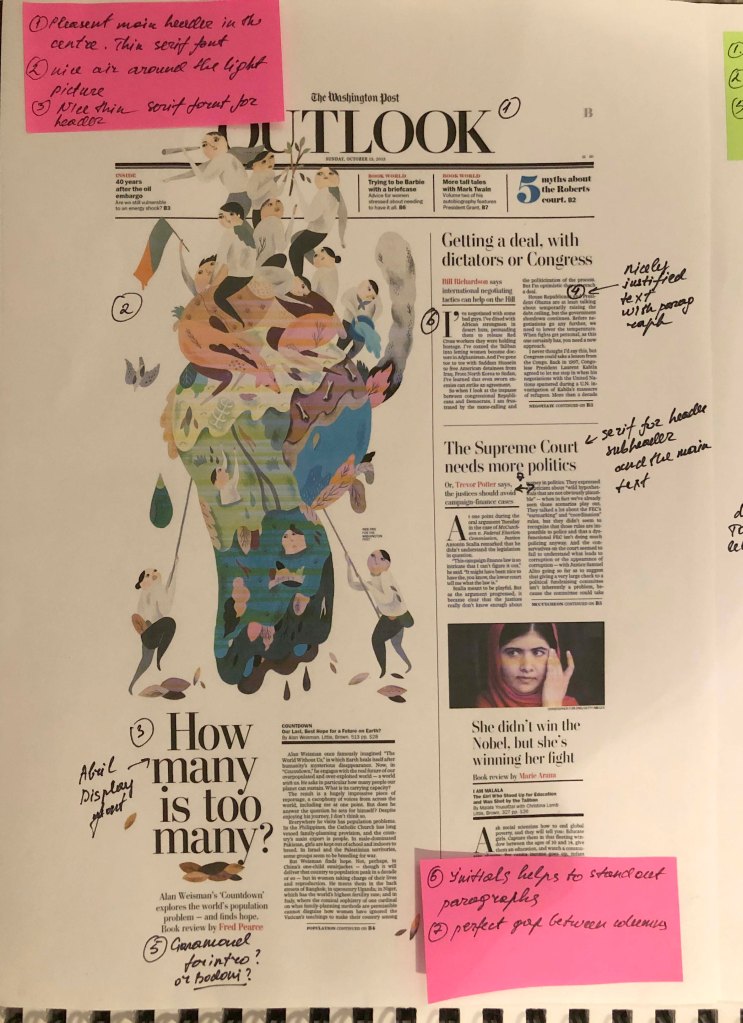
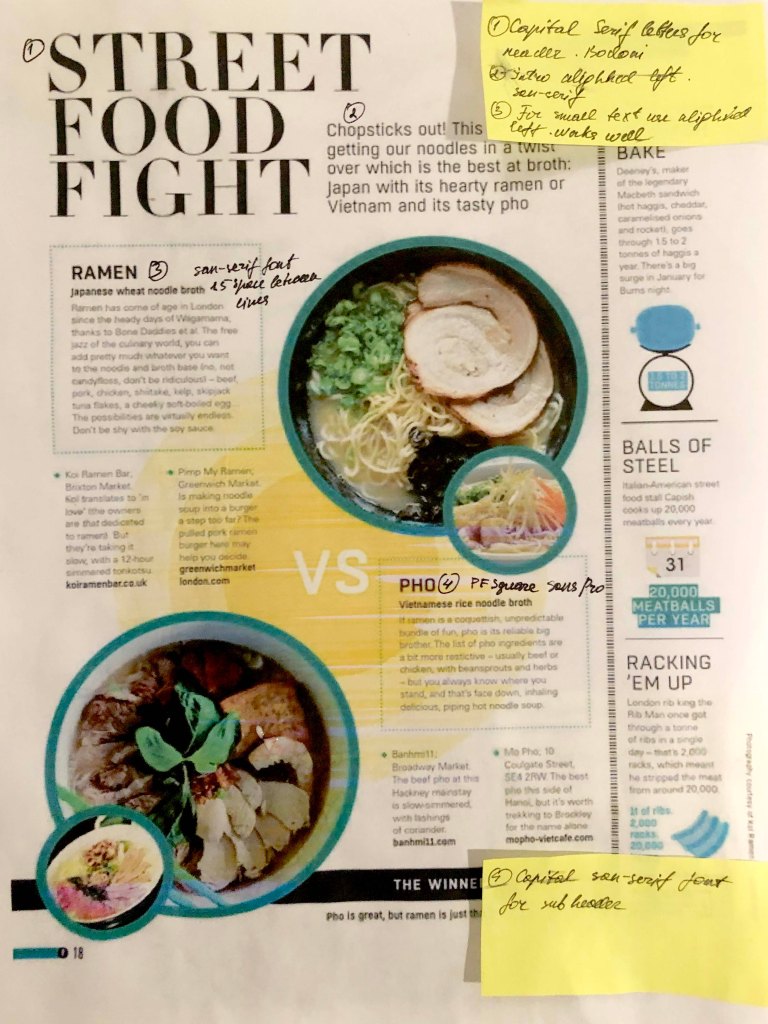
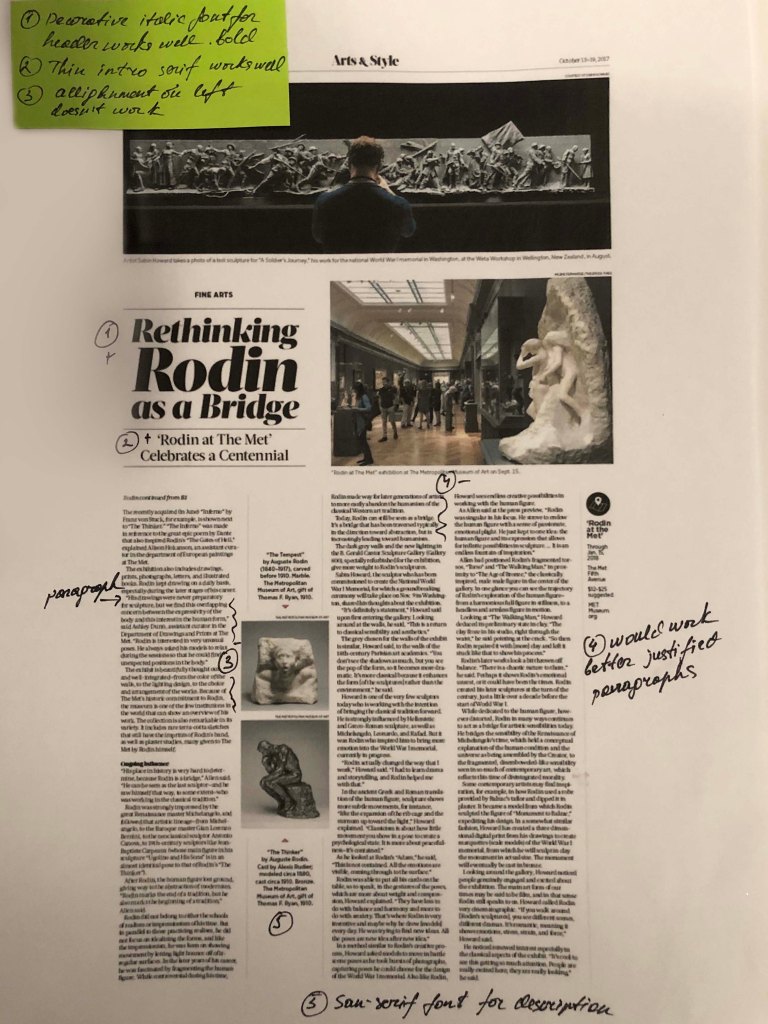
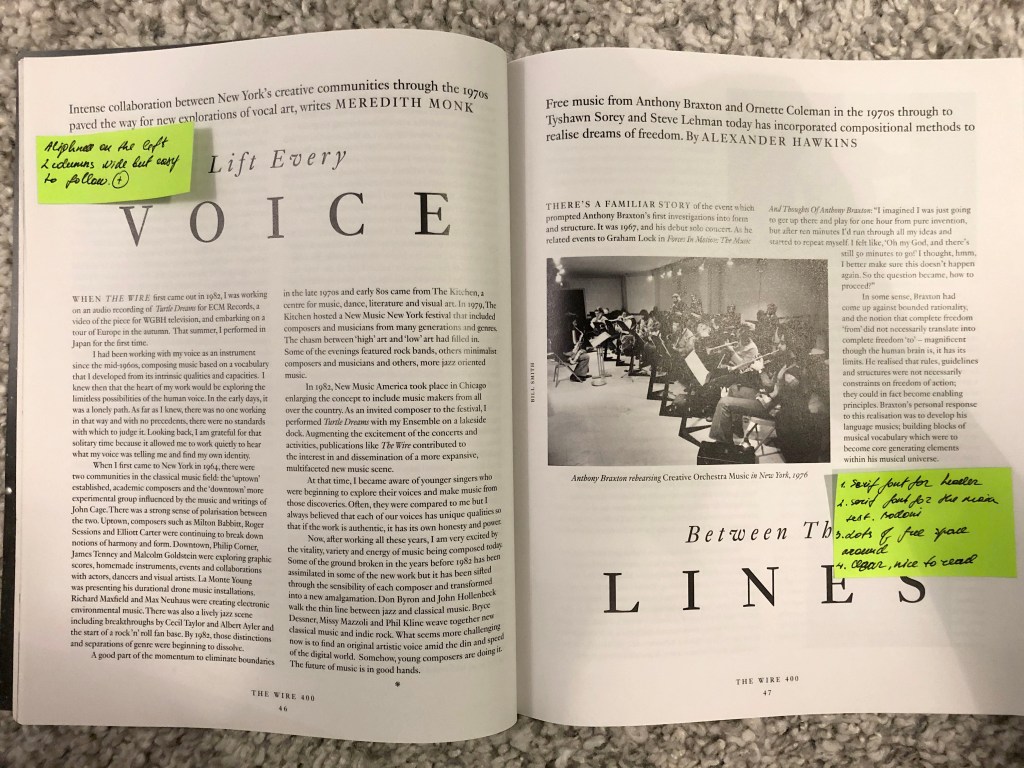
The example below is my favourite. For the header was chosen bold san-serif font all capital letter, and narrow font for the bottom word. Looks quite good together, combining opposite fonts. For the intro my favourite Playfair Display Italic font. The text was shaped nicely, the font is serif. All justified. For the initials Bold Narrow serif letter, good contrast.

Others examples that appealing for my eye. Materials that were being used. https://www.pinterest.co.uk/edavydovska/magazines-newspapers/

During the article’s analysis, I noticed for myself that there are basic keys and methods that professional designers use in layout, but at the same time, perhaps free or cheaper publications are neglected.

Properly organised space, photo layout and font selection play an important role in the readability and perception of the text. All of the examples below are neatly formed into blocks, serif text, a visible caption, large photographs and adjusted text for the long read paragraphs.

Examples that I didn’t like really. Looks quite messy, lot’s of imperfections in font chose, and layout itself. Explanations are blow. All images below from Pinterest Image
https://www.pinterest.co.uk/edavydovska/magazines-newspapers/

The examples below look chaotic and overloaded. Suppose the torn edges of the text look unsuccessful around large objects, such techniques should be avoided. Also striking is the long space at the end of the paragraph. For example, for small paragraphs, the text looks good when it is aligned to the left, but if it is a long text, then it is necessary to justify it on both sides of the column.

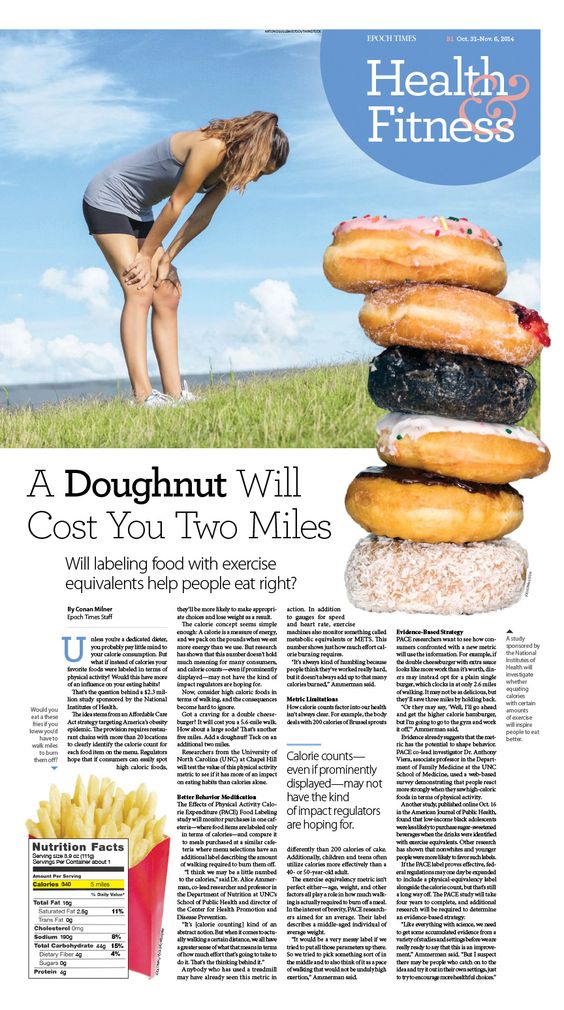
Example №1, in my understanding, is an example of a successful and professional layout, especially for a newspaper, where the quality of the paper is different, and coloгr images are duller. However, paragraphs and paragraphs are organiыed correctly. Headings go to the main background, the text is readable.
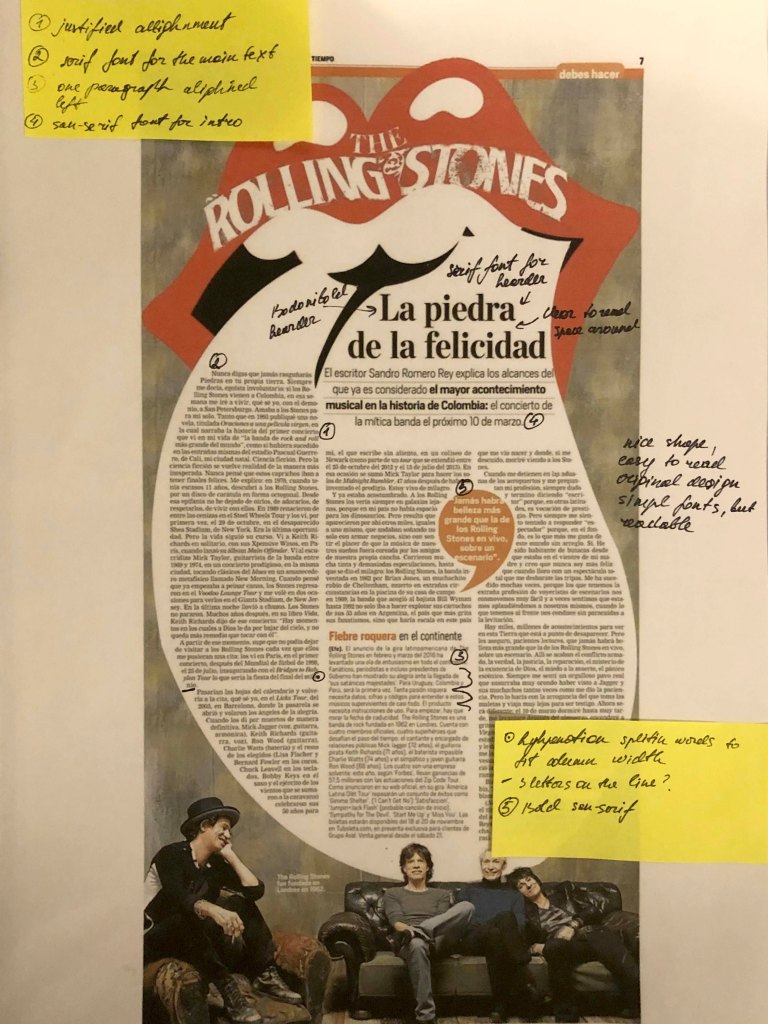
Example №2, also of interest to the original layout, I was particularly impressed by the form in which the text was framed. Layout №3 with the culinary text, divided into small paragraphs aligned on the left side. Here sans-serif text looks good. And the main heading is large compared to the rest of the text.
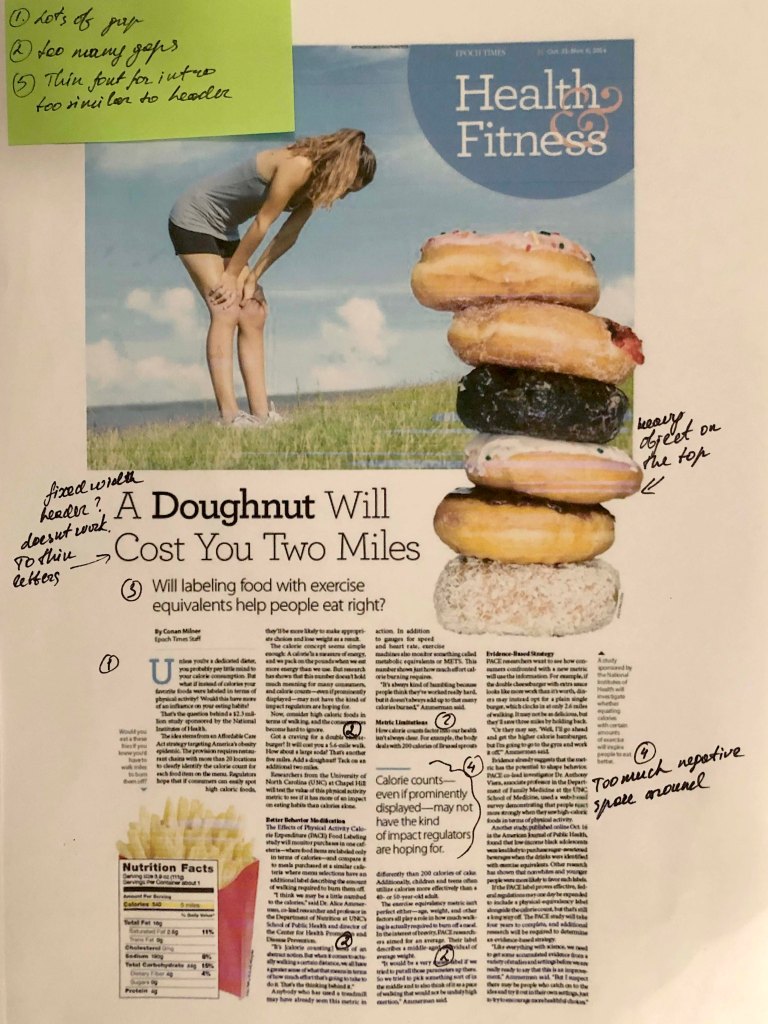
Layout №4 is an example of a poorly organised space. Also, the title is lost on the background of randomly scattered images. Despite the fact that the columns are aligned on the left and right edges, spaces are too wide between paragraphs.
Similarly layout №5. The columns of the text are aligned to the left, which complicates the ease and readability of long text. Of the advantages, I would note a good title and location of the photo.
Design No. 6, the text is aligned and revised relatively correctly, but because of the wide columns and the lack of photo images, the layout itself looks boring.

Example №7, it turned out to be noteworthy to me because it has a gigantic headline and plenty of space around. At the same time, on the opposite side is a photograph, which makes this design also catchy for reading.
One last example of a hasty design, where there are extra spaces in each line, breakaway contacts (telephones, web address), has written off the last two designs, № 10 and № 11, as a layout that they didn’t have time to fix and subtract.

Conclusion

In conclusion, I would like to say that this task turned out to be more exciting and important than it seemed to me from the first. I noted for myself that for long readers it is better to use a serif font. I also noted that magazines mainly use two types of alignment, this is left-aligned and justified, should be careful with both choices, as they do not work for some cases. I also noted that if space permits, the layout looks interesting with large headlines, a more defiant and flashy sans-serif font, while a small serif font looks modest but neat. In the future I plan to collect magazines and newspapers, perhaps glancing briefly at the accuracy and correctness of the layout, I think this will affect the formation of my level of text design as well.

Exercise: If the face fits

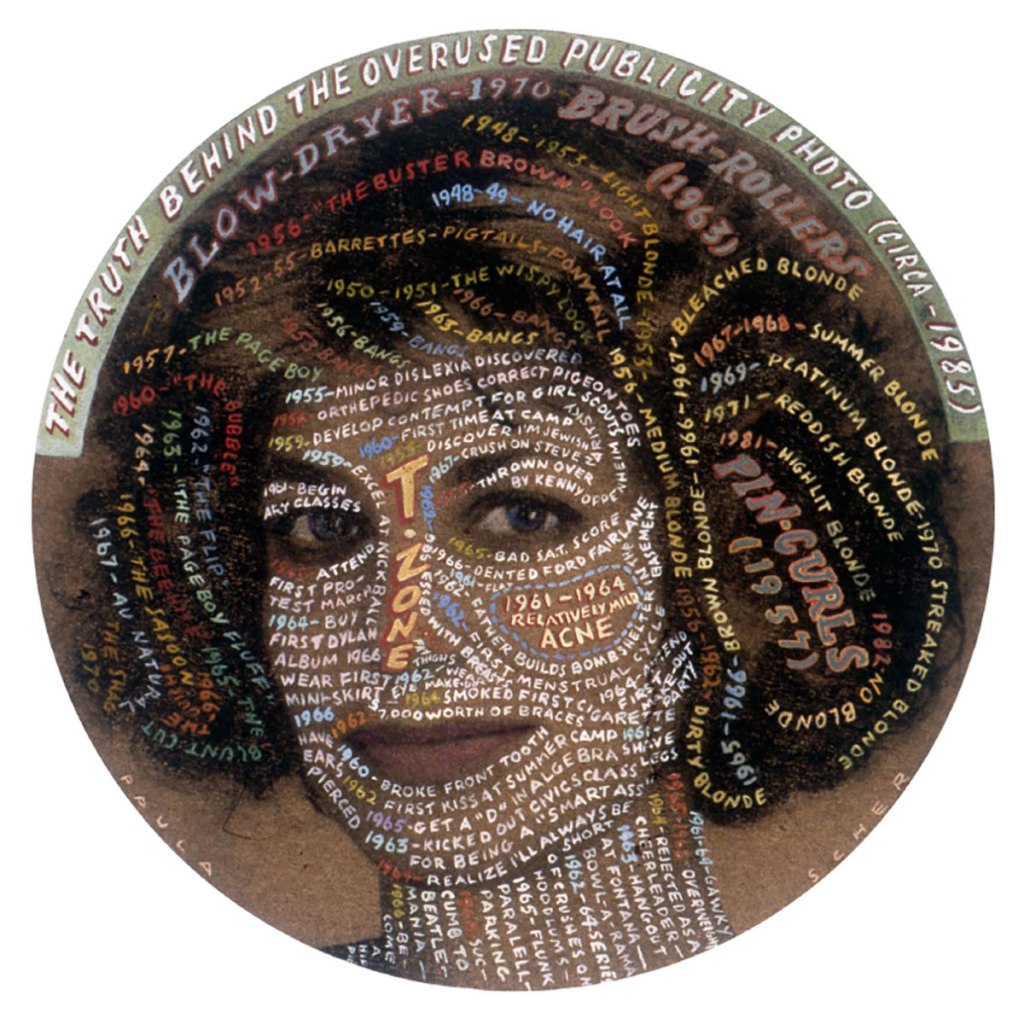
Self-portrait of Paula Scher created for the AIGA, 1992.

Create your own sample book of typefaces on your computer that you can refer to. Organise them into:
• Serif for continuous text; readable at small sizes and those suitable for headings.
• San-serif for continuous text; readable at small sizes and for headings.
• Script fonts that look handwritten with a pen or brush.
• Decorative fonts only suitable for headings or ‘fun’ uses.
• Fixed width, techno and pixel fonts for use on the web or to give a computer appearance.

Identify which typefaces have bold, italic, black or light fonts.

Now identify which fonts you might use in each of the following commissions:

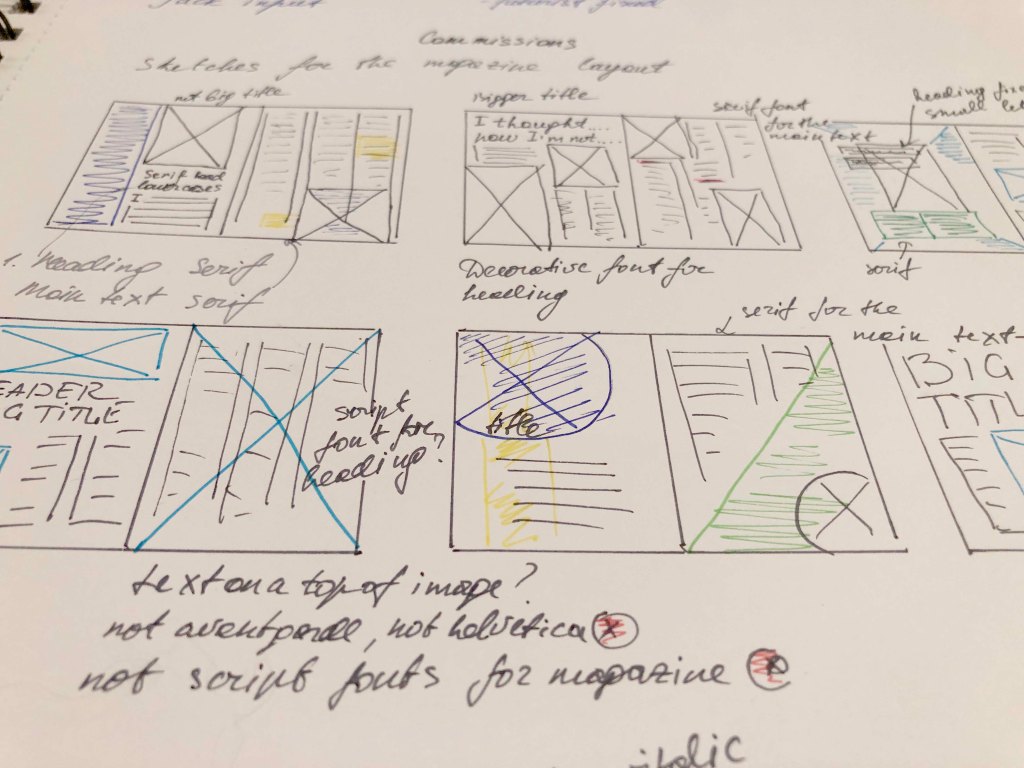
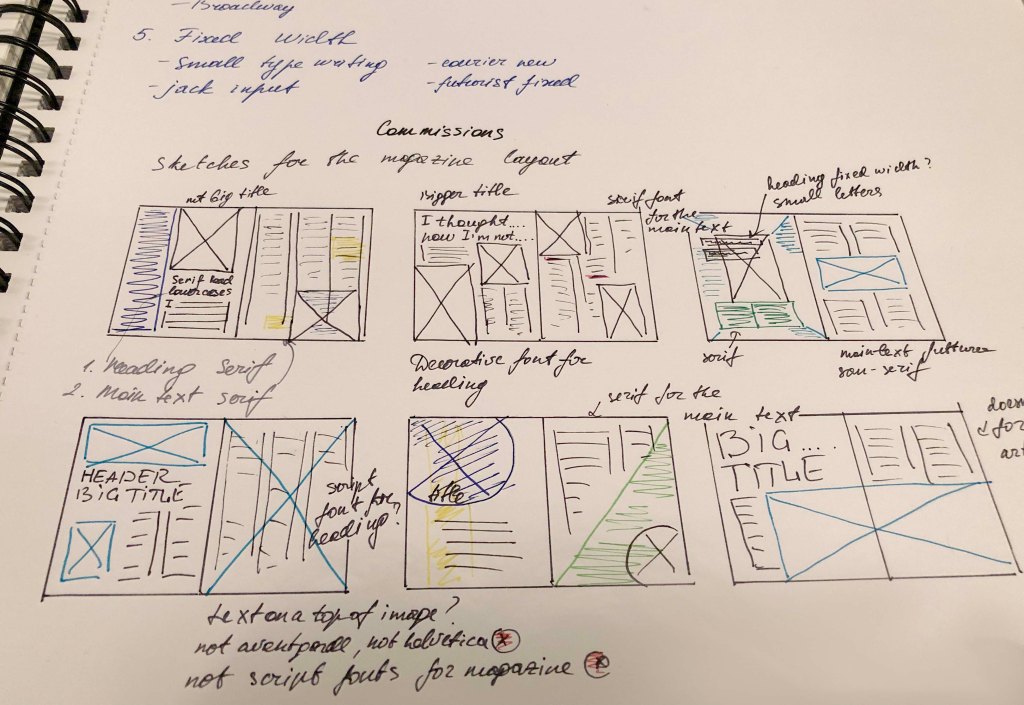
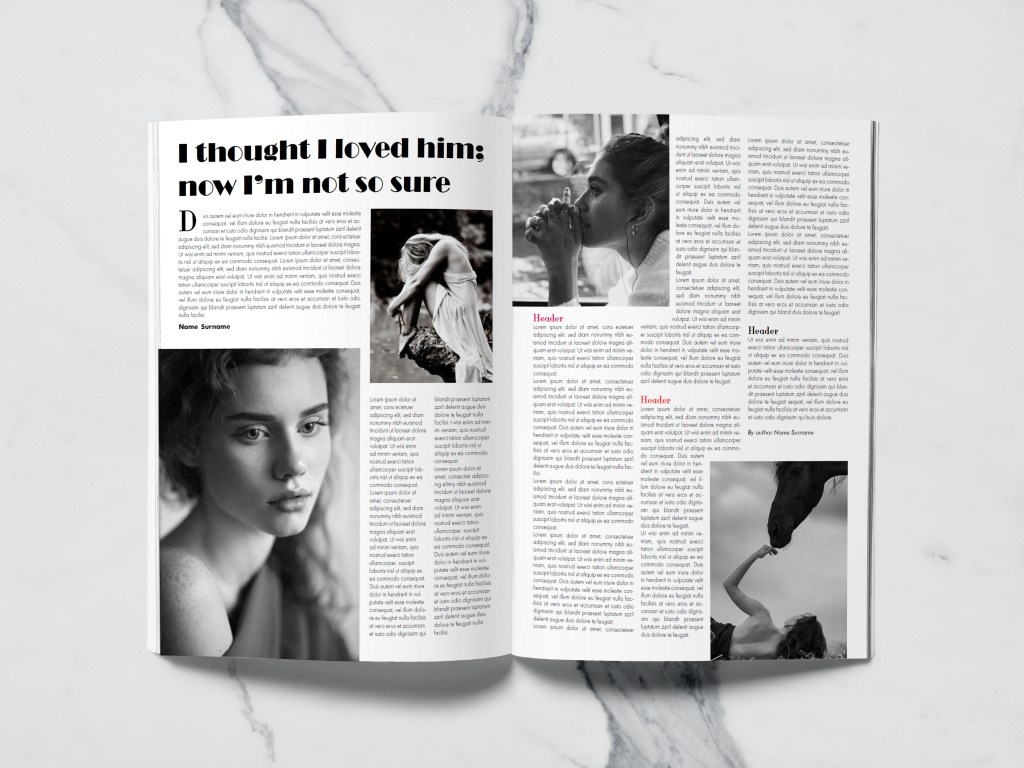
A short story in a woman’s magazine entitled “I thought I loved him; now I’m not so sure”. The story is 1300 words long so you will need to identify a text font and a headline font.
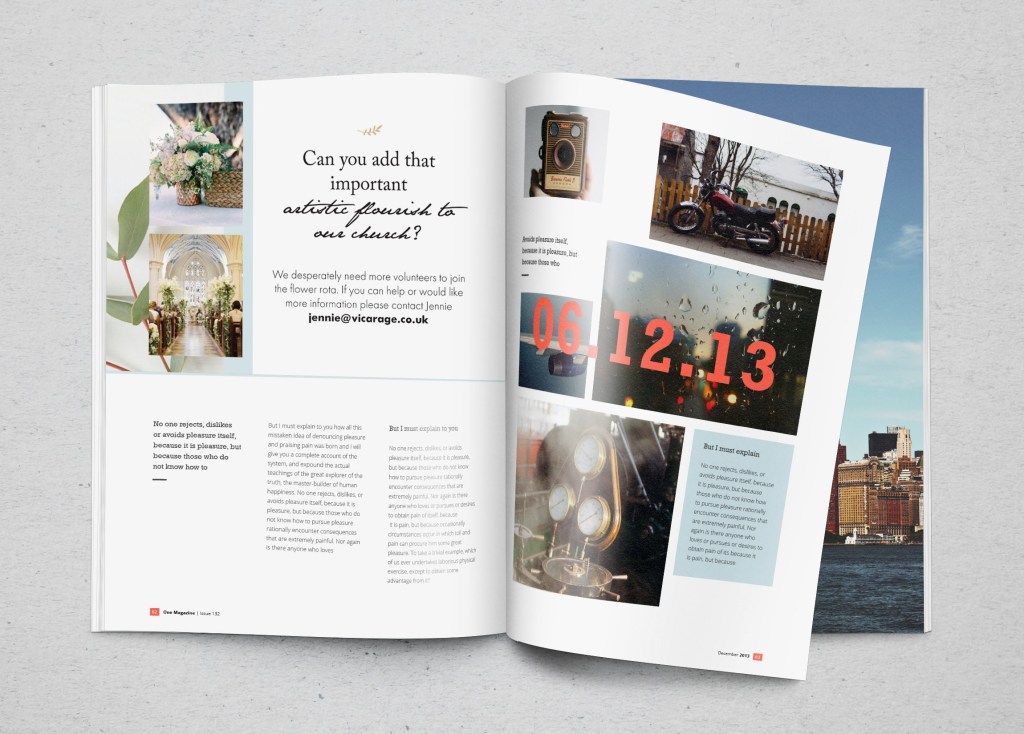
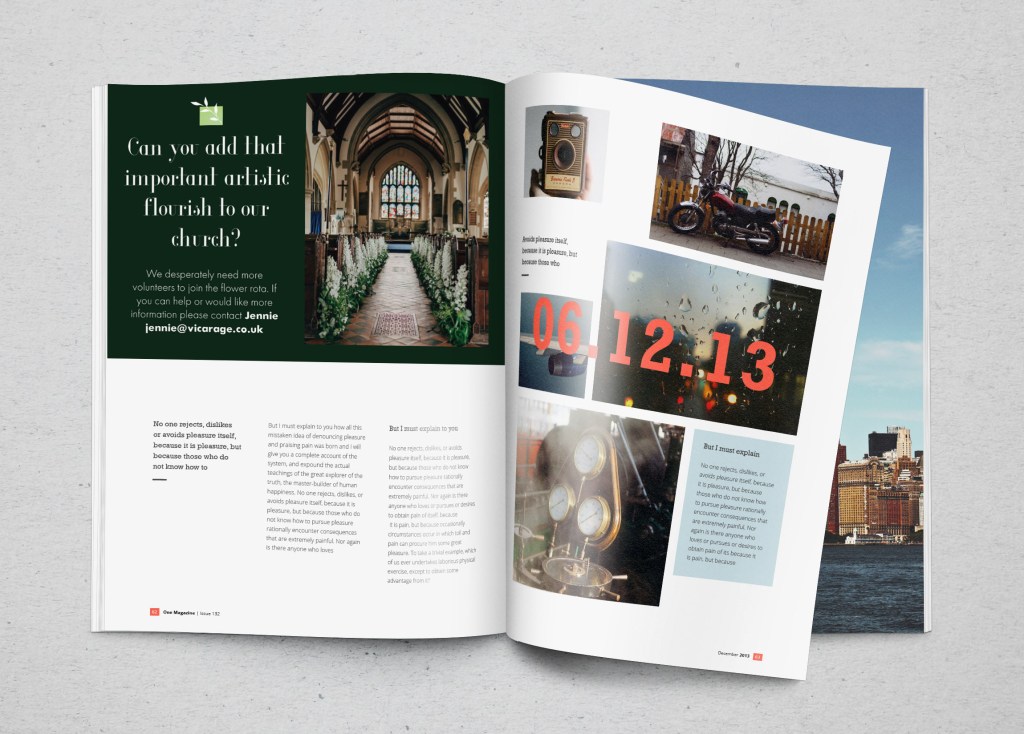
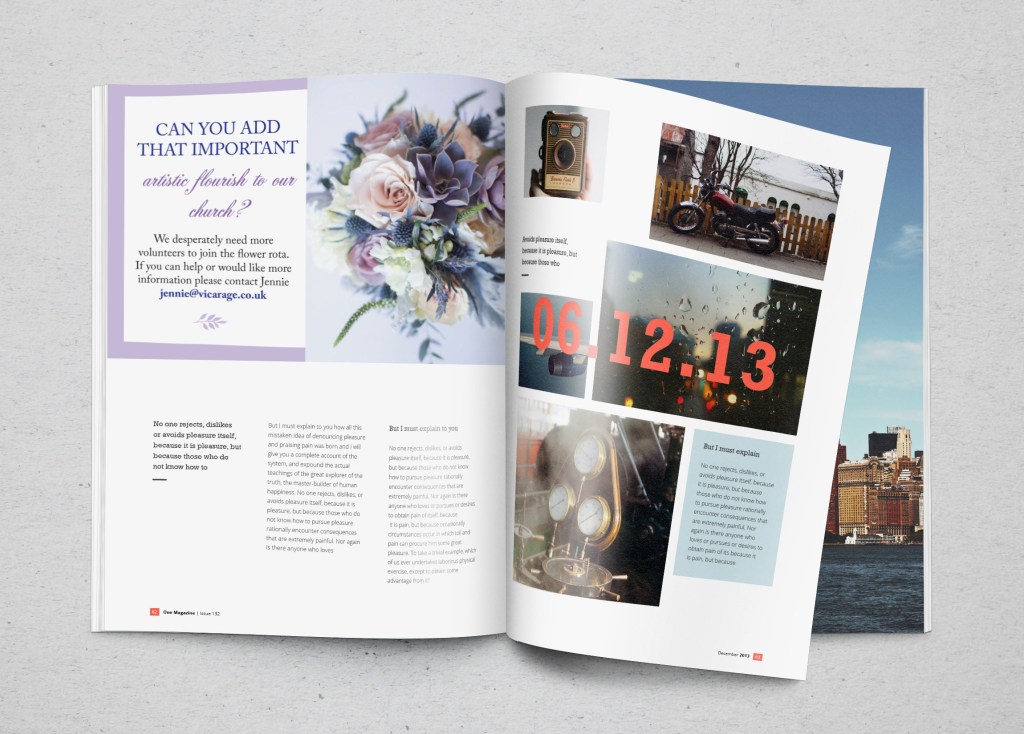
An advertisement in a parish magazine asking for more helpers on the flower rota. The finished size is A6 landscape and the text reads: “Can you add that important artistic flourish to our church? We desperately need more volunteers to join the flower rota. If you can help or would like more information please contact Jennie jennie@vicarage.co.uk.”
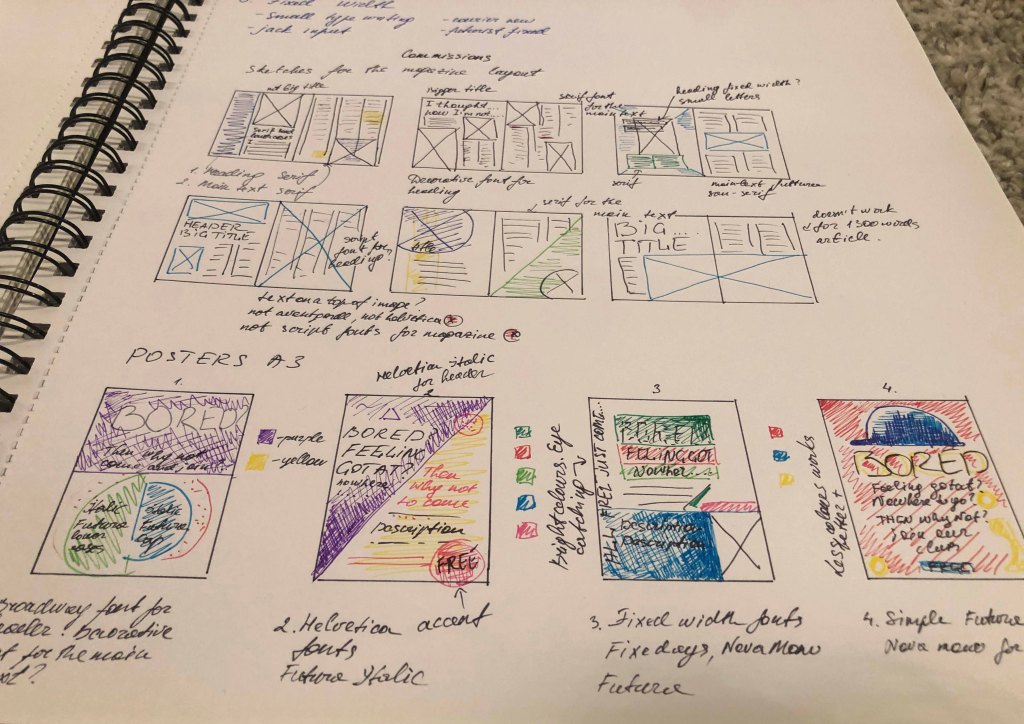
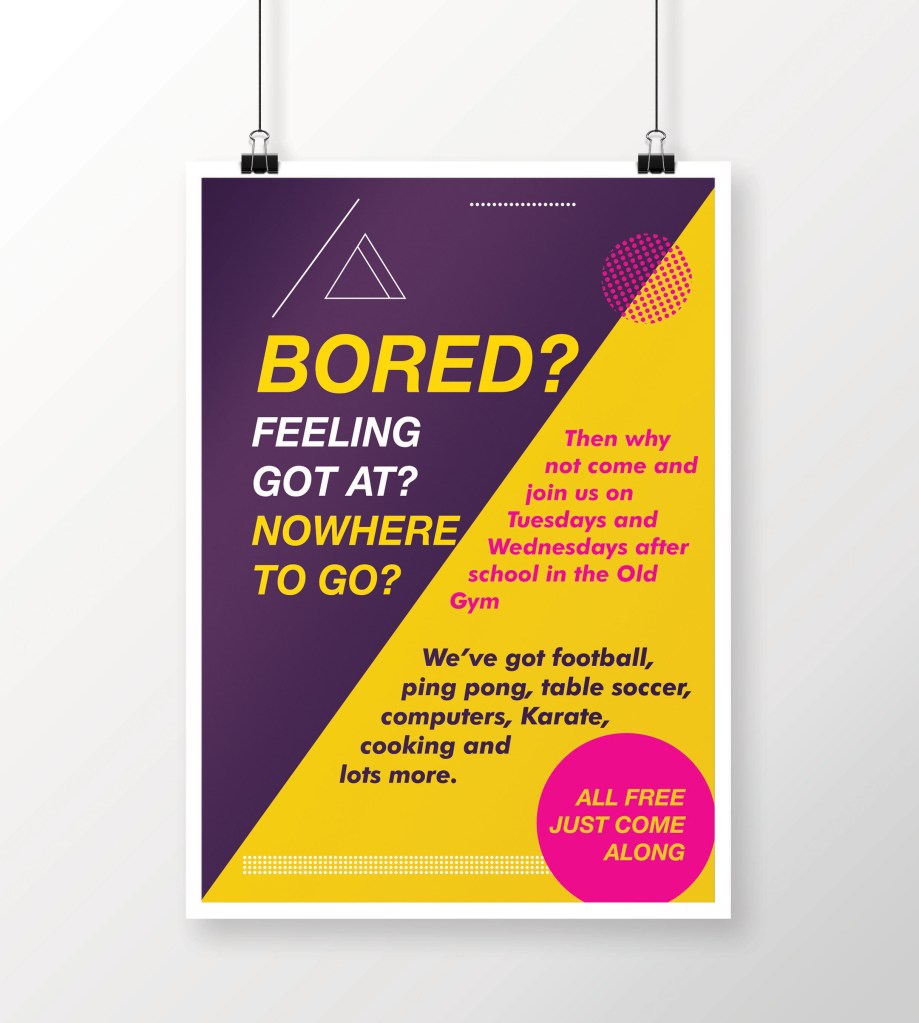
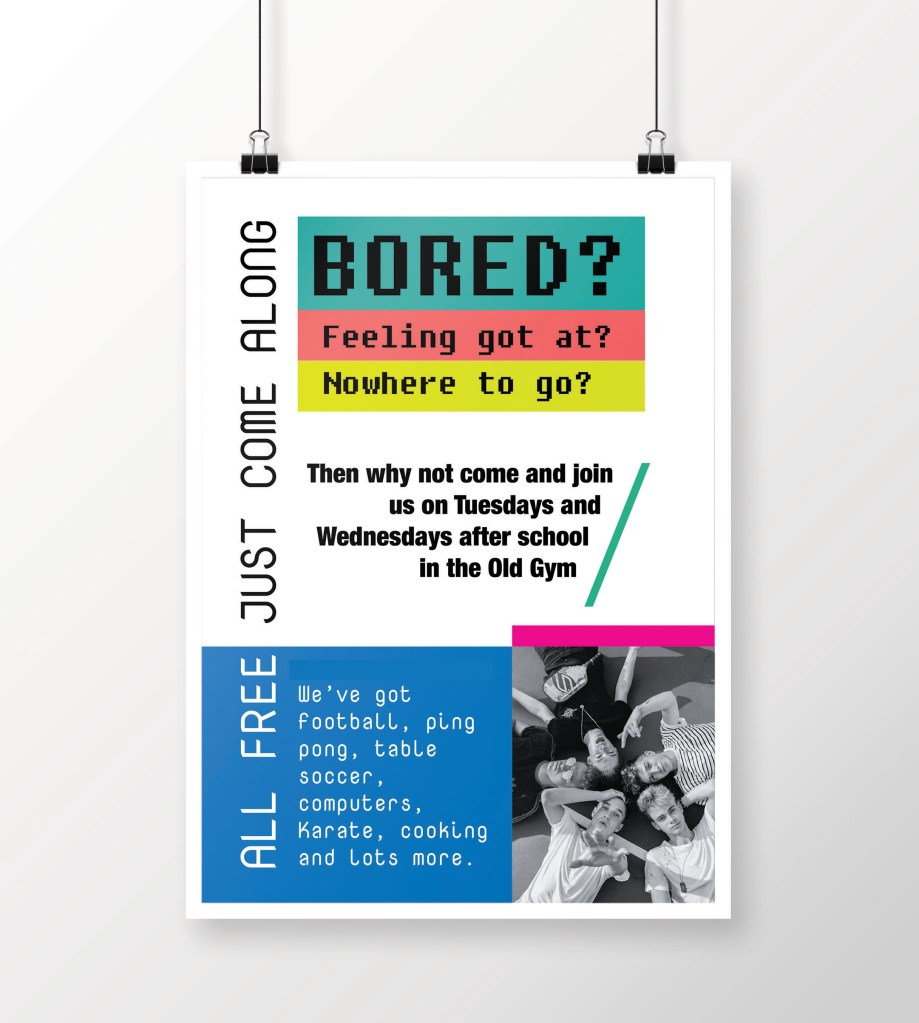
A poster to advertise an after-school club for boys aged 13 – 14. The poster will be A3 size and the copy reads: “Bored? Feeling got at? Nowhere to go? Then why not come and join us on Tuesdays and Wednesdays after school in the Old Gym. We’ve got football, ping pong, table soccer, computers, Karate, cooking and lots more. All free just come along.”
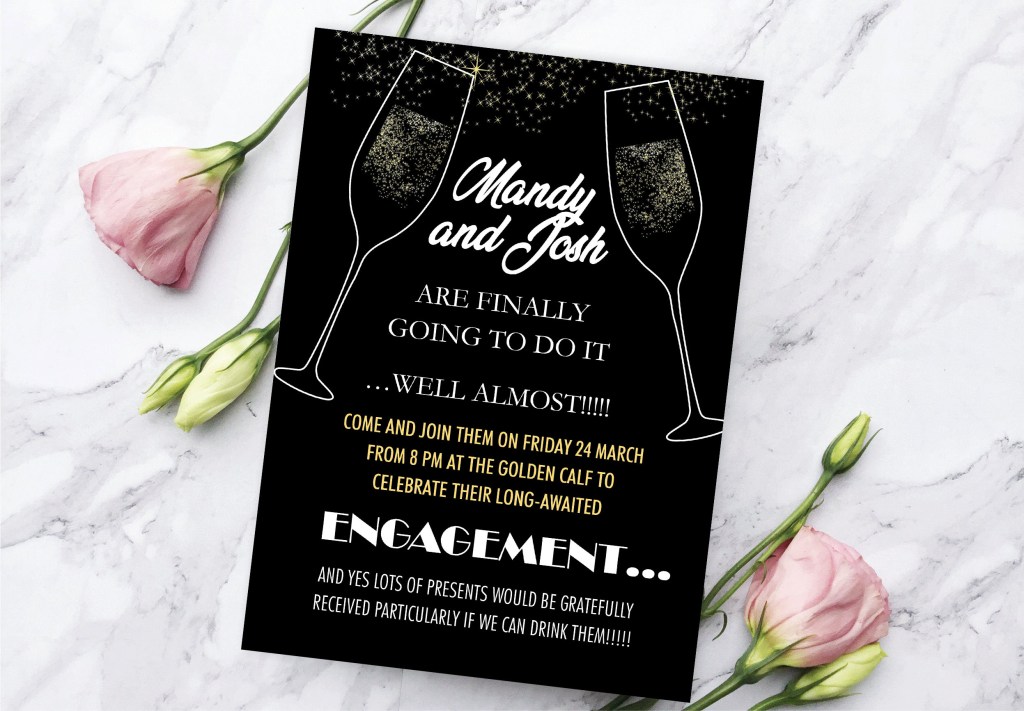
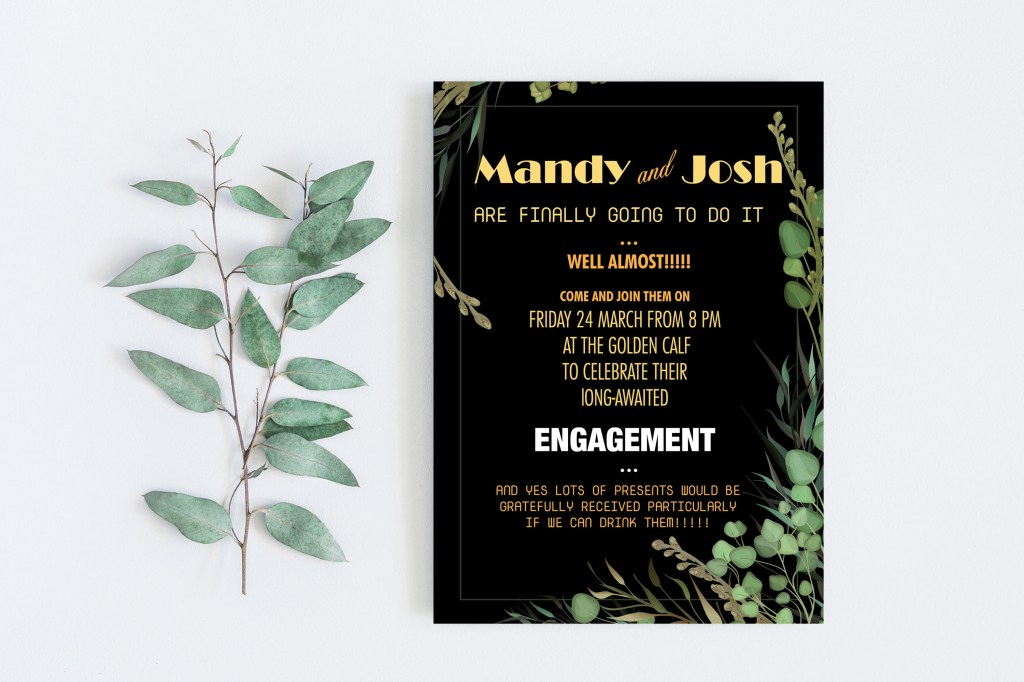
Your friends’ engagement party. They want a flyer A5 size to send to their friends as if advertising a club night. The copy reads: “Mandy and Josh are finally going todo it…well almost!!!!! Come and join them on Friday 24 March from 8 pm at theGolden Calf to celebrate their long-awaited engagement… and yes lots of presents would be gratefully received particularly if we can drink them!!!!! Then have a go at mocking up each of these. Try different fonts to see how each changes the feel of the text and make notes in your learning log about which works best and why.

Start

This exercise turned out to be a task with two unknowns. When I just got acquainted with this task, I realised that I needed to break it into several sections to create for myself a general picture of font types, and only after using them in advertising and magazines. That was my first collection of fonts that I have ever created in my entire experience in graphic design. To get started, I turned to Wikipedia, which is more for the concept of a specimen book.

Specimen books (in full: type specimen books) are the printed brochures or catalogues of type foundries and printers, offered to advertise the range and quality of type available. They have been an essential part of the printing trade since soon after the invention of printing with movable metal type in the 15th century.

The ideal specimen book shows the typefaces in a range of sizes, using short sentences rather than A-Z strings (which are of little use for getting a feel for the type in use). Colour is sometimes used, but usually very discreetly, such as a red title. Samples in text sizes (6 to 14 point) typically show a longish block of text to help one judge readability, but would not be offered for decorative and display typefaces. It is quite common not to deliver a complete character set: foundries have always been concerned about piracy. Instead, a chart might be shown in an appendix where characters included in all the foundry’s fonts.

Collecting Type Specimens

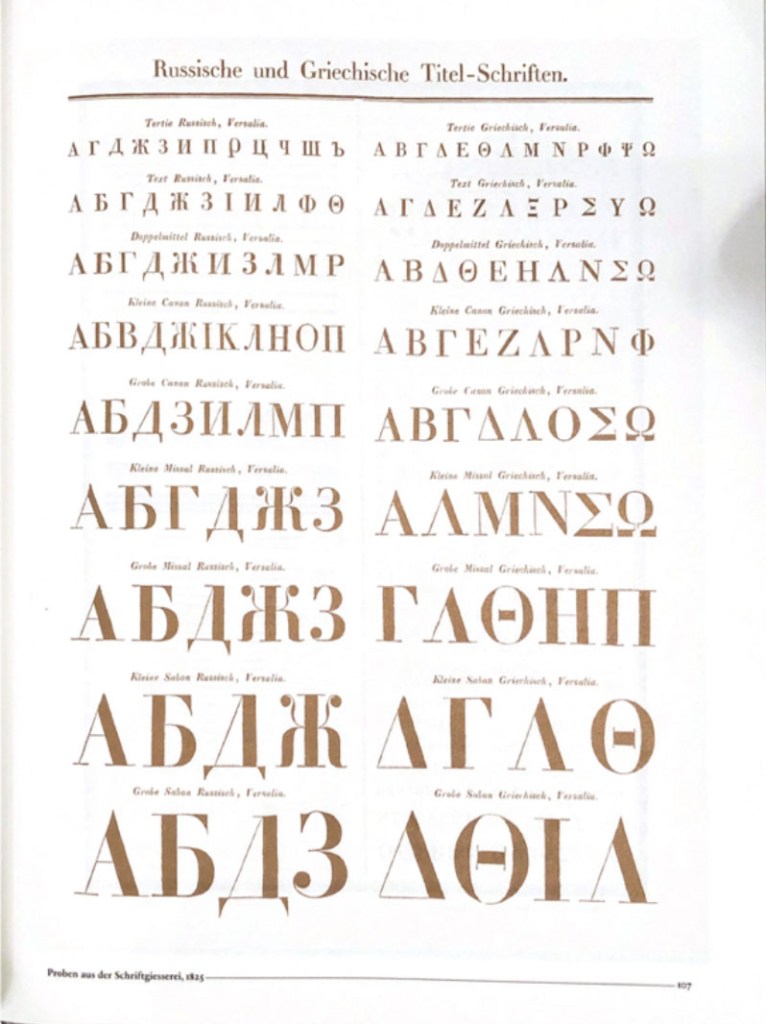
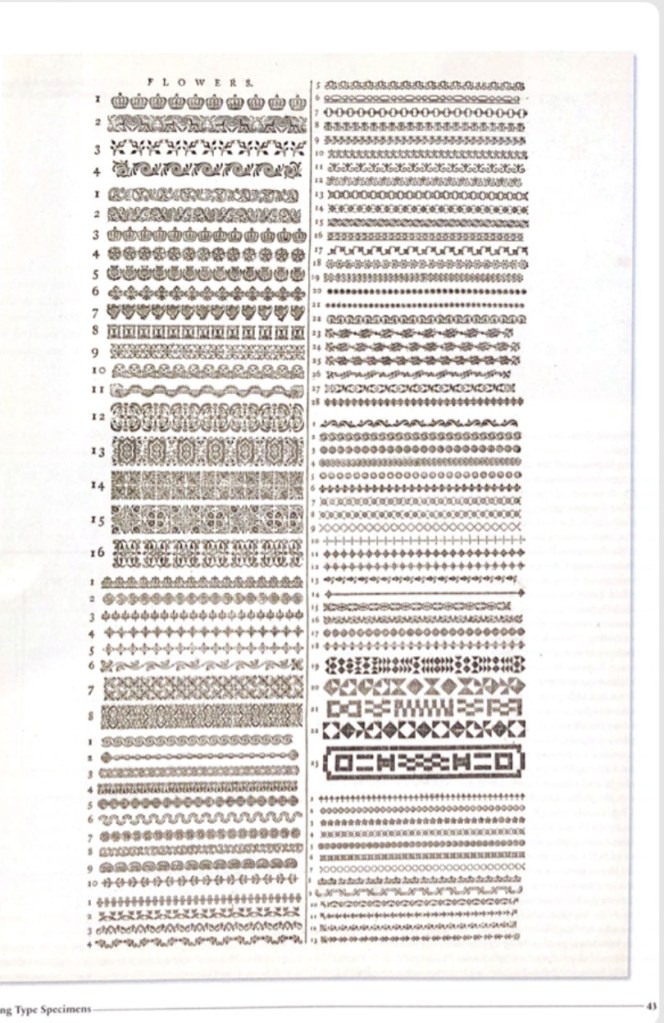
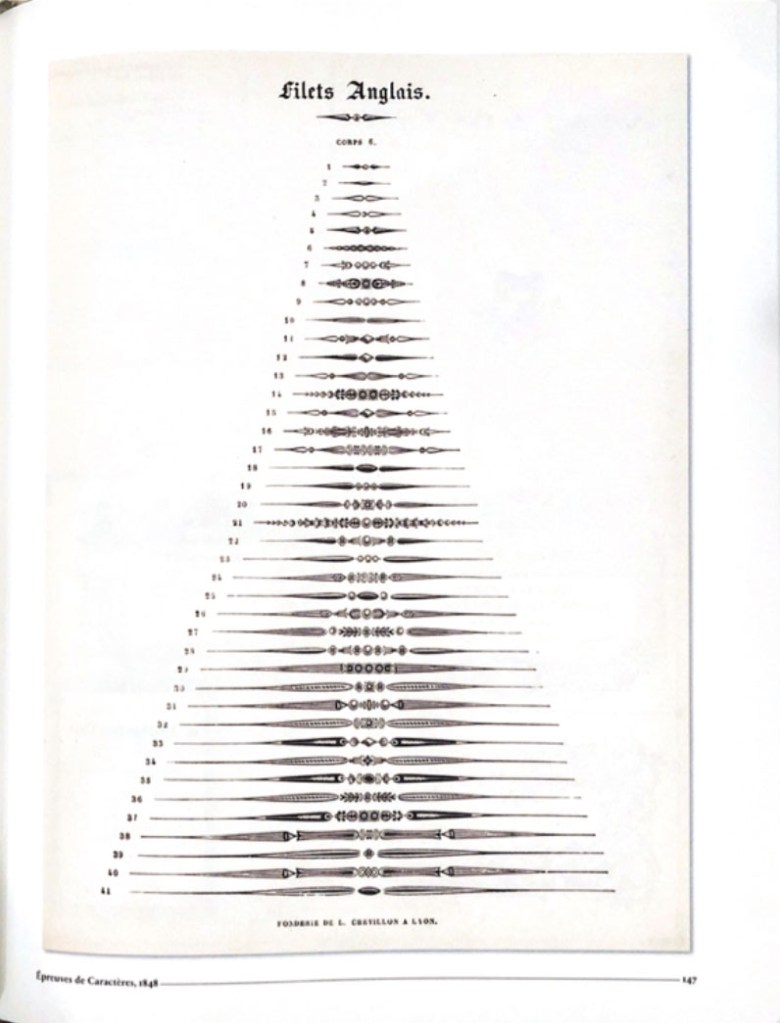
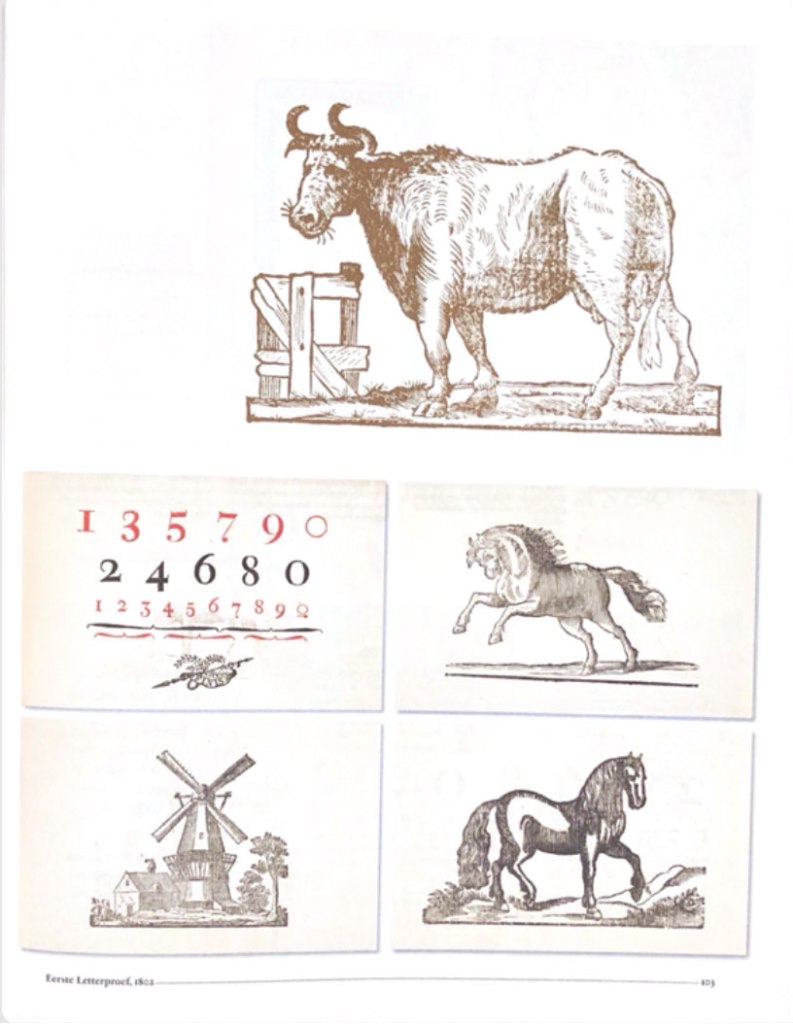
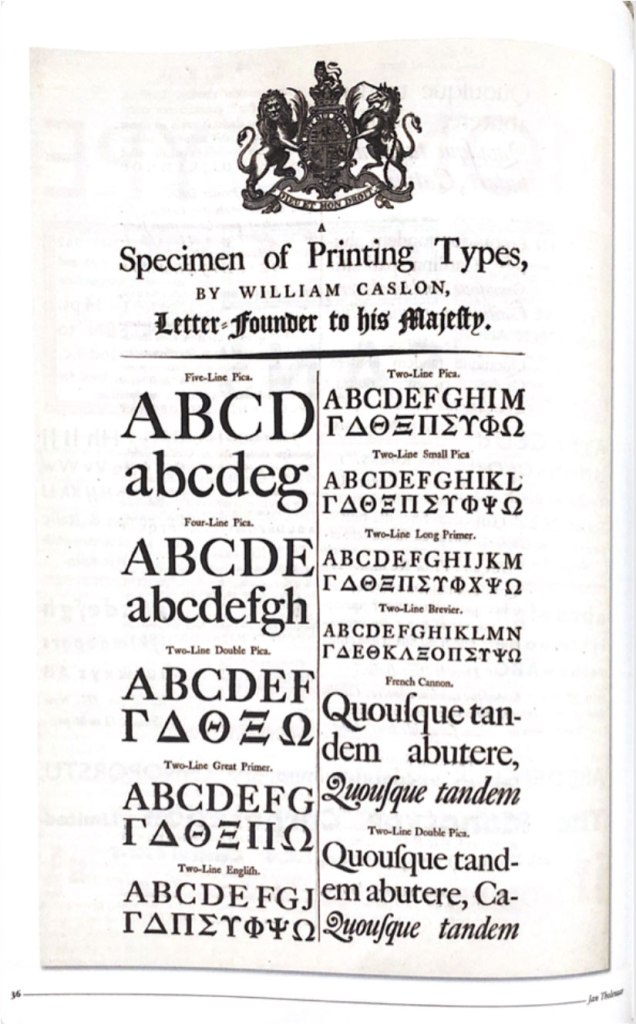
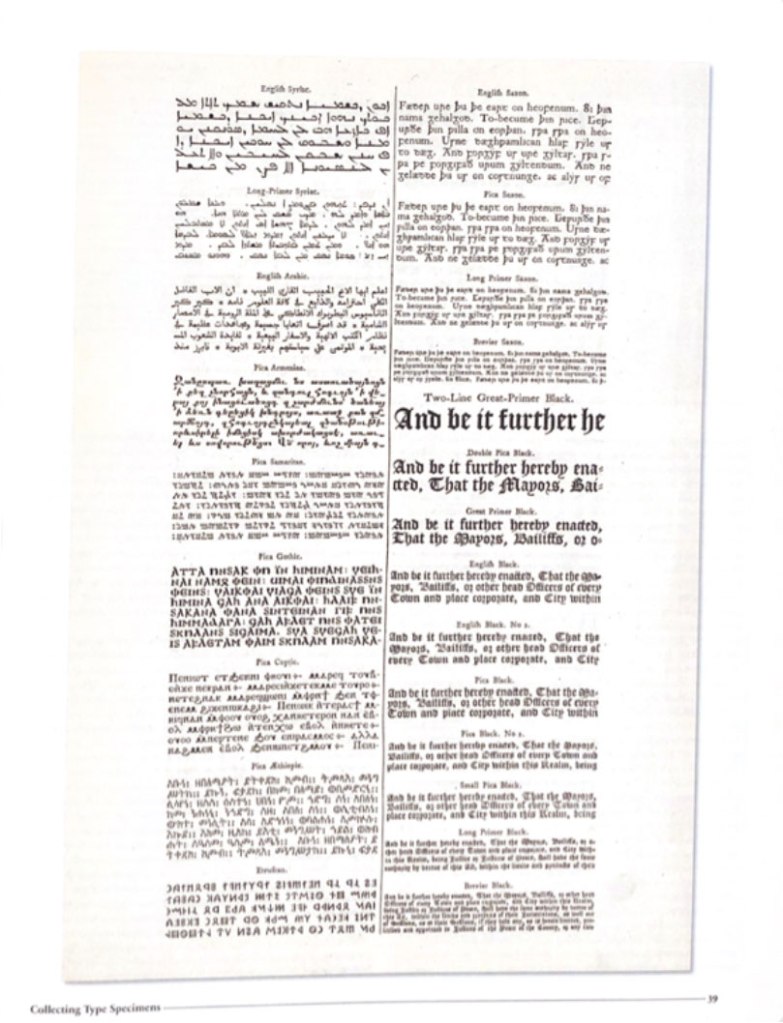
The other day I bought a book with collections of fonts compiled by one famous collector, Jan Tholenaar. Specimen collections have become an inspiration in a passion for the history of fonts, and their unique journey through generations and centuries. But some fonts were invented hundreds of years ago, but they continue to be in demand among it for print advertising and printing.
Between the dates 1830 and 1930, a collector that goes by the name of Jan Tholenaar assembled one of the most significant collections of type specimens in the world. It was incredibly diverse of ornaments, fantasy letters, also with examples of artistic printings—all the letters in all variety of colours. What he was doing, he was buying loads of old catalogues from antique shops around the world, from magazines, and then will organise them into the specimen.

In fact, not long time ago, the American poet Dan Carr designed his typeface for his poems and cut dies it himself. This specimen was included in Jan’s collection as well. Another fact that immensely impressed me was about the first smallest engraved font 2.5 points by letter engraver Henry Didot in the early 19th century.

Nowadays, it’s not easy to become specimen collectors; you have to visit antiquarian booksellers or auctions. Jan Tholenaar had one of his first collections from visiting the library of the Amsterdam Foundry, or from visits to the St.Bridge Printing Library in London. Type specimens are naturally were found in notable publications, such as in house magazines through ought the world. I was fond of his obsession with sample collecting; he would admire some of the rarest fonts collections. He would do everything that to get desirable one into his group, like type foundry Debney & Peignot with more than 400 rare specimens.

Type A visual History of Typefaces and Graphic Styles 1628-1938. Edited by Cees W. de Jong, Alston W. Pervis, Jan Tholenaar

After familiarising myself with the historical font sets and their lectures, I created a mood board on Pinterest. It helped me to visualise my interpretation of the type specimen, which I would like to implement in my style. These examples are quite eyed appealing, as for me, they look like a celebration of each font and its characteristics.

Typography Specimen Book

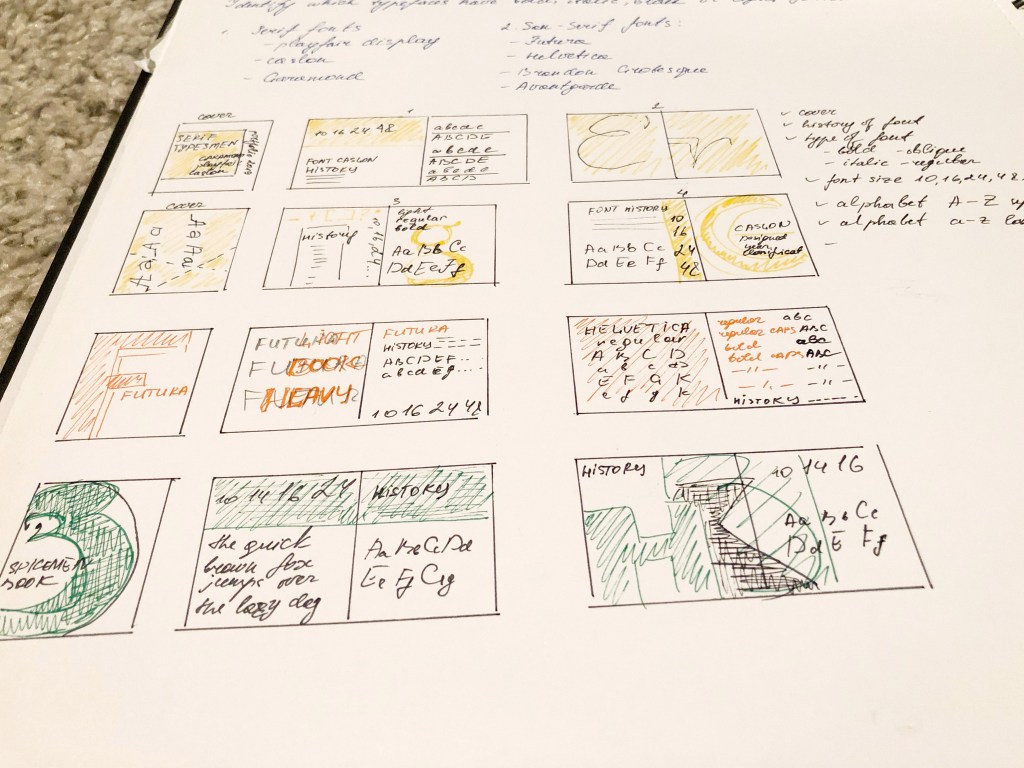
I was very excited to create my type specimen, where I could join them into the little font guide. I had thoughts about several styles for the typography layouts, so I needed to transfer them into pieces of paper in my learning log. I organised designs and put everything together in a single style. I intended to associate an exact, bright colour for each font. For the brochure, I chose format A4 in terms each font would have their spread with lots of air around and some examples of font usage, size, alphabet, and font history.

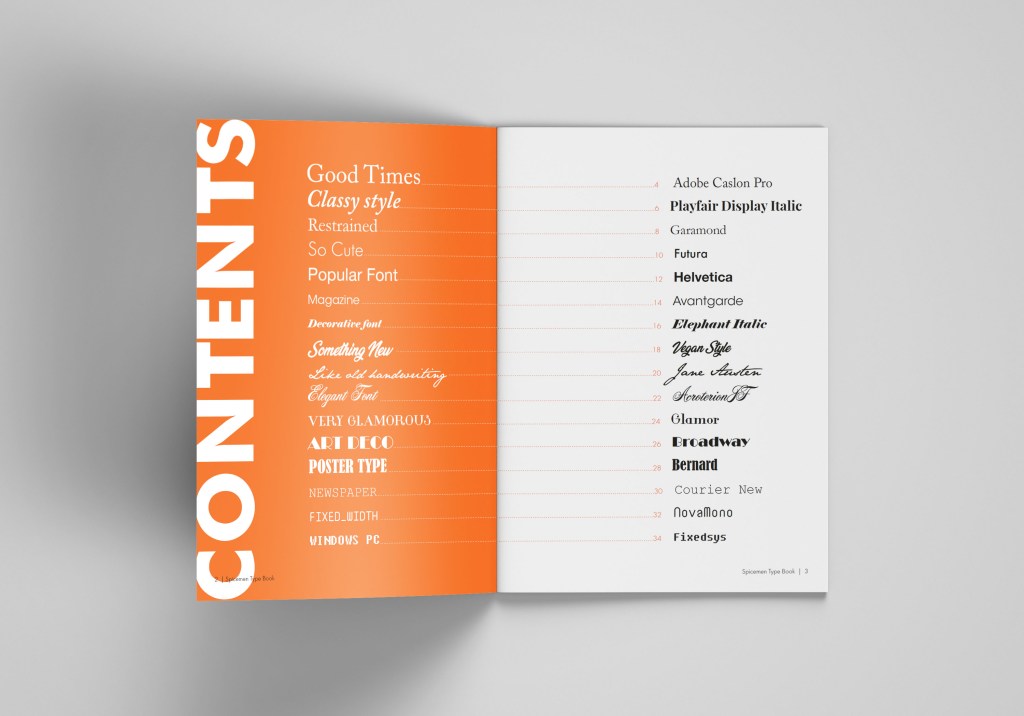
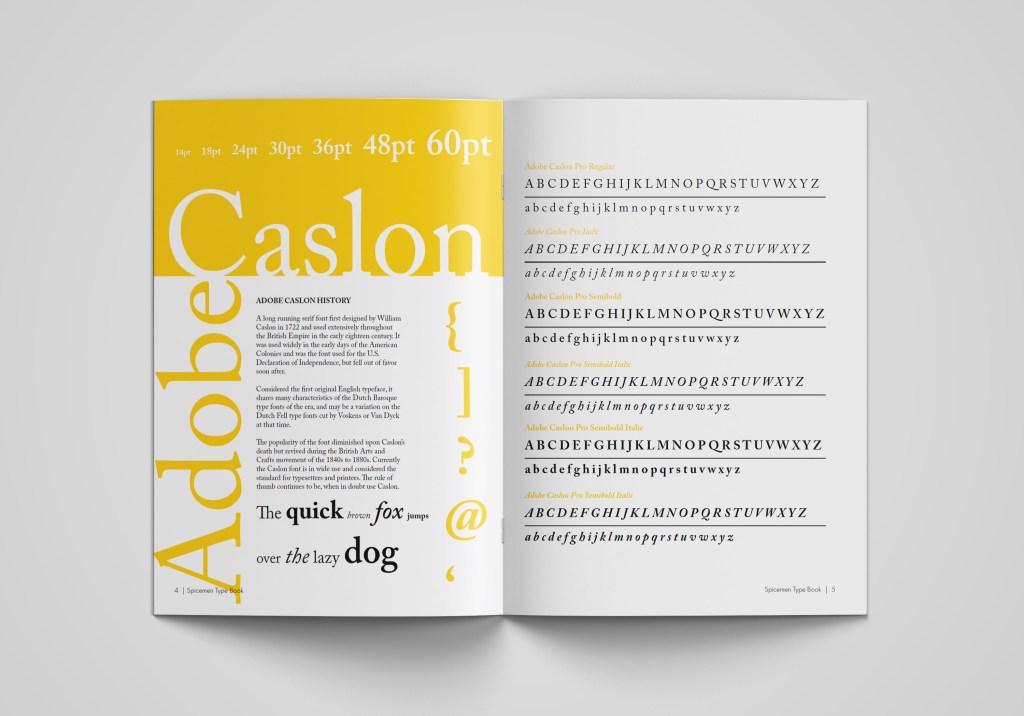
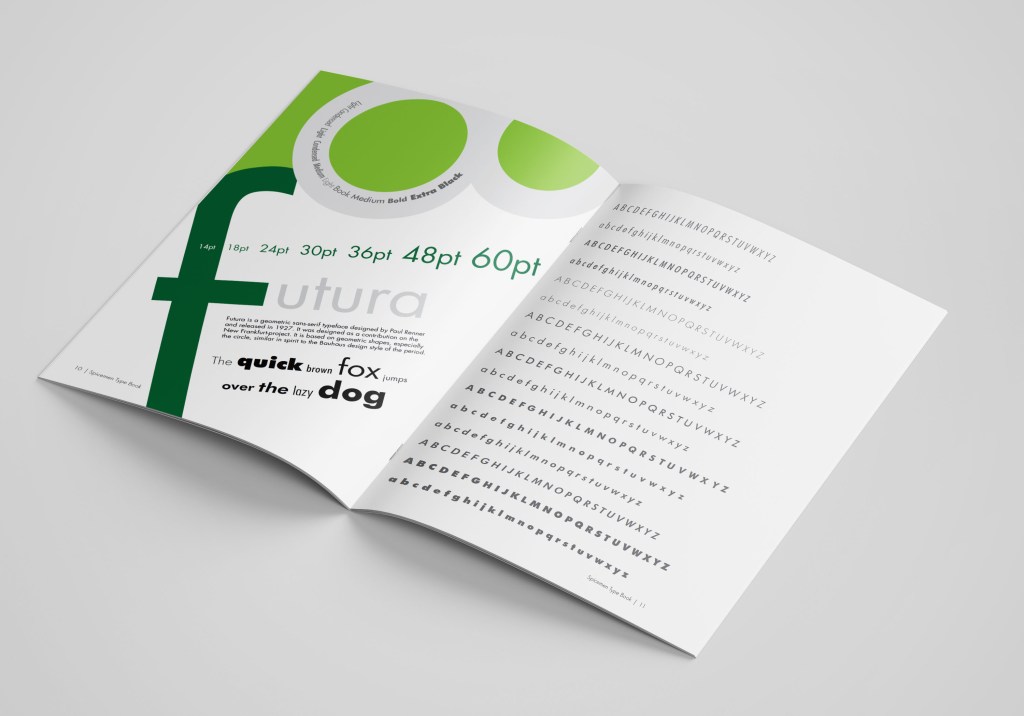
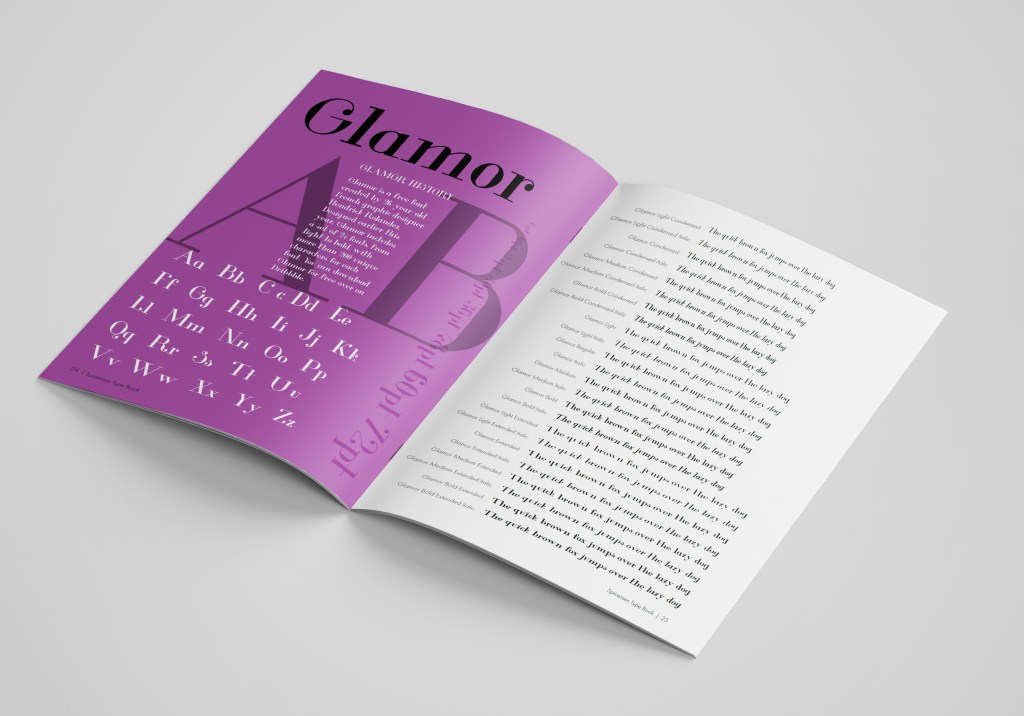
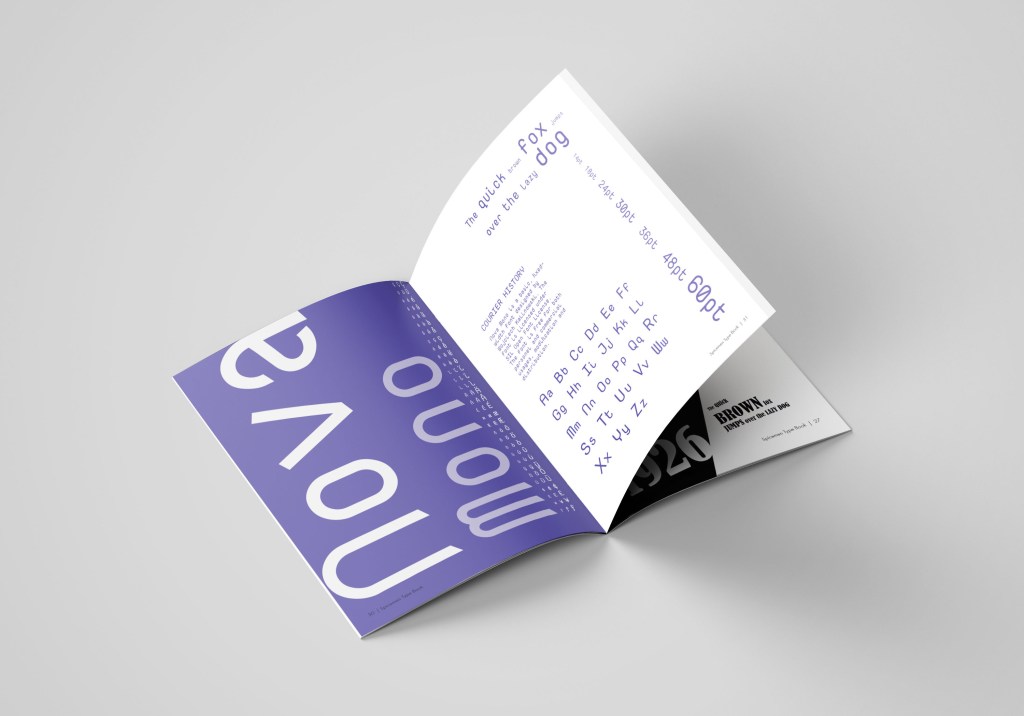
In my specimen guide, I have chosen particular fonts, as from my point of view are the best for reading, advertising, and experimenting at the same time. There 3-4 different fonts for each type, I thought it would help me with the font variety for the production of future design. Below is the list of my fonts selection:

Serif fonts:

  • Adobe Caslon Pro
  • Playfair Display 
  • Garamond
  • Elephant Italic

San-serif fonts:

  • Futura
  • Helvetica
  • Avantgarde

Script fonts:

  • Vegan Style
  • Jane Austen
  • Acroterion

Decorative fonts:

  • Glamor
  • Broadway
  • Bernard

Fixed width:

  • Courier New
  • NovaMono
  • Fixedsys

Some of the fonts I had already installed on my computer, but for some of them, I had to browse various types of sources, where I could find some original fonts I could use.

Sketches for Specimen Type Book.

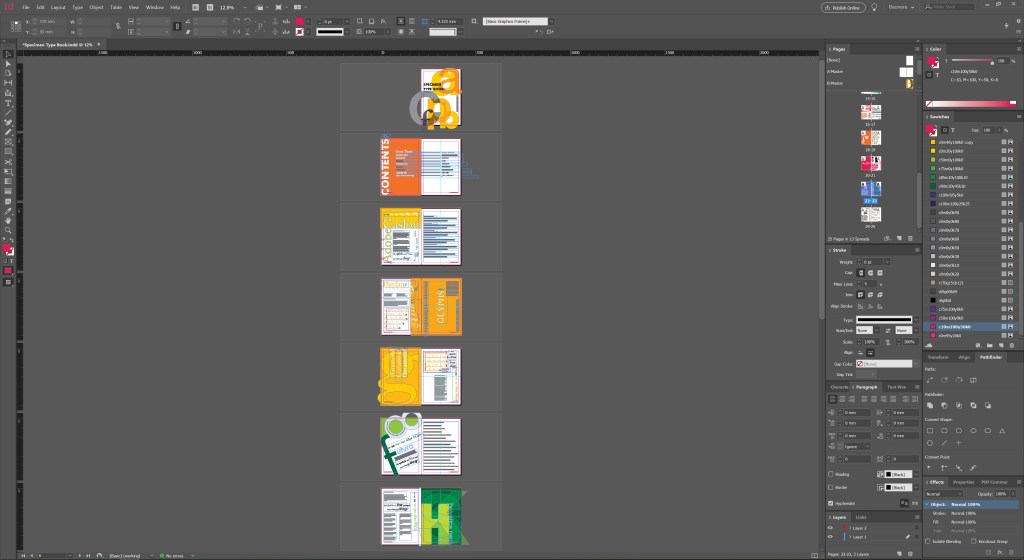
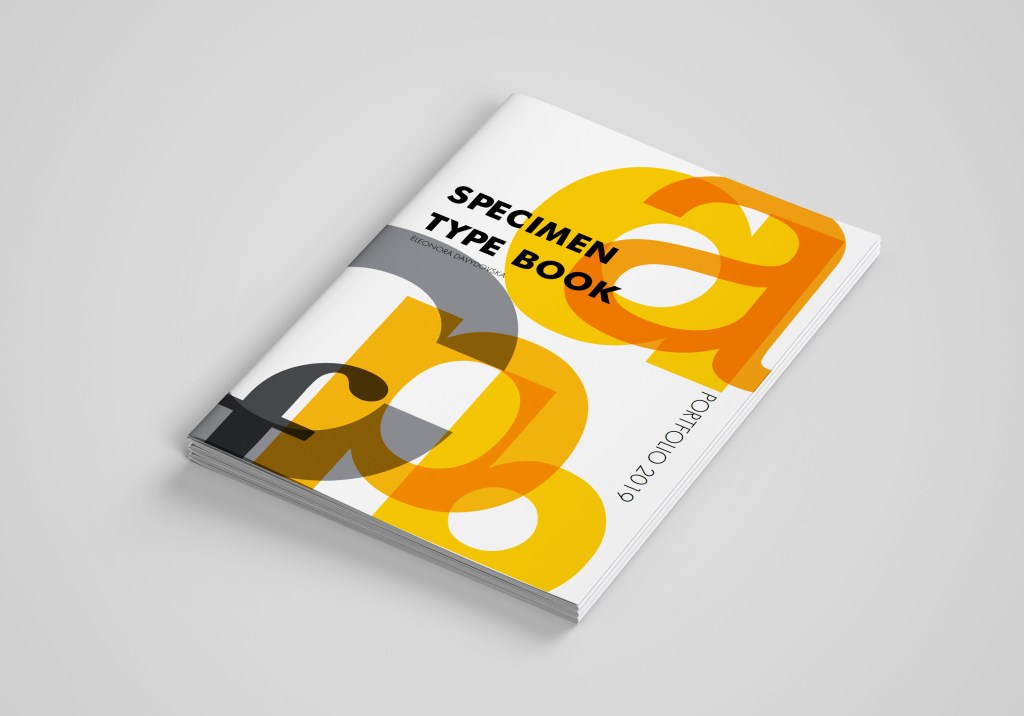
I must admit it took me a while to create as many as possible layouts for fonts but keeping them into a similar structure at the same time—the best program for the multi-page document in Adobe Indesign. I’ve created a quick style for pages, and some basics as Futura font for the main font in the catalogue. I played around with the cover for this brochure, and some interesting styles for fonts. I really enjoyed this part of exercises, as I had freedom in my style, and I could reflect my personal preferences in the designing brochures. I loved combining all these fonts into the singular material; also, I quite enjoyed the different font used for each page.

For some pages, I chose a rectangular layout, for fonts such as Playfair Display, Adobe Caslon, while I designed some fonts as a porter when applying layout at an angle, with a radical combination of fonts of different sizes. Font examples: Broadway, Futura, Helvetica. 

Since all fonts are different, and in some, we see the presence of only one type of font, examples of Fixedsys, Jane Austen, in this case, I displayed only the one alphabet with capital letters and lowercase. But some fonts are full of various styles, such as Avantgarde, Helvetica, Glamor, with Italic, Bold, Condensed type of writing, then, in this case, we see all types of spelling of the font in the alphabet, that is, duplication of the alphabet on one sheet. I enjoyed this experiment with the layout of the brochure, in my opinion, it reflects the individuality of each font, but at the same time, it has a single style.

For the full Specimen Type Book preview, please copy this link and paste it in the new tab https://fliphtml5.com/temu/vfms

Commissions

Now the crucial moment has come, the application of my font catalogue in design. The first design is a layout for an article of women’s magazine. The headline itself made me nostalgic when in my youth, I read magazines about the complexities of relationships, beat procedures and tips for caring for home flowers in one issue. I remembered magazines from the 90s, 2000s, when the more images, backgrounds and brighter the headlines, the better. I drew several layout grids in Adobe Indesign, which I planned to add images to the photo later. I found some stock photos of girls with sad emotions on Pinterest to use them for the design layout. Link to my Pinterest account is below.

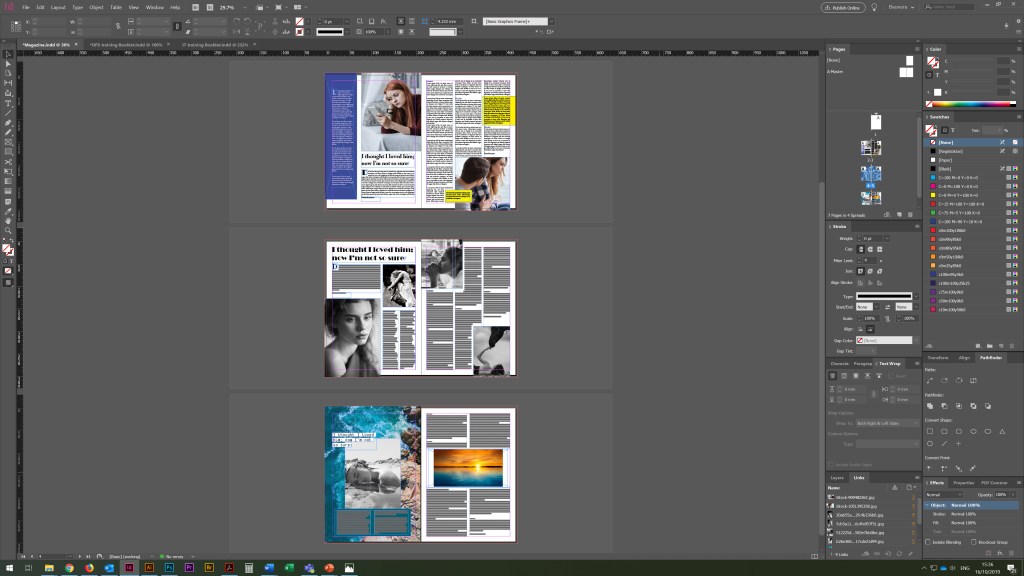
Some of the screenshots for the magazine article design are below. I actually quite like to see designs in the small proportions. Usually, seeing smaller scales of the pages that gives you the feel composition and colours.

In design No. 1, I used the font that was my first on the list from the catalogue Adobe Caslon Pro; I experimented with it for the readable text, the main heading, and the subheadings between paragraphs. I finished the Glamor font for subtitles and initials before paragraphs.

In design No. 2, I replayed the layout, added more model photos, with dramatic overtones. But since the task was to use fonts in the design, I decided to use the Broadway decorative font for the main title. For the main text, I chose the neat font Futura, which has more spaces between sentences lines then Adobe Caslon Pro, but this font is a serif, which tends to be more readable for the articles. Here I could see a brighter contrast between the text and the title. In my opinion, in such a font combination, a more confident direction appeared in the magazine.

In design No. 3, I wanted to experiment even more with fonts, and in the third version of the magazine layout I used a new font, I was curious to see how the decorative NovaMono font fits into the title for the article, and also the font itself is small in size for the title; however, it is still well-read. Again, the design and overall impression turned out to be more modern style, in such a font the header seems to have been printed on the computer as a subject line. In the main text, I combined several fonts Futura and Adobe Caslon Pro, which, in my opinion, adds accents to the text.

I think that of the three options, I would prefer design No. 1, in my opinion, the font for the general text is well matched in it, as well as the standard title in the Adobe Caslon Pro font. This option is more classic, easy to read, although I would like to note that the font for the title could be selected more original than a standard serif font. In the second version, I liked the experiment with the font for the title, but I think that due to the large dominance of the photo, the layout itself turned out to be overloaded with images. In general, I was satisfied with the result. I realised that the main thing for the magazine layout is font readability.

Parish Magazine Advertising

Layout for advertising a florist in a church was given to me more easily than the previous task. In my understanding, it was important to convey the tenderness and lightness of the ad, which could be diluted with floral arrangements. In option No. 1, I used three different fonts. I decided to split the title into two different fonts, so the ad becomes more attractive. For the first part, I used the serif font Adobe Caslon Pro, then the title goes into the handwritten font Jane Austen, for the main text I used the font Futura. The result, in my opinion, was decent, pleasant to perceive, and easily recognisable.

In design №2, I used a new font for the title, Glamor, and a similar font for the body text. I can not say that I am delighted with this option. Probably, a combination of fonts was not quite well-chosen in it, and yet I still lack a handwritten font that would add tenderness to this work.

In design №3, I added the Acroterion classic script font, and for the title, I selected all the uppercase letters of the Playfair Display serif font. The main font is also the Playfair Display. I tried to use more fonts in this ad, such as Helvetica and Avantgarde, but somehow they were not successful in the two cases (magazine and parish florist). However, I realised that I needed to apply them as well because I included them in the list of fonts catalogue. Of all the three options, I prefer the option №1 the most, readable, straightforward text, and a right combination of fonts.

After-School Poster Design

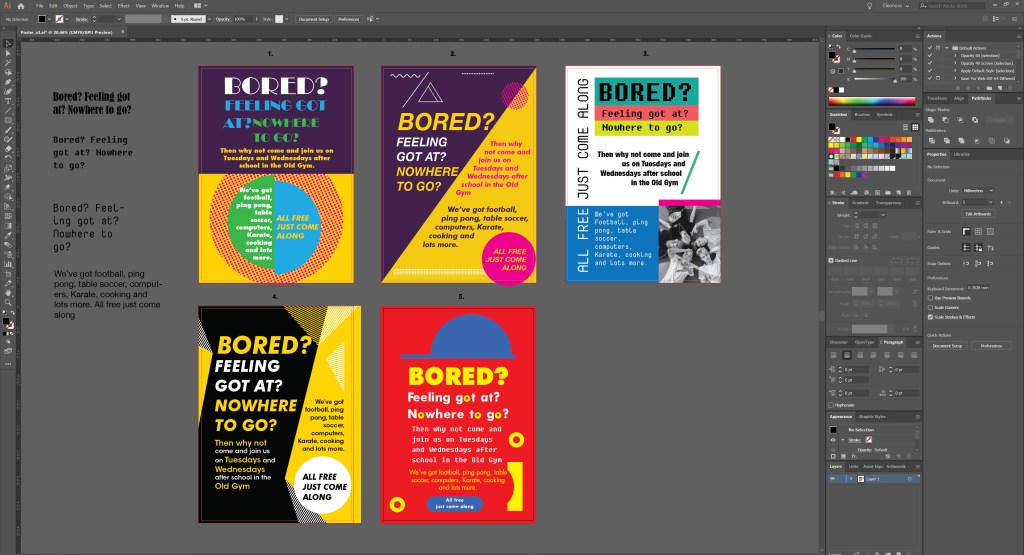
To produce a school poster was another challenging design, where I had to use more fonts for the schoolboys club poster. Even though in this task, it was essential to concentrate on font variations, in my understanding, there are 3 critical components of the poster design, such as composition, colour scheme and the font itself. The print screen below shows all the porter options that I worked on in the process.

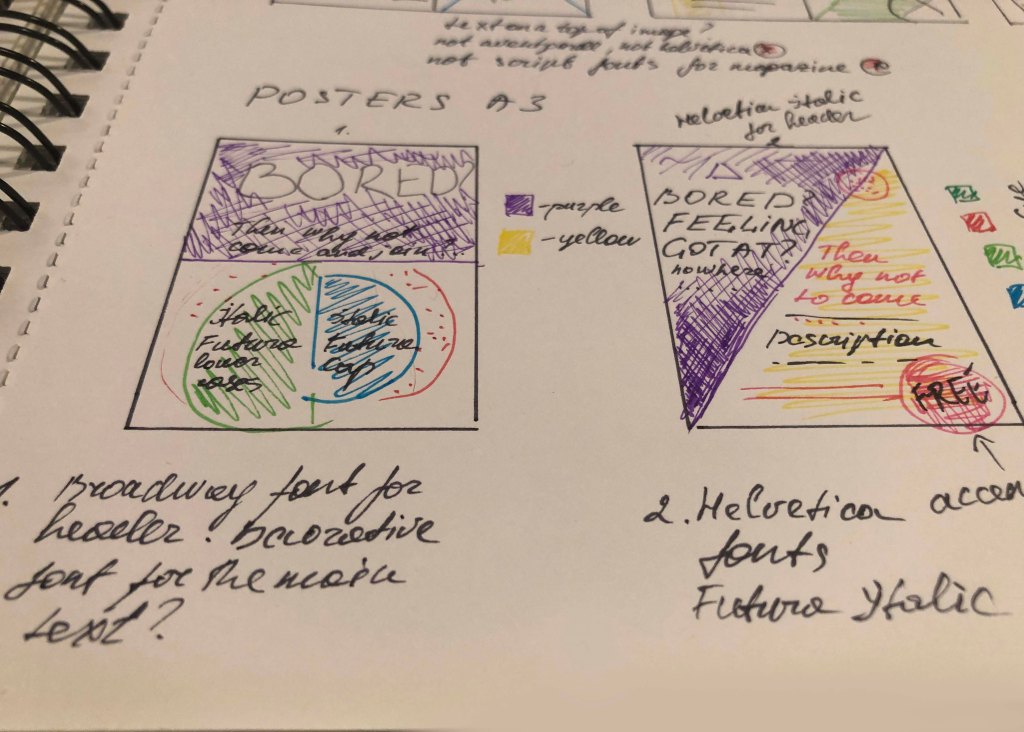
In design number 1, I used the font Broadway and Futura Bold. I tried to experiment with colour and curly elements, dividing the crawl into several parts, but something in this version the poster didn’t want to go to bed at all, so I had to reject such a design.

Design number 2, in my opinion, is more successful. I divided the area diagonally and used slanted fonts. The fonts were relatively simple, such as Helvetica Bold Italic for headings, Futura Bold Italic for the main text. In my opinion, this is a better option for accepting information and reading; however, because of the diagonal, I did not have enough space for a larger font for the title. So I started the next design.

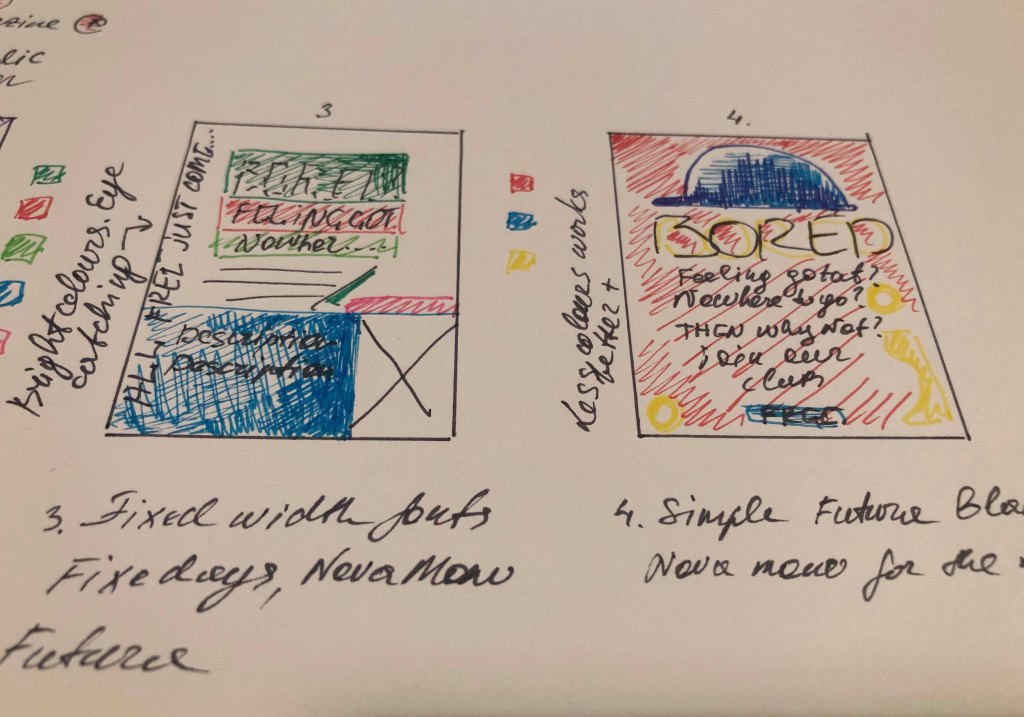
Design No. 3 turned out to be a new trend compared to previous versions. Here I used new fonts; they are unusual, modern and ideal for this kind of porter. Here I used fonts from the Fixed width: NovaMonoFixedsys (for the title), I also diluted the main text with the Helvetica Condensed Bold font, in my understanding, this is an excellent solution to combine several fonts in one loss. Also, these fonts are unique in their way, and they still have a standard feature, they are tall fonts, sans-serif, they look fresh and pleasant to read. In the lower right corner, I filled the place with a photograph of a group of young guys, as a sample, although there may be options (the image of sports, competitions, etc.).

Design No. 4 (see on the screenshot) is an intermediate version with design №2. I first drew it for the sample, and I liked the solution with the fonts in the slope, but the background seemed boring to me, so I redid it in option №2. Although at the same time, the font for the title in design No. 4 of Helvetica Bold Italic is more successful than in version No. 2.

And finally, my last version number 5, in my opinion, the most interesting. The idea to portray a cap came spontaneously. In this design, I like everything from colour to the selection of fonts. Who would have thought that a reasonable standard Futura Bold font could harmonise so well for both the title and the main text? In this design, for the additional wording, I used Fixedsys font, which works perfectly with other fonts around. 

In conclusion, I would like to say that I was quite satisfied with my designs. I used the spectre of fonts widely, however at the same time I’ve noticed that some fonts wouldn’t work for this kind of advert, such as Script fonts, and Decorative fonts, they would look too old-fashioned and out of place for this kind of designs. However, the preferred options of fixed-width fonts and san-serifs font, such as Helvetica, Futura Bold, worked quite right for these posters.

Friend’s Engagement Party

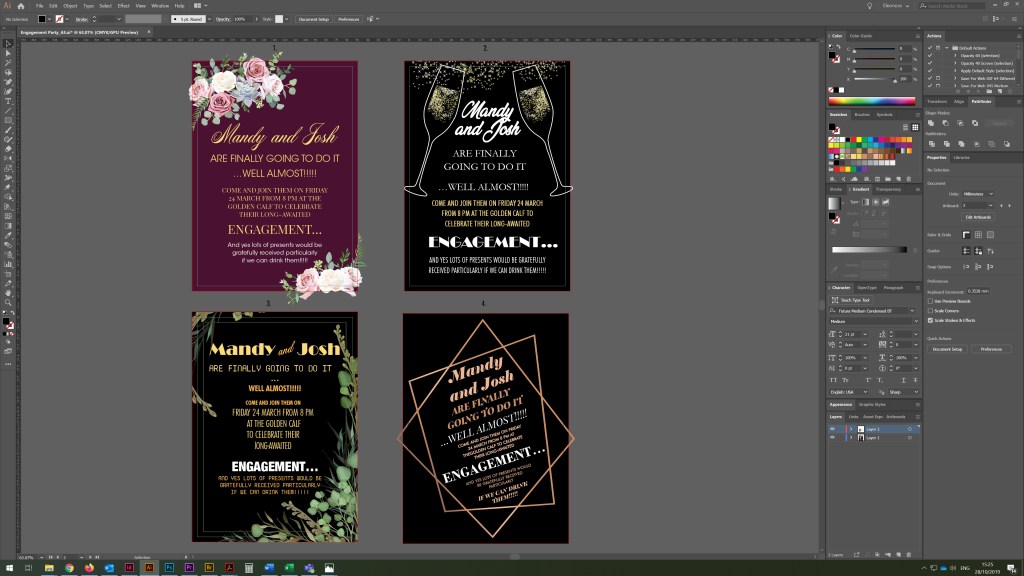
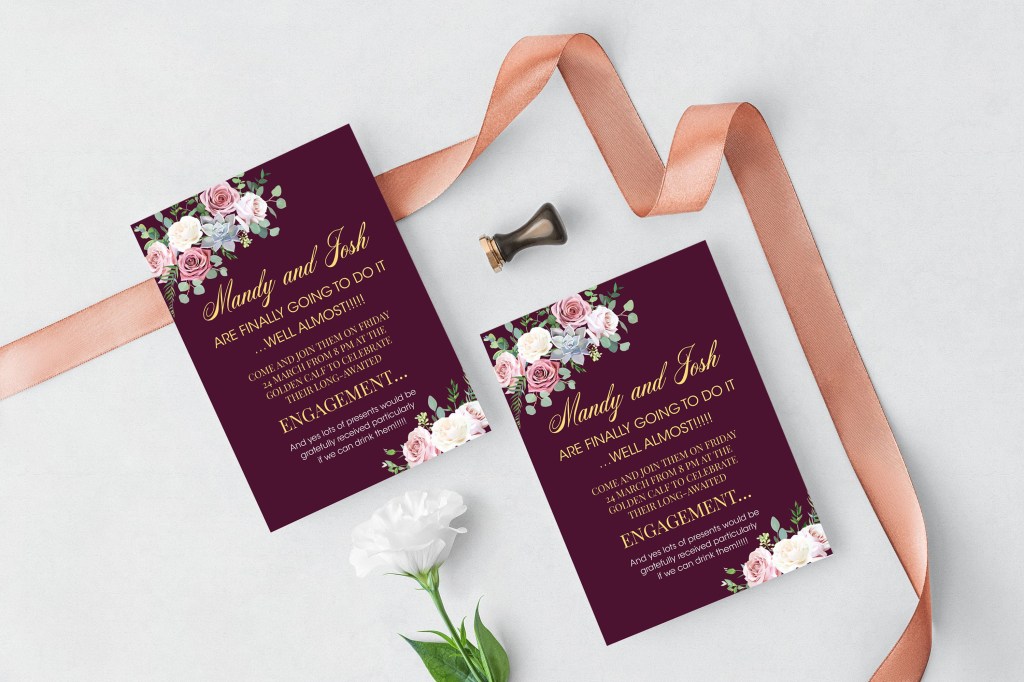
And finally, my last collection of designs in this exercise is an engagement party invitation. Below are screenshots of my final designs. I noticed that I still had fonts that I didn’t use earlier, but I could fit them well into the invitation design, fonts such as Vegan Style and Elephant Italic added a unique concept to the layout. Since this is an evening party, I wanted to portray all the invitations on the dark saturated background to make more association with the evening celebration.

In design No. 1 against the backdrop of burgundy, I used such a light and pleasant handwritten font Acroterion in combination with two different fonts, with serifs PlayFair Display and sans serif Avantgarde. In my opinion, a good option, easy to read and perceive information.

Design No. 2 is also quite exciting and understandable, in it I used font variations to the maximum, it also has a serif font with all uppercase letters Garamond, a narrow font Helvetica Condensed, as well as Broadway font in the style of the 20th.

Also, this is the only design in which I finally managed to use the font Vegan Style, in my opinion, quite successfully.

Design No. 3 is a kind of experiment, in it, I combined different fonts from the modern computer era of NovaMono and 20s style font Broadway, as well as the narrow font Helvetica CondensedHelvetica Condensed Bold. There is a certain kind of originality in such a variation because at first glance opposite, and incompatible fonts are combined here. Nevertheless, the design turned out to be catchy.

Design No. 4 is unusual; the text goes at an angle. Still, the frame around me was a little embarrassed; it seemed to me that it squeezed the space, so I left this option only as an intermediate one since it contains an exciting variation of fonts, such as Elephant Italic, Glamor Italic, Adobe Caslon Pro. (see screenshots above)

Conclusion

In conclusion, I would like to say that I am pleased with my final designs. I created a good variety of layouts and compositions to be able to compare different aspects of design. At the moment, I would say this exercise was the most comprehensive, but they still were made around printing designs and font solutions. I once again emphasised for myself how important the font choice for designs. That typography plays a vital role in the correct understanding of layout, especially the part of the clarity of the message. Also, for the first time, I created a specimen type book, which I can refer to in my future designs.

Research Point: Vernacular typography

The combinations of type found on signage reveal a great deal about a city, town or specific area. They reflect the social, economic and historical development of the area and create their own, and unique typographic style.

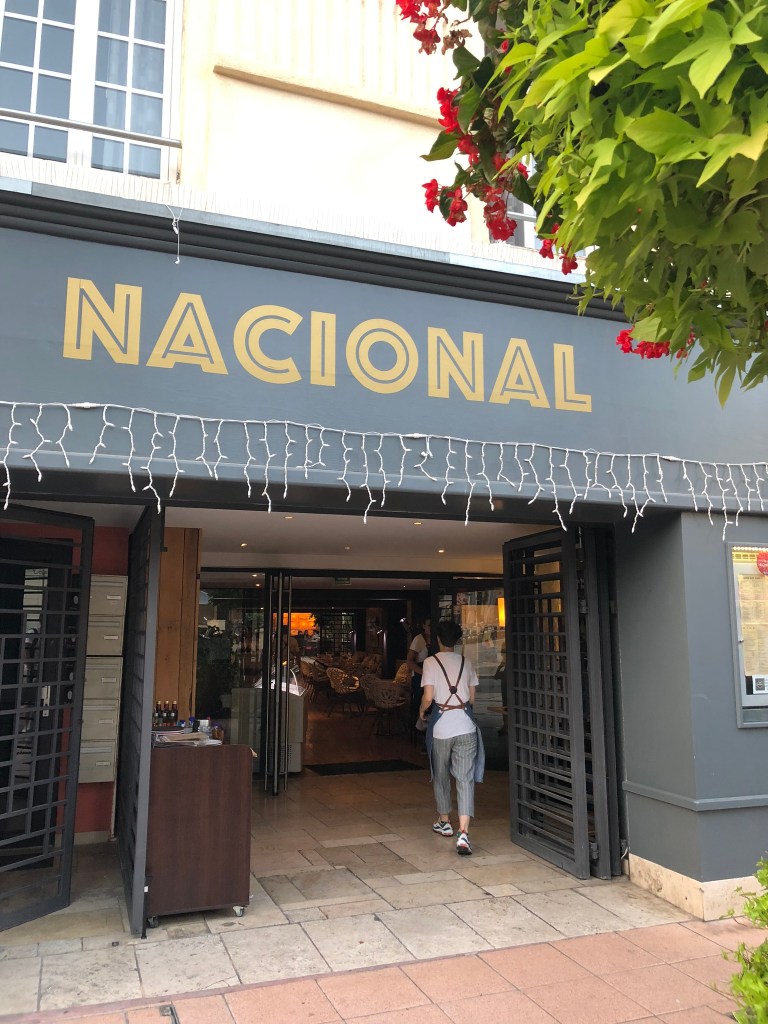
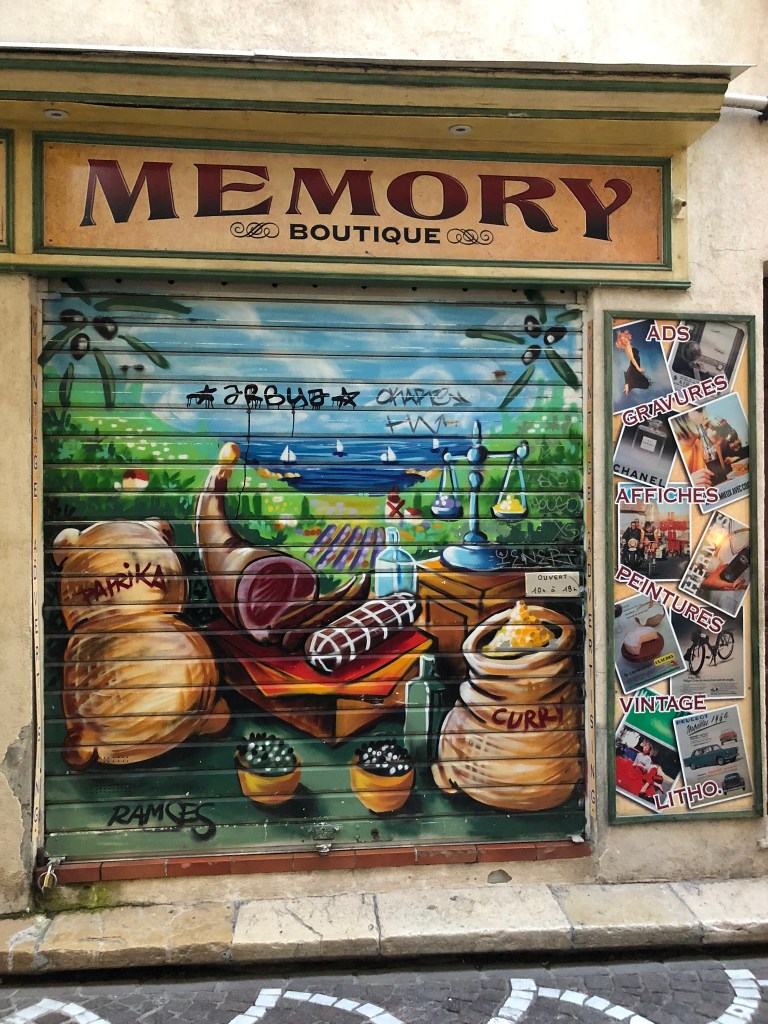
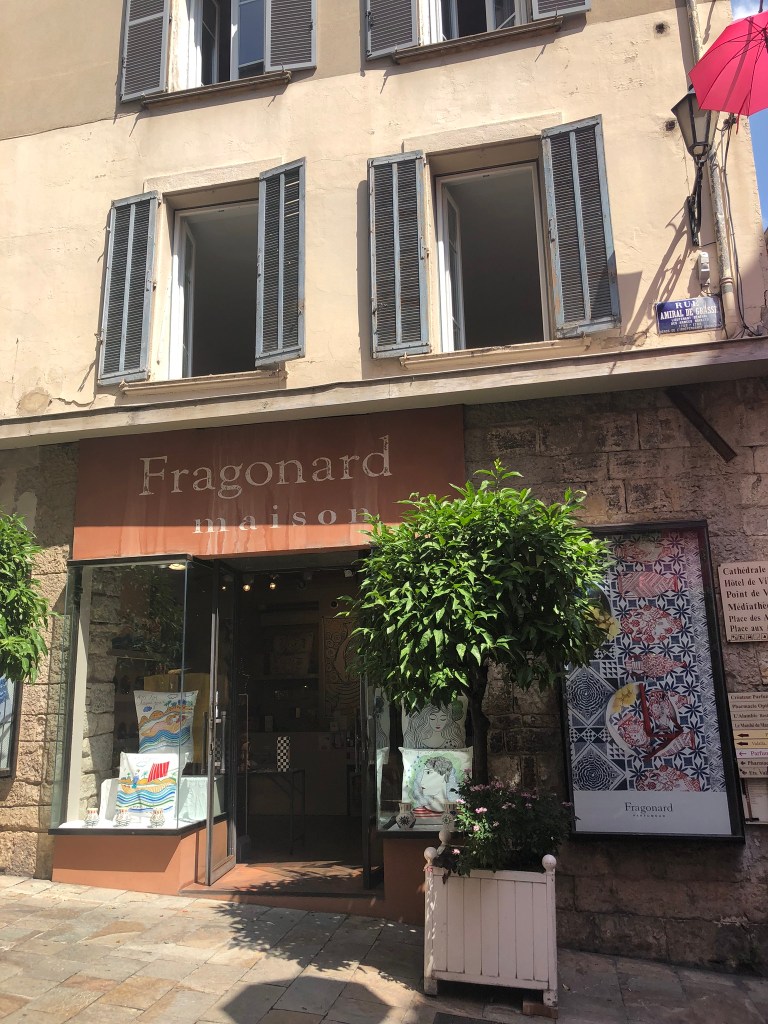
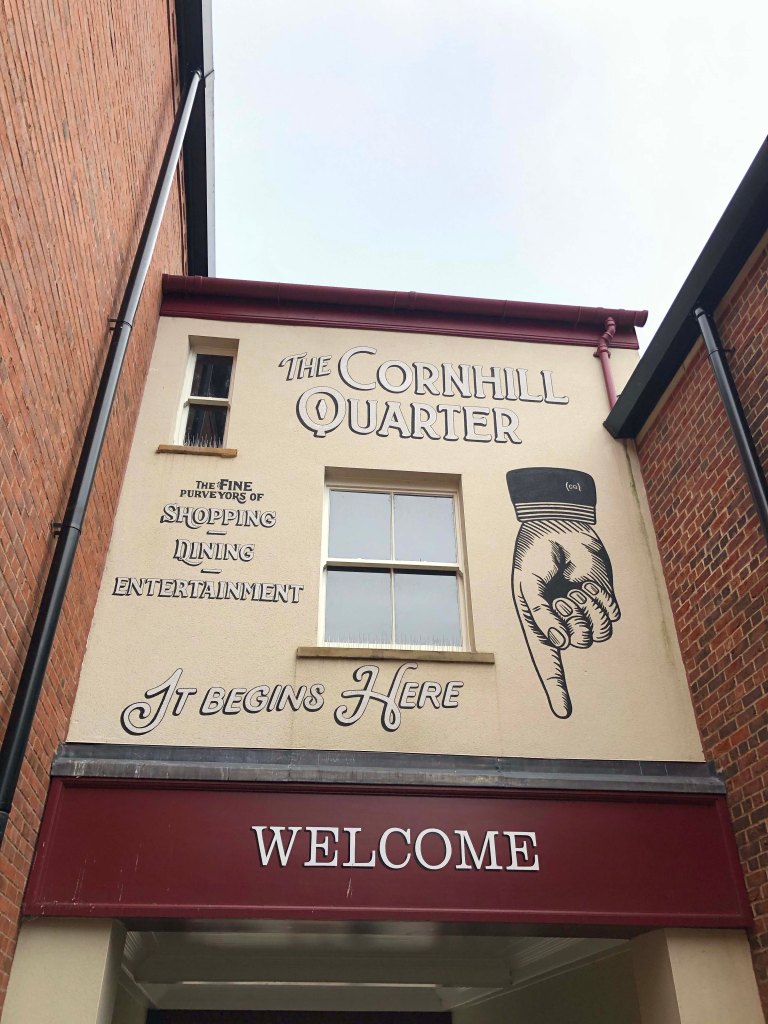
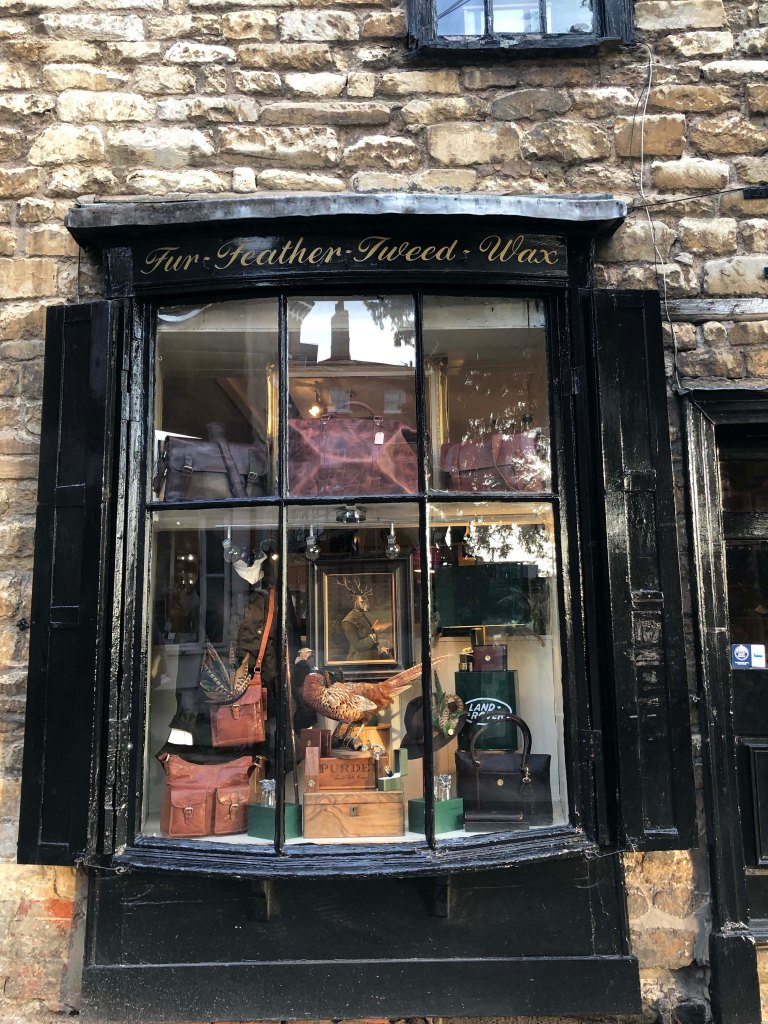
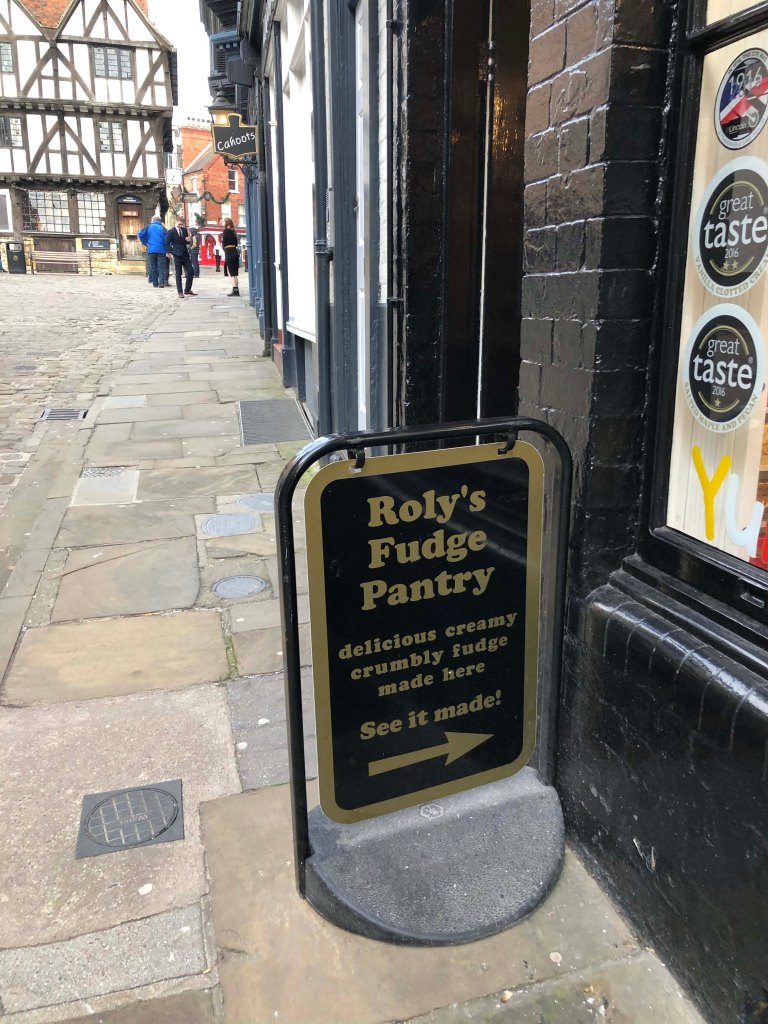
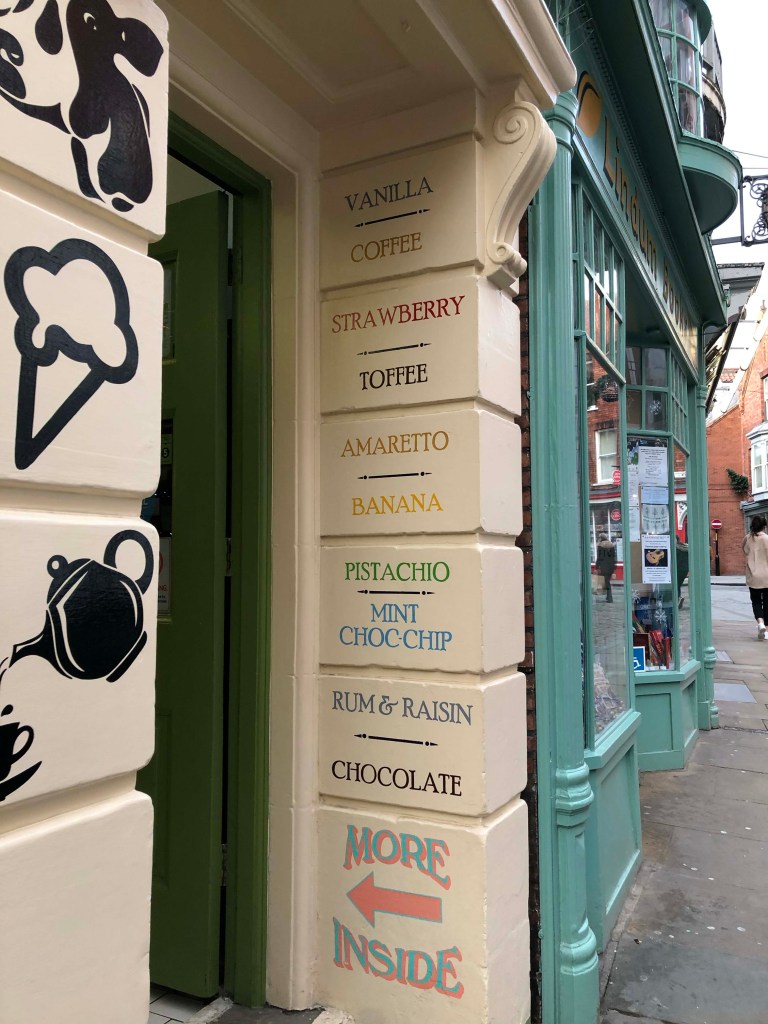
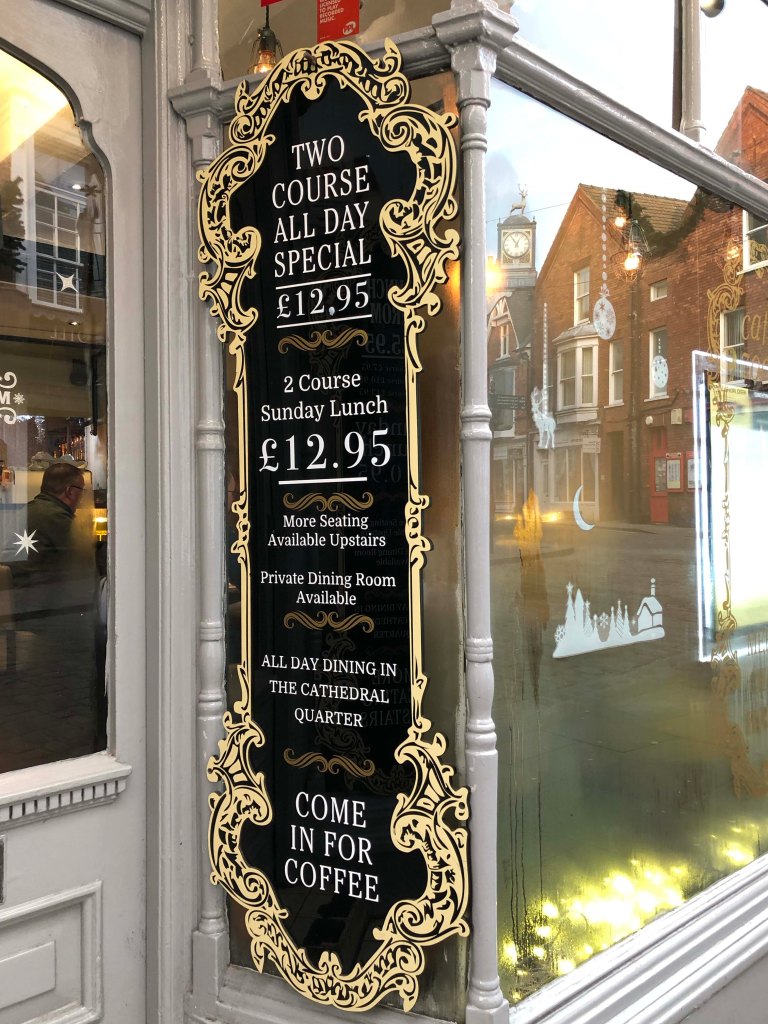
Below are presented a photoshoot of my walks exploring signages in the South of France.

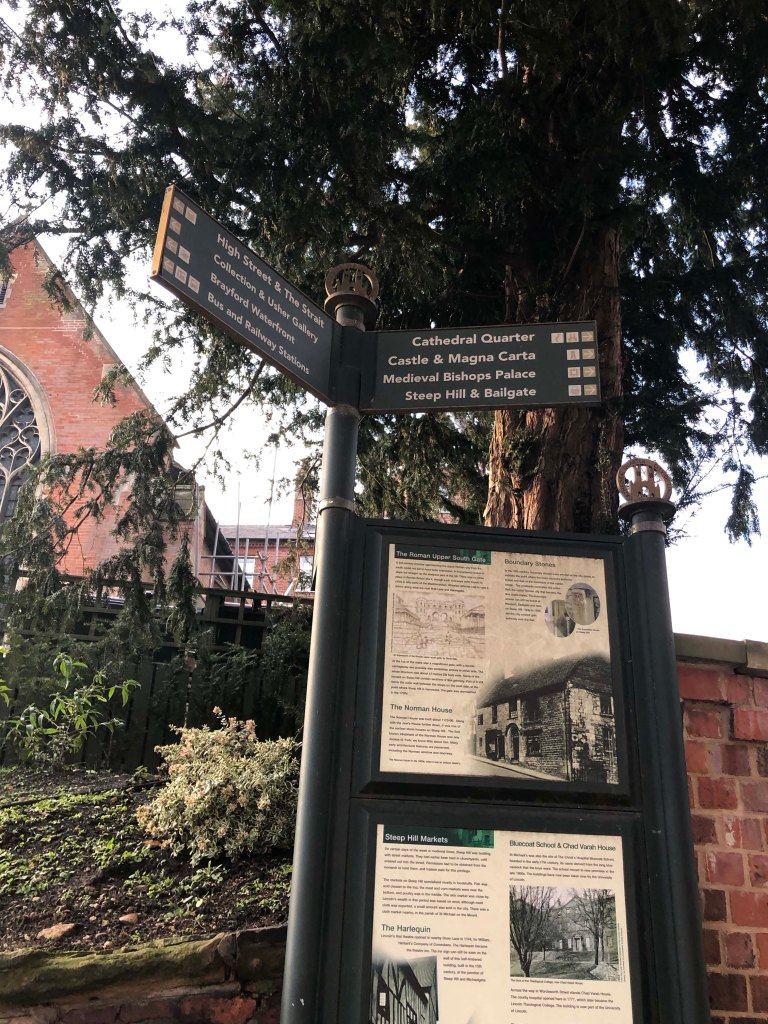
City of Lincoln

Official directional signs are generally easy to recognise, even if you are in unfamiliar surroundings. According to typefaces researches for directional signs there are three types: Clearview, Frutiger and Helvetica, as they are chosen for their clarity and readability.

We are all type consumers: we all interact and with a big variety of typefaces every day. Type influences what we read and what we see affects our choices, because that types communicating to us subconsciously. The main advantages of fonts are: fonts save your time, fonts help you to chose, fonts show you the way…and tell you where you are.

Exercise: A typographic jigsaw puzzle

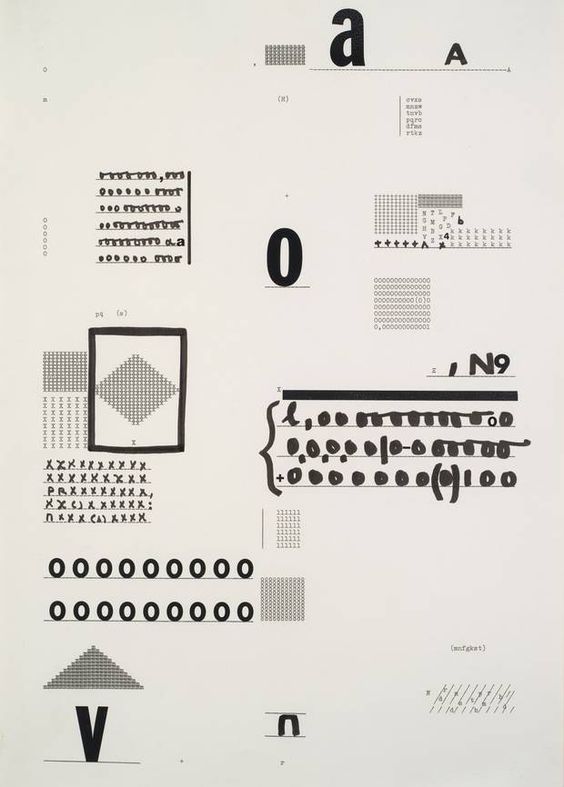
Untitled (Disks) 1972 Mira Schendel 1919-1988 Presented by the American Fund for the Tate Gallery 2012 http://www.tate.org.uk/art/work/T13708

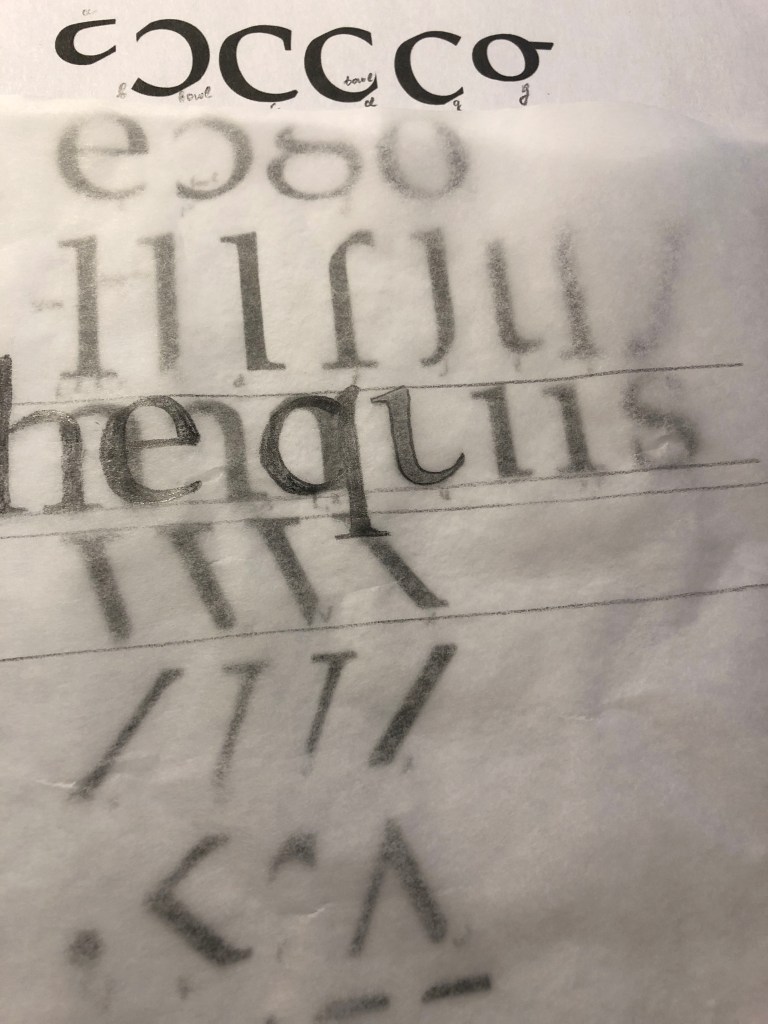
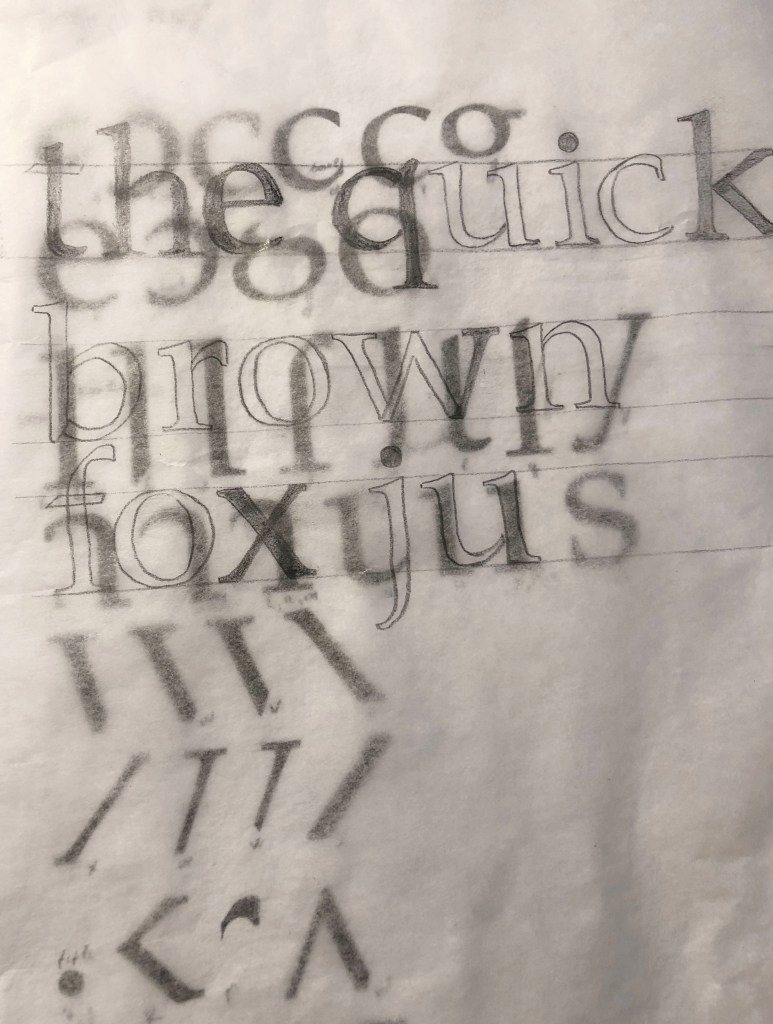
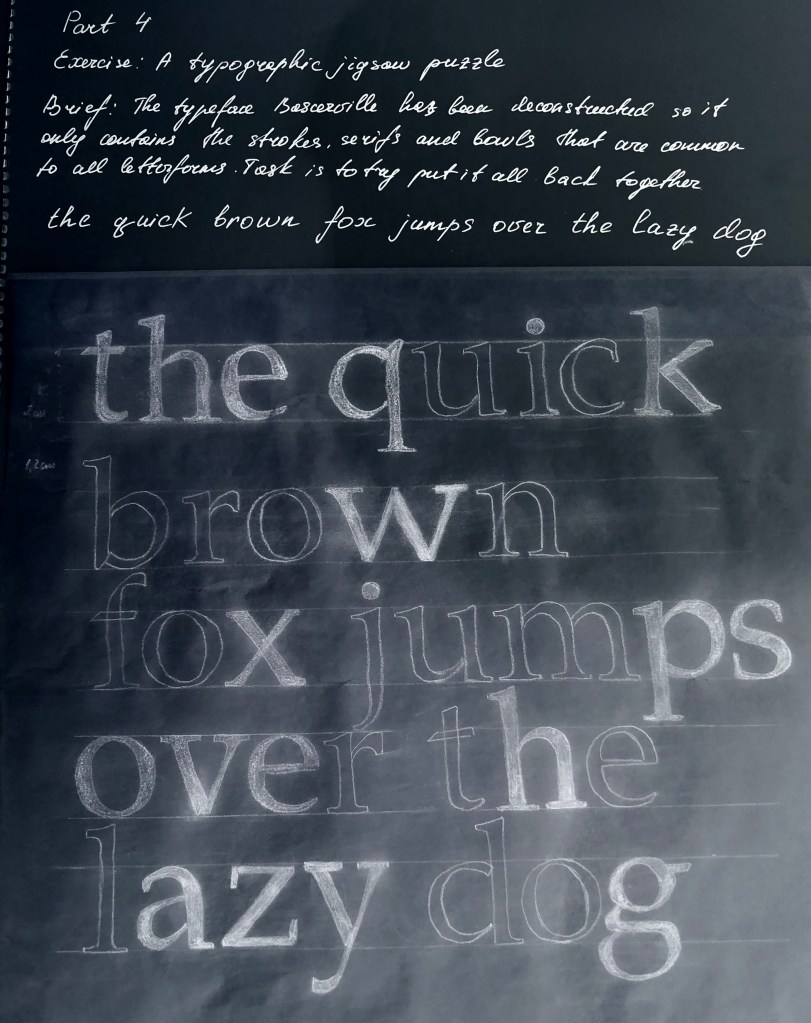
This exercise is designed to help you to look at typefaces more closely. You will need a sharp pencil, some tracing or thin paper and a ruler. On the facing page the typeface Baskerville has been deconstructed so it only contains the strokes, serifs and bowls that are common to all the letterforms. Your task is to try and put it all back together again to read

the quick brown fox jumps over the lazy dog

This is a pangram containing all the letters of the alphabet. It is all in lowercase. Start by drawing your baseline, determine the x height by identifying a whole letter such as x, e or n and draw your median line. This should provide a good starting point to try and piece together all the other elements. Remember that some parts will be used more than once, for example the same stem will be used in several letters. Try and account for all the parts without leaving any stray serifs behind.

Researches

So, continuing to research the theory of type, the new task brought a new experience. For me, a font has always been an all-encompassing component in the design, when you have a task to create a layout, in my understanding, a font has always been an addition to the message. But in the new chapter, the theory of typography opens as a separate part, which is also important for graphic designer attention, because it has the origins of the development of design theory, and writing takes its origins from ancient times, as well as paintings and drawings. Before starting the practical task, I decided to create for myself a small auxiliary layout of the anatomy of the text, in which I painted all the components of the font.

I’ve noted some of the names of letterform parts: aperture, ascender, baseline, cap height, descender, leading, letter-spacing, sans serif, serif, stem, stroke, x-height. Ascenders are an upward vertical stroke found in certain lowercase letters that extend beyond either the cap height or baseline. Descenders are the downward vertical stroke in these letters. In some cases, a collision between these strokes can occur when the line height (the vertical distance between baselines) is too tight. A serif is a small shape or projection that appears at the beginning or end of a stroke on a letter. Typeface with that have serifs are called a serif typeface. 

In a detailed analysis of the font, I noticed that all composing letters have a logical explanation. If you look at the font as a live object, then each element can be compared with the nature that surrounds us.

For example, the tail at the letter Q, the shoulder at the letters n, m, h, the small ear at the letter g, the straight stem as the basis for the characters h, k, l, bowl resembles a cup handle with tea for symbols such as p, d, b, p.

When it came to analysing the individual elements of the font in the task, I realised that it is not so easy to recognise all the letters when they are fragmented into small particles. I had to spend some time analysing all the elements of the font. To make my task a little easier, I decided to start by designating for myself on a piece of paper to which symbol this or that element can be attributed.

I decided on the size of the letters 2 cm and the distance between the lines of 1.5 cm.
Letters such as l, s, g, o, e were obvious. When I determined the letters h, n, I gradually began to see the boundary between the characters, literally a slight difference mattered. Suppose a serif on one side that would be suitable for the characters m, n, h, did not find its application, in my opinion, the serif should be on both sides. But over symbols b, p, d, m, v, w, p, q I had to sweat. Also, I never paid attention to the connection between the letters u & a, for me it could be said a discovery, until the last day I thought that I would have to finish the letter a by myself!

In conclusion, I would like to say that I had to spend a little more time on the task than I expected. In fact, it was important for me not only to draw letters and forget about this exercise, for me it was important to delve deeper into the analysis of the font and its components. Suppose now I can now determine for myself some differences in the font, and that one small serif, gives the font stability or dynamics. Earlier for me the theoretical font was an unknown Planet. Now I understand that after doing a little research, I understood the basic components of the font, and I began to think about creating my own font in the future.

Research Point

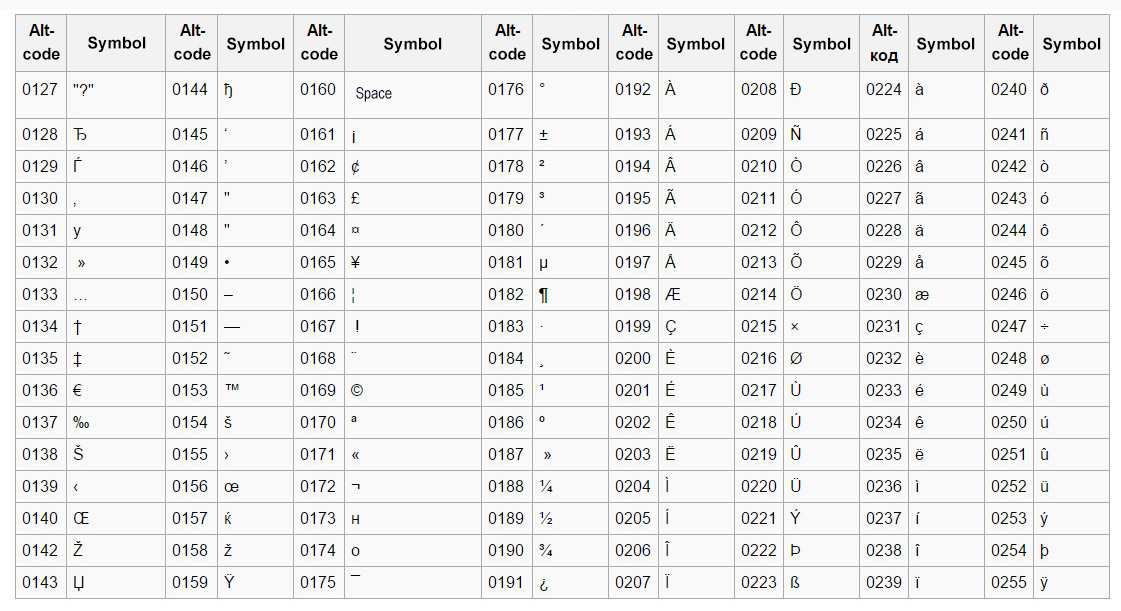
The alphabet is only part of a typeface that contains lots of different characters such as numbers, punctuation, mathematical and monetary symbols and ligatures. Ligatures are where two letters are combined together to make printing easier. Explore your computer keyboard to find some of the other characters. You will need to use your shift, alt and ctrl keys.

This was just random pressing of Alt+numcode, lots of funny and foreigh symbols came up. — ˜ ‘ Šٷ ، ኖ ʷ ᇢ،ٰٮ ƽ 뇫 Ӫ. When I work at my work computer, I sometimes use a list of characters from the code in the alt + numpad combination. My main symbols are • ° ²» etc.

I was interested in trying to practice with the keyboard on my Mac, it was more out of curiosity, because we are surrounded by many characters, the meaning of which we do not even suspect, but in the modern world we use a limited set of standard characters that are familiar to business correspondence.

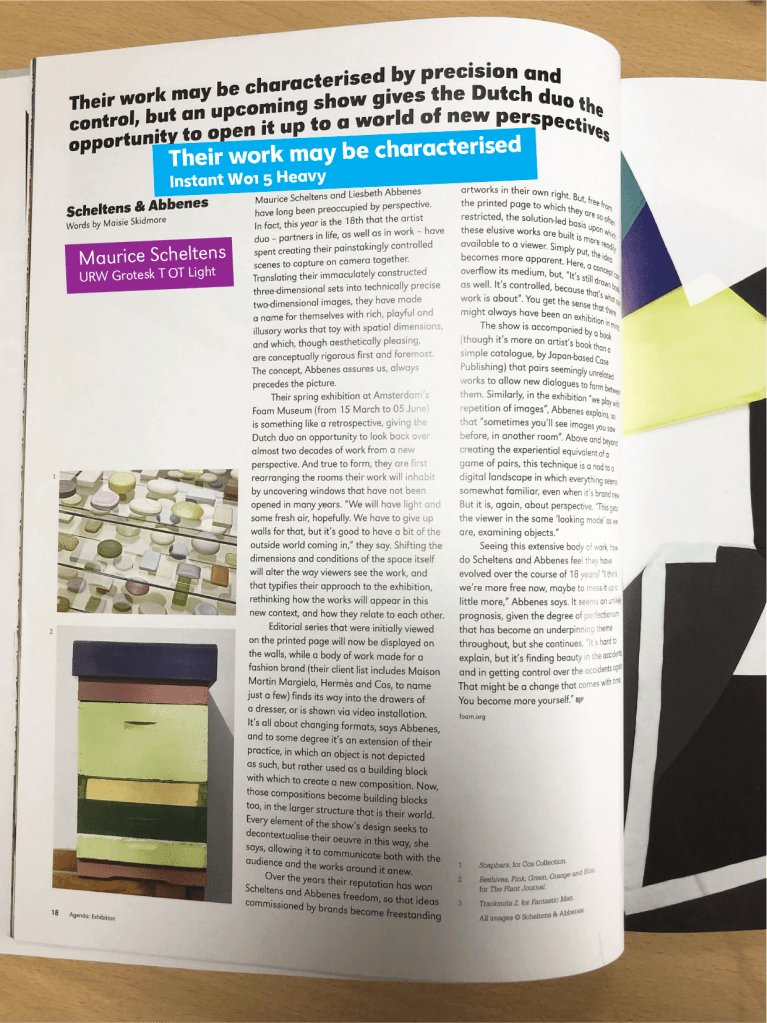
Choose a magazine, for example the Big Issue or Heat, and look at the main typefaces theyuse for the body text and headlines. Go to http://www.identifont.com and use the programme toidentify the fonts. Look at the ranges of typefaces all around you and try to identify theirdistinguishing characteristics. Make notes in your learning log.

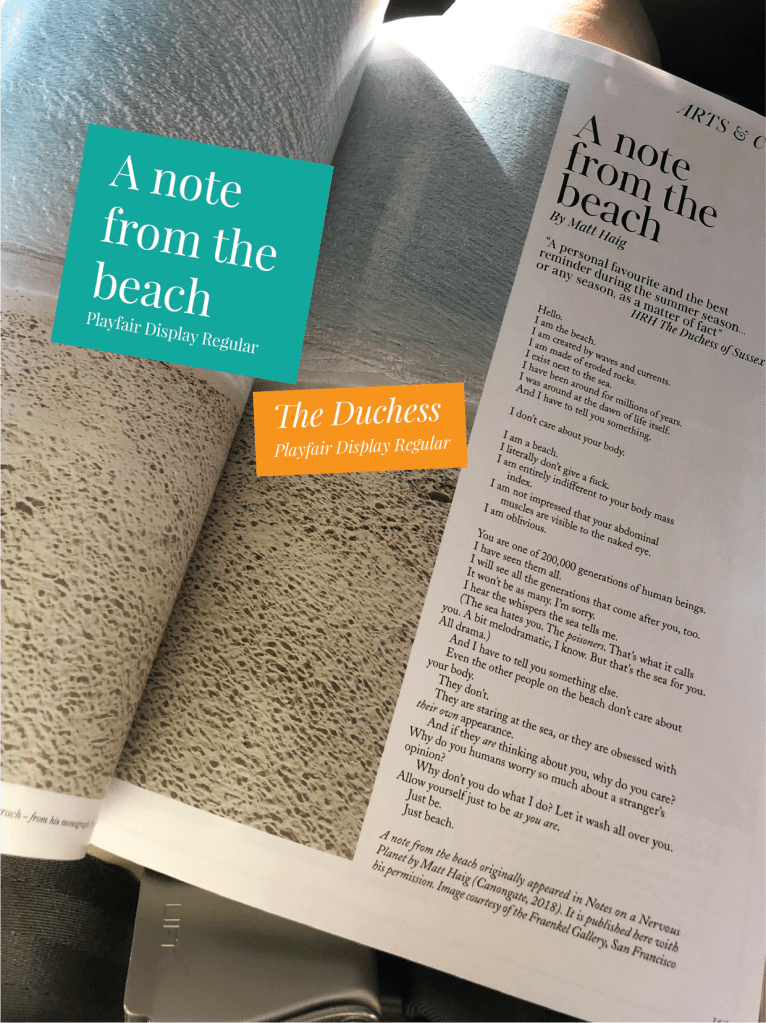
I wanted to try experimenting with this site, to find out what its essence is. At hand I had several issues of magazines, one of them was the British Journal of Photography. At first glance, the most common search engine, but when I disassembled this site in more detail, I discovered for myself you can say a new font selection system for professional work. As I often found it difficult to find the right font, when you come across something unusual in an article or poster, I sometimes had to look through all the fonts in my Adobe Illustrator program to find the right one. But here the search for the desired character resembled an exciting game. Frankly, at first I incorrectly selected the fonts, a small error could lead me to a completely different font, but the more precision in the selection of characters, the higher the likelihood that you will find a suitable font.
I also had the release of the September Vogue magazine, I was interested in what elegant font was used in it. It’s easiest to use the Times New Roman Serif font or Baskerville, but why not discover something new.

Conclusion

I found the first part of the task quite interesting for myself, it was interesting to find out where a symbol is hiding. For convenience, I would print myself a cheat sheet of the main signs and symbols that may be useful in design. The second part of the assignment turned out to be even more interesting, because thanks to her, I can now replenish an even more collection of fonts for my subsequent work. I will be happy to use this system in my future works for inspiration.

Exercise: Playing with words

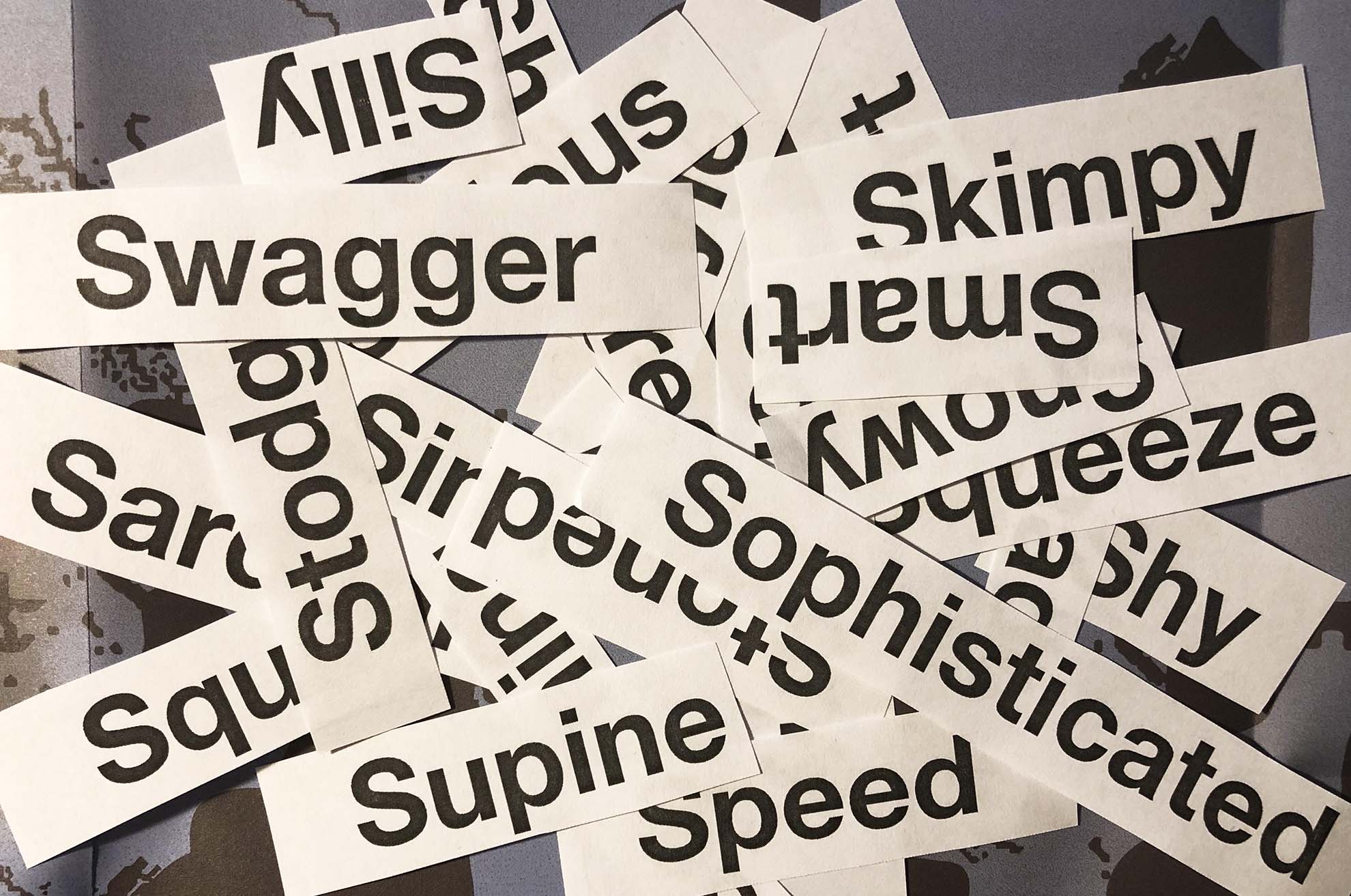
A whole pile of jumbled up words.

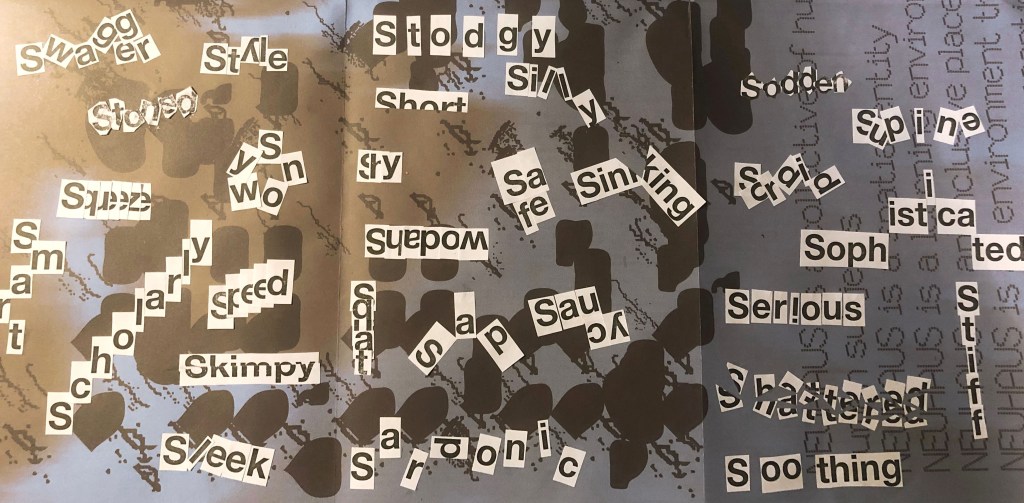
Using the following words create typographical representations that present both the word and a suggestion of its meaning.

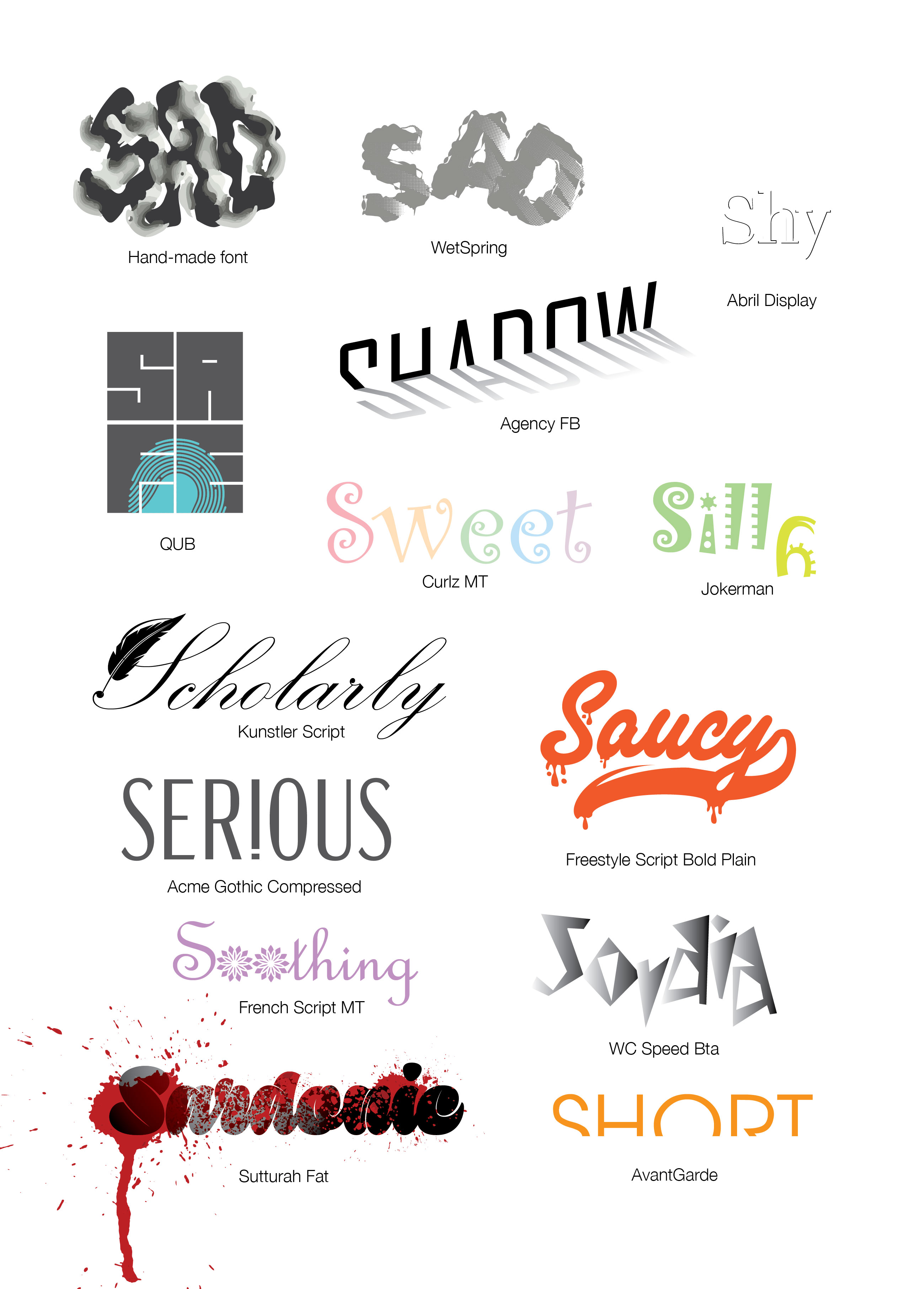
Sad Safe Sardonic Saucy Scholarly Serious Shadow Shattered Shy Short Silly Sinking Skimpy Sleek Smart Snowy Sodden Soothing Sordid Sophisticated Speed Squat Squeeze Stiff Stodgy Stoned Style Supine Swagger Sweet

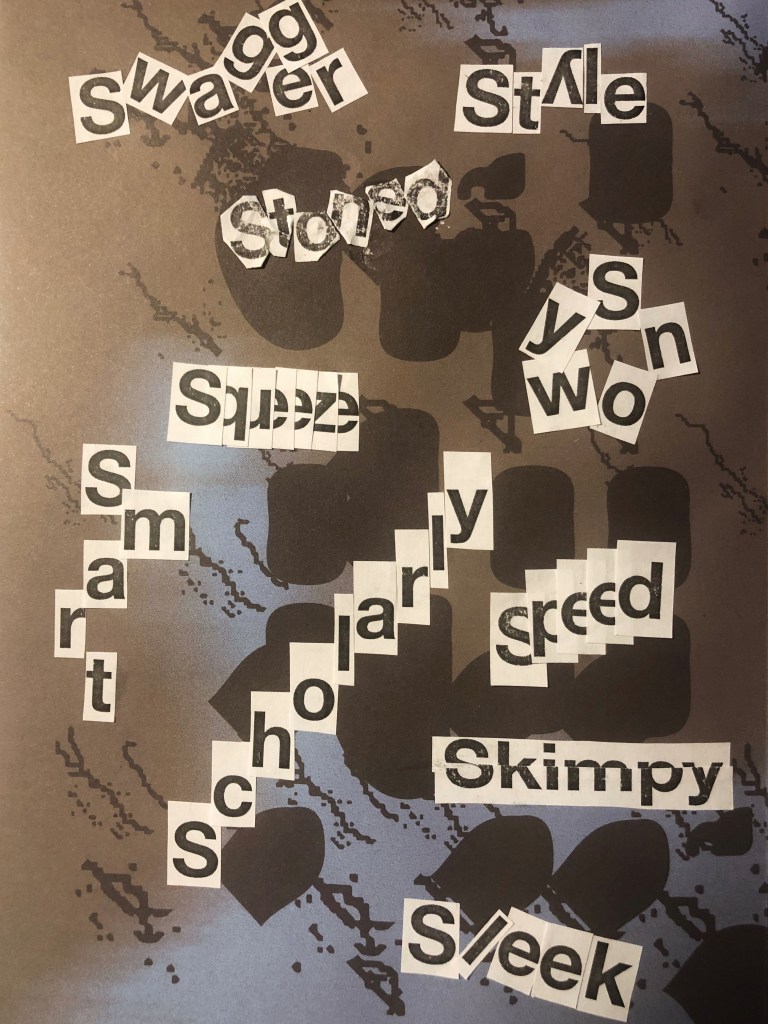
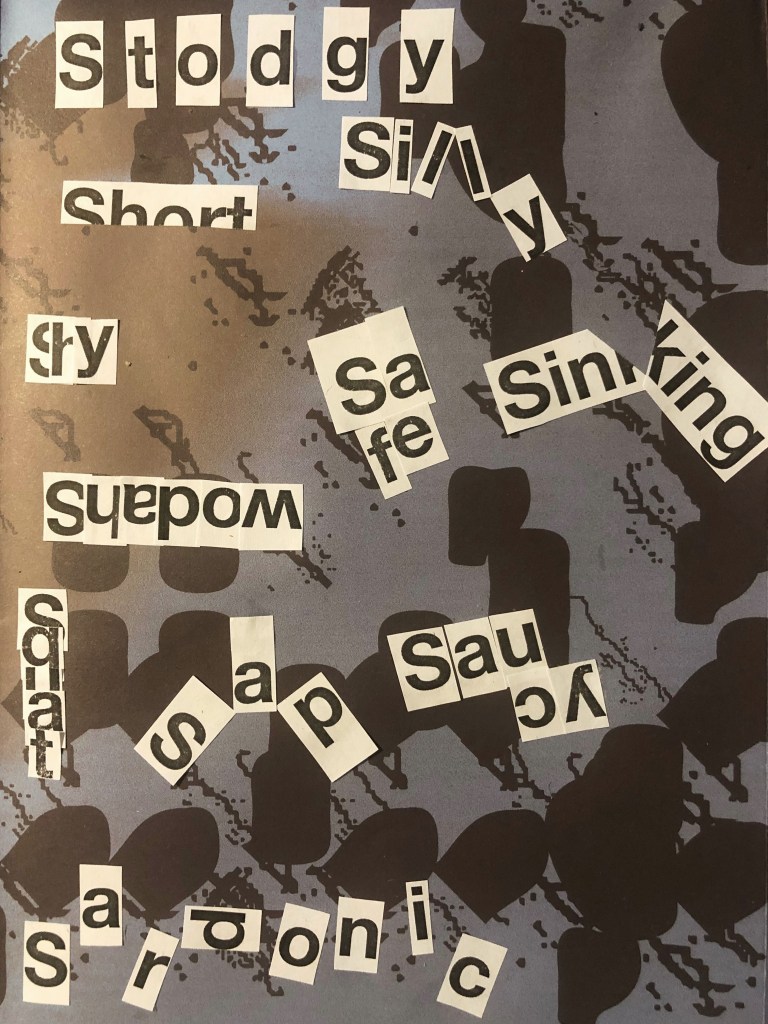
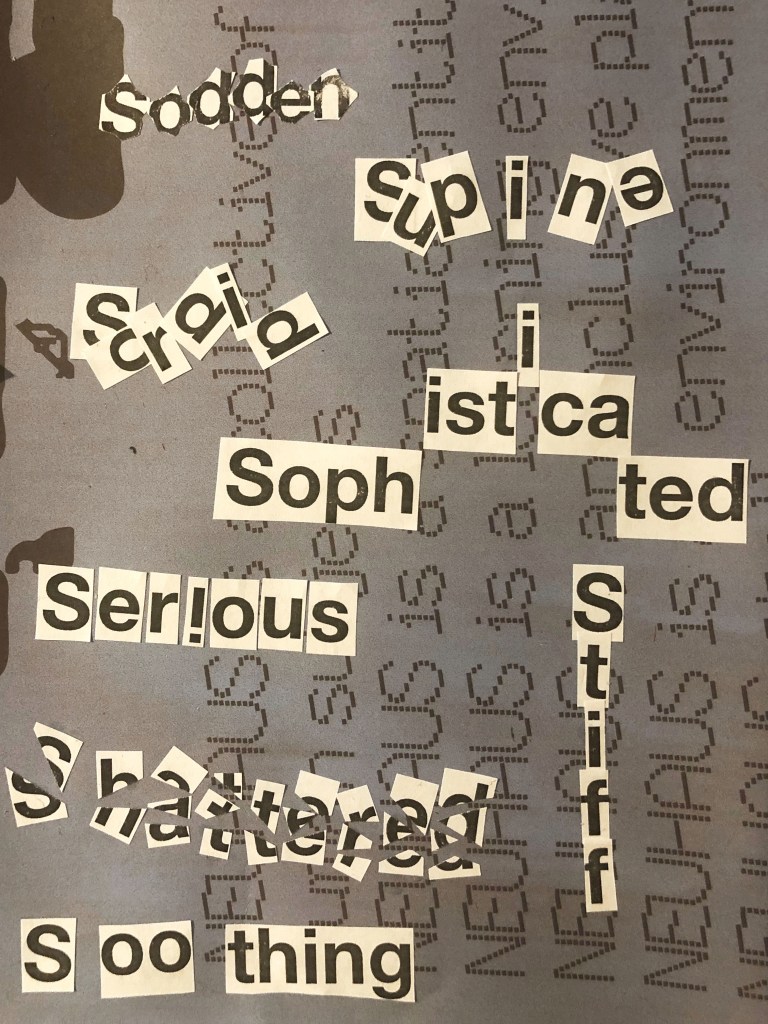
Start this exercise by working on A4 sheets of paper. Set the words in 48pt HelveticaBold, print and cut out the words and then arrange them and stick them to a sheet of paper trying to capture the meaning of the word visually. Think about the composition, using the white space of the page to help you construct your meanings.

Then work digitally using any of the software you have available. Explore how you can set text at a slant, at different sizes, in different colours and fonts. Try using filters in your software for other effects. Make notes as you work explaining your choice of representations and which ones youfeel that you were most successful with.

Practical Part

So, it’s time to start the first task of the printing section. Before I dive into the practical task, I made a small investigation into the history of type, I traced the evolution of writing for myself, it was interesting to follow the very origins of the development of type and writing, and how centuries-old inventions influenced modern typography. I left small notes in my Research Point.

At first glance, the standard pun-word exercise was very exciting. What struck me most was that how different the permutations of the letters in one word can be, and how this affects the visual perception of the word. I made sure for myself that the standard font, but the unique arrangement of letters can affect the character and mood of a person.

Paying with words practical part

When I imagined the word Sad I could see a sad smiley, and I want to place the word flowing down. When associating the word Safe, I presented a safe for keeping all valuables, and all the words are grouped into a cube shape. When associating the word Sardonic, I imagined something daunting when the letters want to scare so they scatter on different sides. For word Saucy, I imagined something playful and tasty. For word Scholary, this word which all strives to learn more is therefore directed upward. For word Serious, I imagined an exclamation point, so this is the emphasis, I am serious, and it is important! Word Shadow is a reflection, and it is read backwards. Word 8 is like broken glass, so it came to me to sweat by arranging small pieces of letters in a chaotic manner. Word Shy is hiding inside itself because it is shy to show itself in all its beauty. For word Short, the entire length of the letters is not enough, because it is small. Words Silly and Sweet are also playful and funny, so some letters do not want to stand in a row, but they want to somehow escape. Word Sinking, like the drowning ship Titanic, is broken in half, pulling to the bottom. And so all other words. I like the fact that they have no limits to play around!

Playing with words Part 1

When I started the graphic part of the assignment, it was important for me to show the meaning of the word in addition to the unique arrangement of letters, but also through the form of the font and its color as an addition. In my opinion, the font itself can convey the meaning of the word and its orientation. For example, I discovered the new Sutturah Fat font, it is easy to read, and it really has something intimidating, but a couple of bloody spots added even more meaning to the word. Or let’s say the Kunstler Script font, in my understanding, a scientist often writes in a beautiful, wide-spread font, let’s say this is a real idea. The same applies to the words Sweet / Silly, in which I used light, playful fonts with cute, subtle hues. I was also inspired by the font Riesling, for the word Sofisticated, such gracious and elegant font, as I understand it, there is really something attractive in this word. But to make this ford even more visible I arranged it into the goes high style. Thus, I replenished the font database, and I tried to beat every word in the role of a logo, like a word that represents itself in shape, color, and the arrangement of letters. In this practical lesson, I indicated all the fonts that were used in the design.

Playing with words Part 2

Conclusion

Based on my preliminary sketches of the font layout, I created words like Sad, Stoned, which kind of goes into the haze, relaxed and blurry image. With the word Speed, I had a desire to experiment, in which the letters e are depicted in the form of a speedometer.

In some words, I noticed difficulties, for example, such as Supine, Sleek, Soothing, I tried to add more tilt to them, convey the mood through color, and arrange the letters in a more chaotic version, but in my opinion they do not look as convincing as the rest fonts.

In conclusion, I would like to add that I enjoyed this assignment, it is painstaking work with fonts, and to some extent a separate chapter in the history of design, but it deserves a lot of attention, because the typography depends on the ease and correctness of the message, which the designer wants to convey to the viewer.

Research point: The history of Typography

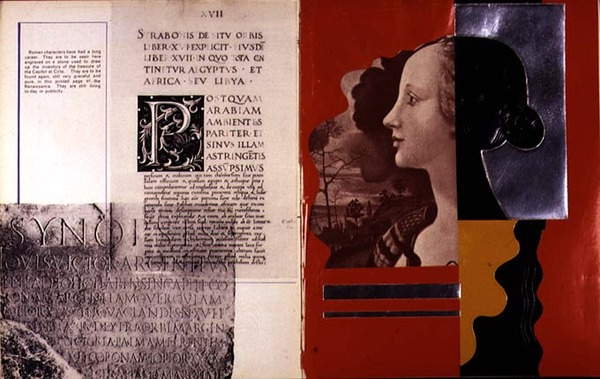
Double page spread including examples of Roman type and profile portrait, from `Mise en Page`, written, designed and produced by Albert Tolmer, pub. by Studio Editions, 1931

The history of type development has seen many exciting eras. The invention of moveable type, for instance, revolutionized our world, allowing the transmittal and sharing of knowledge, raising the level of the world’s literacy, and enabling civilization to progress and prosper.

Type History and Timeline of Typogrphy.

Ancient cave paintings that date back to 20,000 B.C. are perhaps the very first recorded written communication. However, formal writing is said to have been developed by the Sumerians at around 3,500 B.C.

As civilisations advanced, the need to communicate complex concepts grew—hence the development of Egyptian hieroglyphics. By 3100 B.C., the Egyptians began incorporating symbols or ideograms into their art, architecture and writings.
Fifth Century BCE.

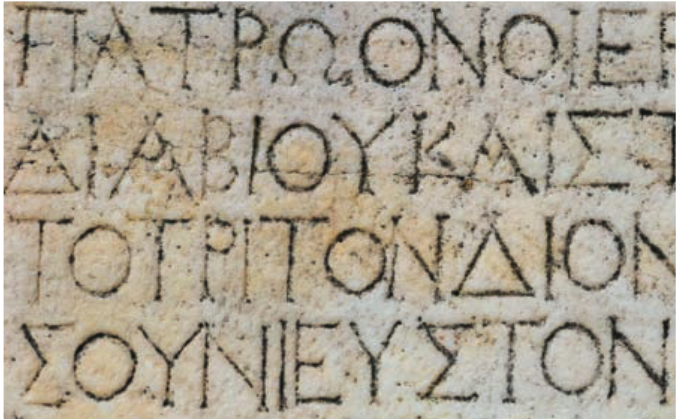
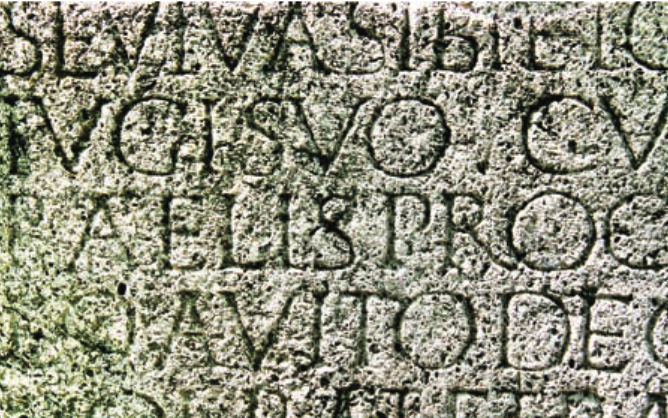
Greek lapidary letters, letters carved into hard surfaces, were one of the first formal uses of Western letterforms. The Greeks adopted the Phoenician alphabet for their own needs, and as a result, changed several letters and created the foundation for Western writing. Roman monumental capitals are the foundation for Western type design, as well as the ancestor of all serif typefaces Fourth and Fifth Centuries CE This time period saw square capitals, formal hand-written letters that evolved from Roman monumental capitals.
Fourteenth and Fifteenth Centuries

The Middle Ages were all about hand-written and well-illustrated manuscripts. It led to the evolution of a wide range of writing styles. Unicals and half unicals were prominent features, with rounded, elaborate lettering. The art of Calligraphy along with page layout and lettering forged new ground. Calligraphy masters travelled across the known world to share their knowledge with the educated elite.

Nicolas Jenson (77) (1420– 1480) was one of the first printers to cut and use fonts based on Roman rather than northern European Fraktur letterform.

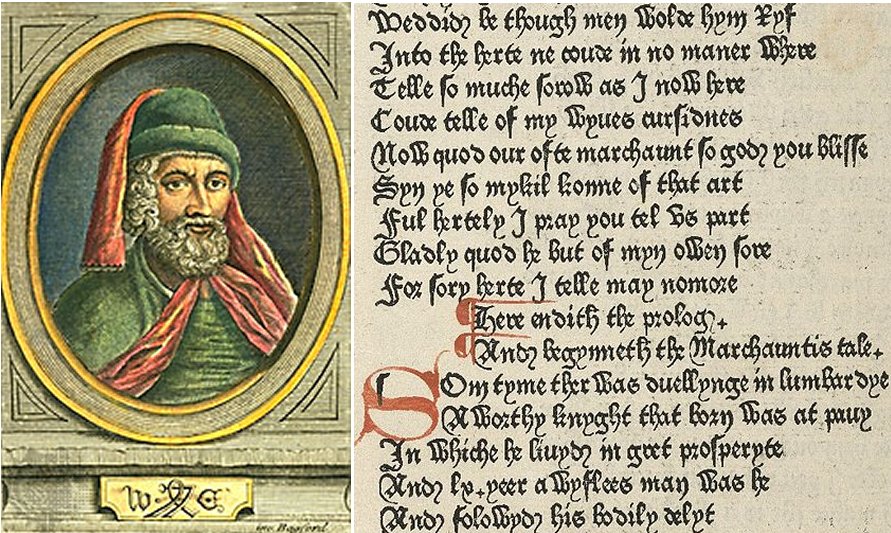
Another fifteenth-century notable, William Caxton (1421– 1491), a man credited with introducing to England the craft of printing with movable type, was first a successful businessman and government official before beginning his typographic career.

Sixteenth Century

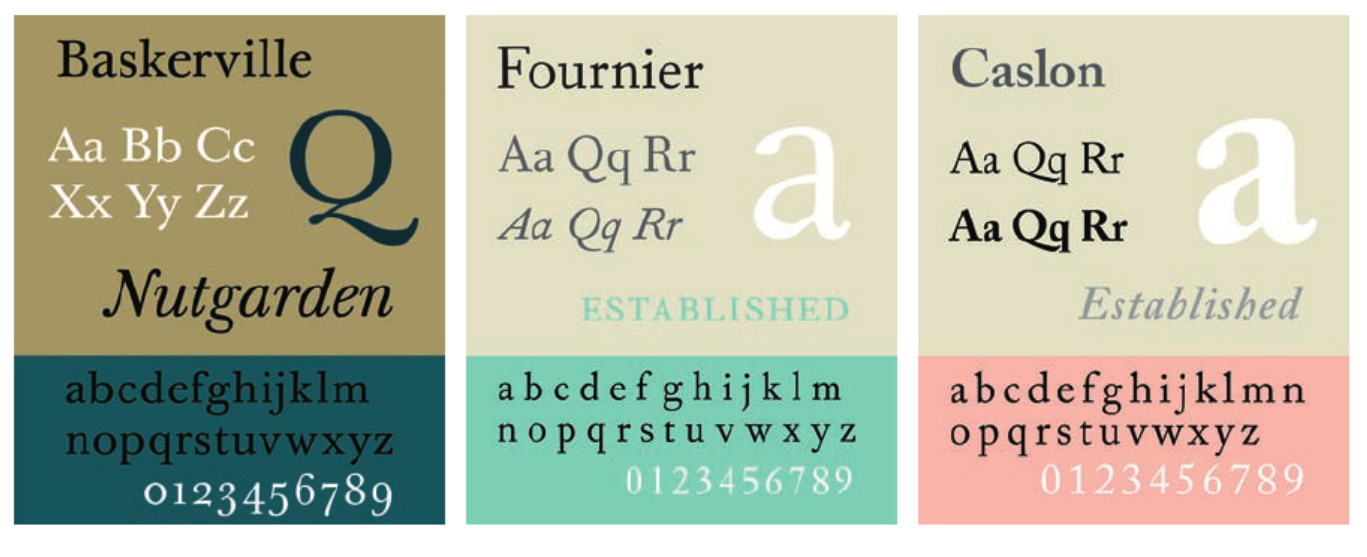
Garamond (74) (1500– 1567) was the most distinguished type designer of his time, perhaps of the entire Renaissance period. A true typographic innovator, he was instrumental in the adoption of Roman typeface designs in France as a replacement for the commonly used Gothic.

Seventeenth and Eighteenth Centuries

During this period, English gunsmith-turned-type-designer William Caslon I (72) (1692– 1766) founded the Caslon Type Foundry. He was one of the few wealthy type designers. His work, based on earlier Dutch designs, does not possess irreproachable perfection like that of Bodoni (156) or Baskerville (154) . Caslon’s strength as a type designer was not in his ability to create flawless letters, but to create a font that when set in a block of text copy appeared perfect in spite of the vagaries and individuality of each letterform.

Early Nineteenth Century

Early in this century, Lord Stanhope invented the first printing press. A few years later, in 1816, William Caslon IV designed the first sans serif font, creating the English serifed design. Many claim that the design for this sans is based on the Greek lapidary letters of the fifth century. Note how close they also look to the caps found in faces such as Futura (174) and ITC Avant Garde Gothic. In 1818, Bodoni’s (71) Manuale (completed by his wife after his death) showed the quintessential modern type.

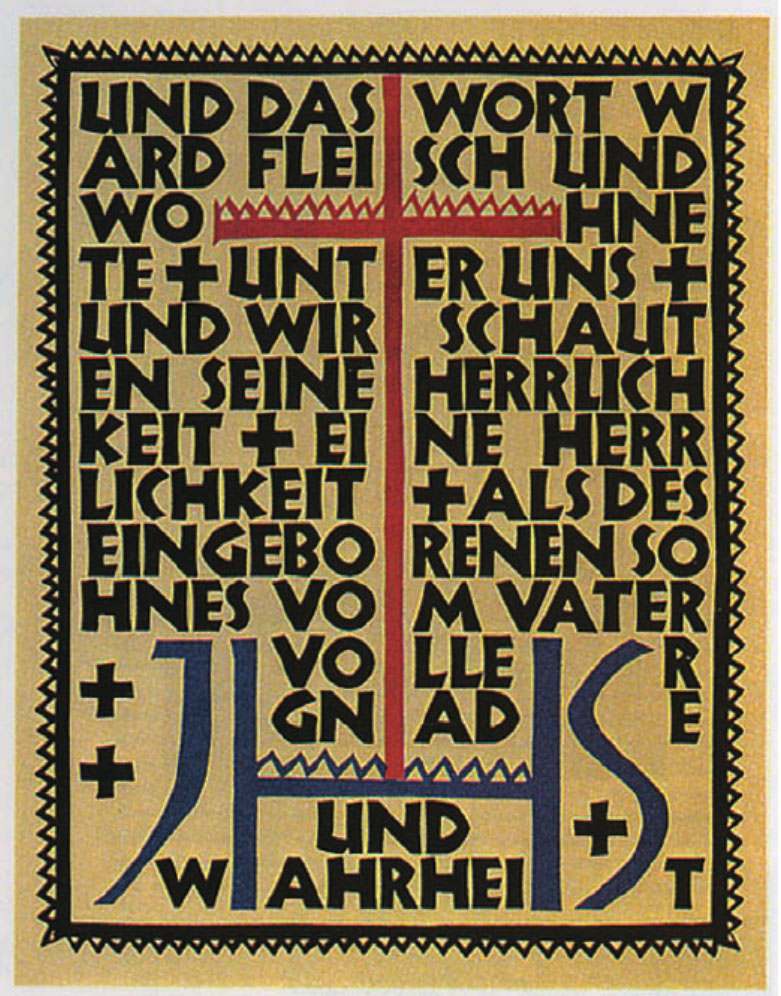
Rudolf Koch, 1924

Mid Nineteeth Century

For many years, ATF had the greatest offering of typefaces in the world— an offering that Benton essentially built. Outside the United States during this period, Emil Rudolf Weiss, Rudolf Koch , Lucian Bernhard , and Paul Renner began designing type.

Koch was primarily a calligrapher and teacher, but his association with the Klingspor type foundry in Germany provided the opportunity for a number of his designs to become type fonts.

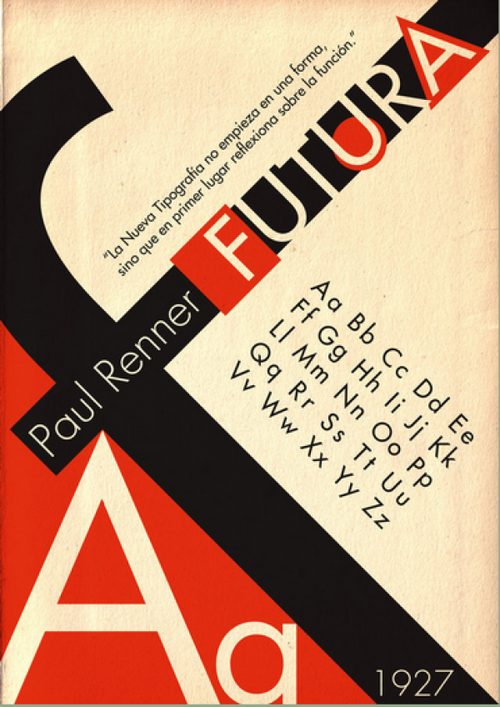
Renner created the first modern, geometric sans serif face: Futura . Although not a member of the Bauhaus, Renner shared its ideals and believed that a modern typeface should express modern models, rather than revivals of previous designs.

Late Ninetheeth

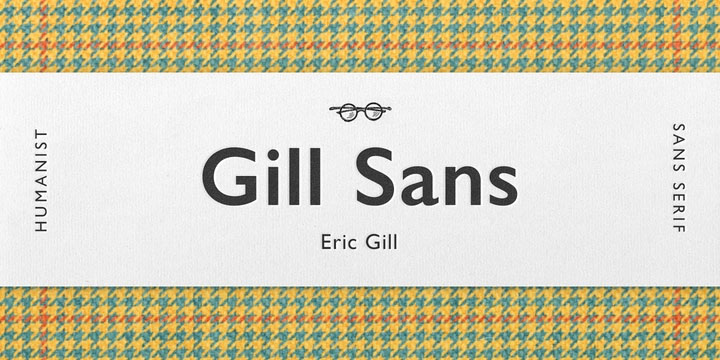
Eric Gill (1882– 1940) was an English sculptor, stonecutter, artist, and type designer. His most important work— and his only sans— is Gill Sans. His other designs include Joanna, Perpetua, and Pilgrim.

By the Industrial Revolution typography was all about communicating with the masses. Through signs, posters, newspapers, periodicals and advertisements, typefaces became larger and catchier, with bolder lettering and shading—as well as experimental serif and sans serif typefaces. Ornamental typography was another major highlight in this era. In the 1800’s, medieval art and hand crafted individual art has become commonplace, and international artistic styles developed considerably.

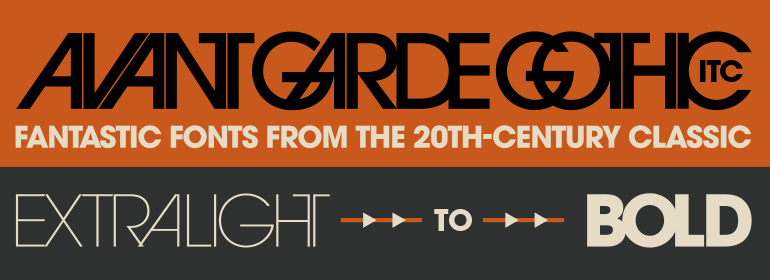
The year 1970 experienced the release of ITC Avant Garde Gothic and ITC Souvenir. ITC Avant Garde Gothic was ITC’s first typeface, initially drawn by Herb Lubalin (95) as the logo and headline face for Avant Garde magazine.

In 1982, John Warnock and Chuck Gerschke founded Adobe Systems. In 1983, Adobe PostScript was announced, one of the three most important technological advancements in typographic history.

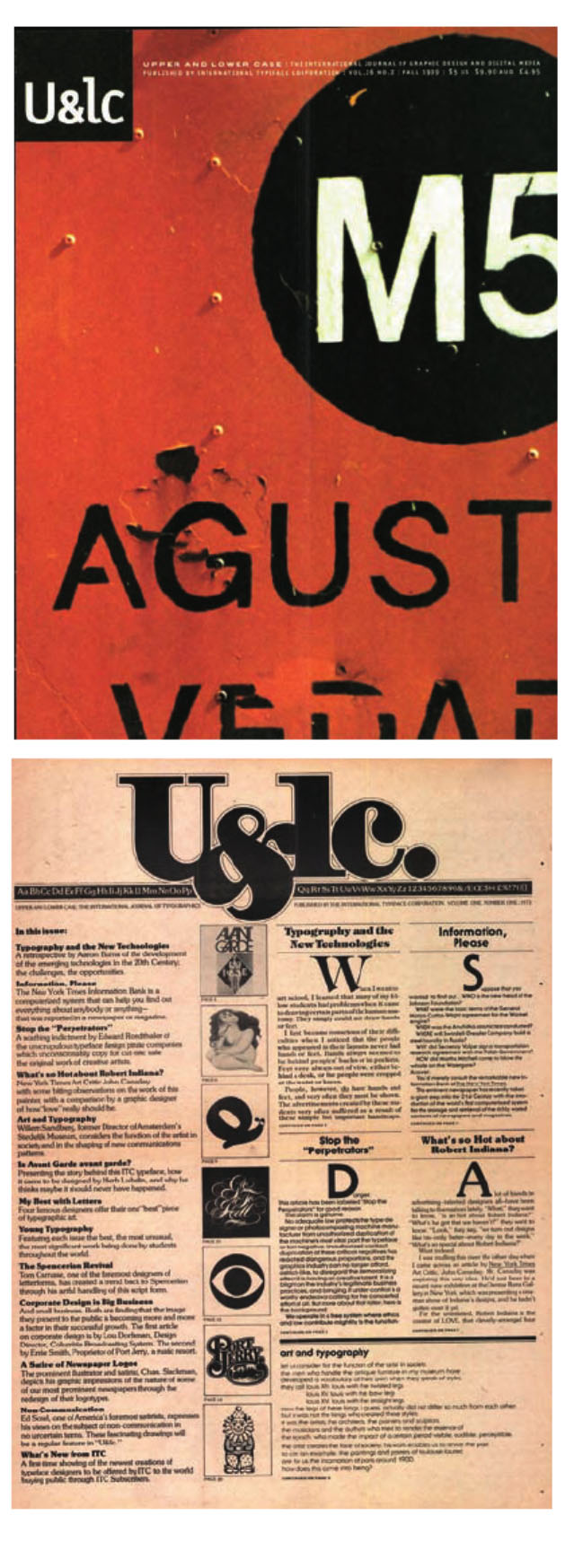
U&lc was ITC’s journal of typography.

1990s

ITC released Tekton in 1990, possibly the ITC Souvenir of this decade. It was designed by David Siegel for Adobe Systems (124) and based on the hand lettering of D. K. Ching, a Seattle architect. The following year, Adobe introduced the Portable Document Format— what’s today commonly called PDF— to aid in the transfer of documents across platforms. Apple introduced its TrueType to compete with Adobe’s PostScript. Stag Family by Christian Schwartz.

2000s

In 2000 and 2001, Agfa purchased the ITC type library and created Agfa Monotype, a merger of Agfa Typographic Systems and Monotype Typography. The Gotham typeface family, by Tobias Frere-Jones (87) , was released. Apple introduced Mac OS X 10.0 code named Cheetah. Harvey R. Ball, who created the cultural and typographic iconic drawing of a smiling face on a yellow background, passed away.

Stag Family by Christian Schwartz
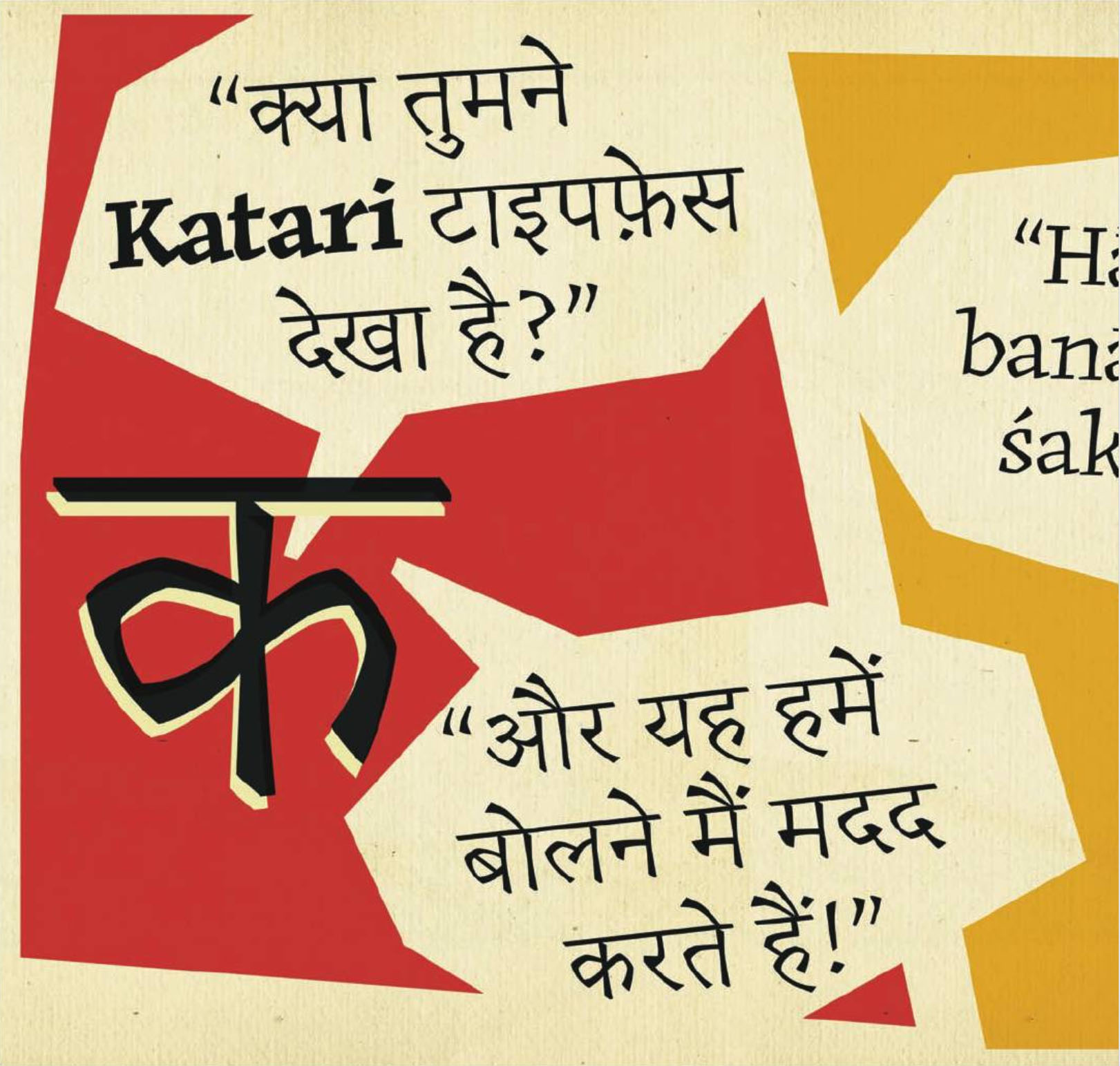
Erin McLaughlin’s Katari typeface combines a strong engagement with the writing of Devanagari, translating a pen-inspired structure into an incised style with both text and display variants.

Source: Tselentis, Jason, et al. Typography, Referenced : A Comprehensive Visual Guide to the Language, History, and Practice of Typography, Quarto Publishing Group USA, 201